

Customize Minecraft's menus with ease!
Товар
О товаре


FancyMenu allows you to personalize Minecraft's menus in a user-friendly way. Whether you're striving for a modern and simple style or looking to integrate advanced features such as animated or dynamic elements into your menus, FancyMenu equips you with the right tools to bring your vision to reality!
To explore FancyMenu's features and unlock its full potential, check out the official documentation. It walks you through everything, from the basics to advanced customization, making sure both new and experienced users can make the most of FancyMenu.
For support, tips, and to connect with other users, join the official Discord server.
If you experience crashes or other issues, please check the incompatibility list for mod conflicts!
What it Offers
- Visual Customization: FancyMenu empowers users to visually customize their Minecraft menus, allowing for unique and personalized in-game interfaces.
- Built-in Editor: FancyMenu features a user-friendly editor, allowing both beginners and experienced users to easily tweak layouts and customize menus.
- Client-Side Mod: FancyMenu can be used as pure client-side mod without the need to install it server-side.
- Server-Side Features: FancyMenu can be installed as optional server-side mod, enabling admins to remotely open GUIs for users with FancyMenu installed client-side.
- Animated Images: FancyMenu supports animated image formats like GIF and APNG that will breathe life into your menus.
- Dynamic Menu Designs: Advanced users can utilize features like conditional statements (aka. loading requirements), variables, and placeholders for complex and dynamic menu designs.
- Continuous Updates: FancyMenu is actively maintained, with regular updates introducing new features and improvements. FancyMenu is always available for the latest Minecraft versions, so you can always make use of Minecraft's newest features without sacrificing your beautiful menus.
Addons and More
FancyMenu has lots of addons, plugins and other things to make it even more powerful!
Drippy Loading Screen
Drippy is an addon for FancyMenu that allows you to customize the Mojang game loading screen!
SpiffyHUD
Spiffy is an addon for FancyMenu that allows you to customize the in-game HUD like the hotbar!
FancyMenu Spigot Plugin
The Spigot plugin makes it possible to use FancyMenu's commands even without FancyMenu installed on the server. This allows you to remotely open GUIs or edit variable values for other players with FancyMenu installed client-side.
Minecraft Changelogs as FancyMenu-Compatible Markdown
There's a great GitHub project that converts Minecraft's changelogs to FancyMenu-compatible Markdown, so you can show the latest MC changelog in your menus! It updates daily to fetch new changelogs.
For example, to show the latest Minecraft changelog in a Text element, set its Source Mode to Resource and set its resource source to Web. Then use this URL as source: https://clay.is-a.dev/minecraft-changelogs-markdown/{"placeholder":"mcversion"}/fancymenu.md
Fancy Entity Renderer
This mod is an optional dependency for FancyMenu that is needed to display player entities in menus.
If you want fancy players chilling in your menus, make sure to install this great mod!
Copyright
FancyMenu Copyright © 2020-2025 Keksuccino.
FancyMenu is licensed under DSMSLv3 (DON'T SNATCH MA STUFF LICENSE v3).
See LICENSE.md for more information about the license.
Japng © Copyright A. Ellerton.
Japng is licensed under Apache-2.0.
Animated GIF library for Java © Copyright Roberto Tyley, Kevin Weiner.
Original code by Kevin Weiner on fmsware.com.
Re-packaged and improved by Roberto Tyley. Improvements licensed under the Apache-2.0 license.
Server Needed?
Looking to play Minecraft with friends but setting up a server is just too time-consuming?
No worries! Simply rent a pre-configured server and start playing in a snap.
Just click the image below and use code keksuccino to enjoy a 25% discount on your first month! You can also click the code itself if your ad blocker hides the banner.

Превью
Изображения товара
Окружение
Требования и совместимость
Совместимость и требования
FabricForgeNeoforge1.12 – 1.12.21.16.2 – 1.16.51.18.2 – 1.20.21.20.4 – 1.21.11.21.4 – 1.21.81.21.10 – 1.21.1126.1.126.1.226.2
Локальный хост
Required
Хостинг на сервисах
Optional
Условия
Лицензия
Условия использования, изменения и распространения этого товара.
LicenseRef-DSMSLv3Modrinth
Релиз
Последний релиз
v3.9.8-26.2-neoforge
15.07.2026 · Modrinth
Галерея
Изображения проекта
Скриншоты и изображения из оригинальной страницы Modrinth.
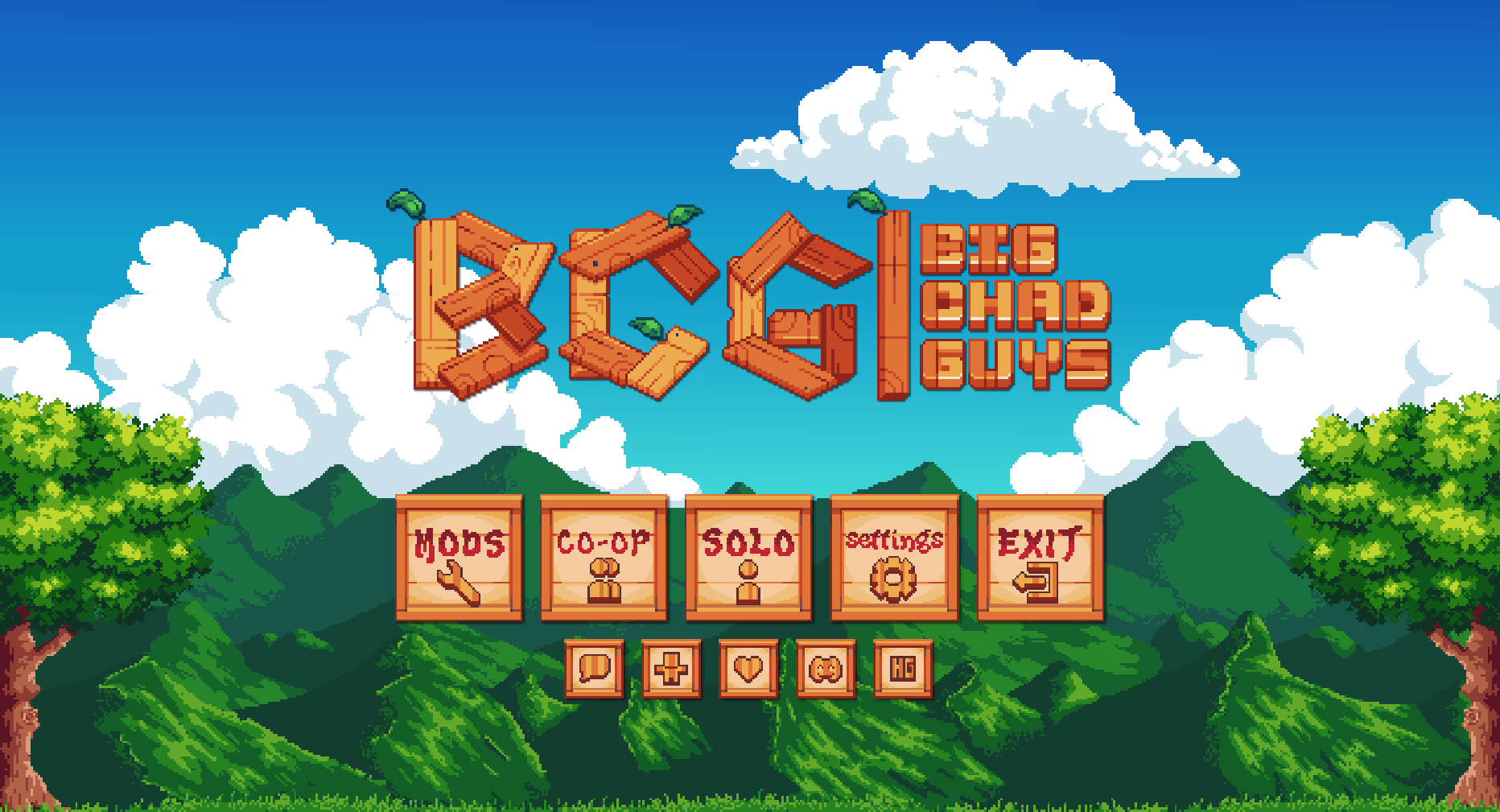
"BigChadGuys" Title screen by jflec
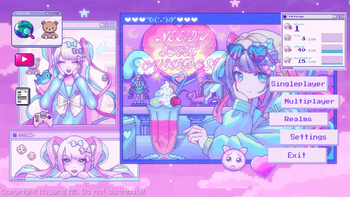
Title Screen by starrgaze_r
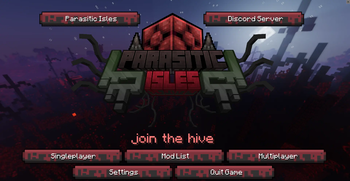
Title Screen by Akirawave

Title Screen by Raouldukejnr
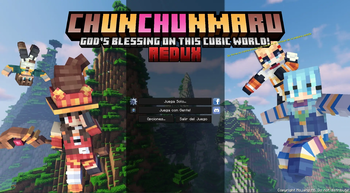
Konosuba inspired Title Screen by Otherion
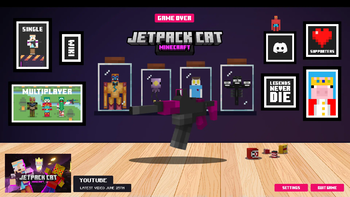
Title Screen by JetpackCat
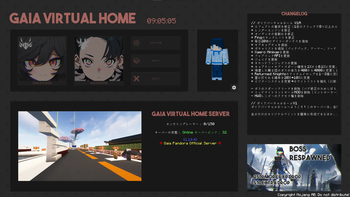
Title Screen by UwUCookies
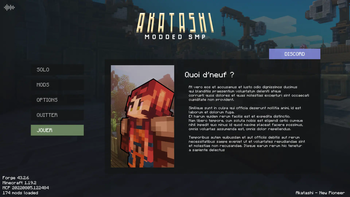
Title Menu by Mowzy
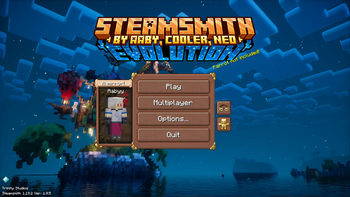
Title Screen by Aaby
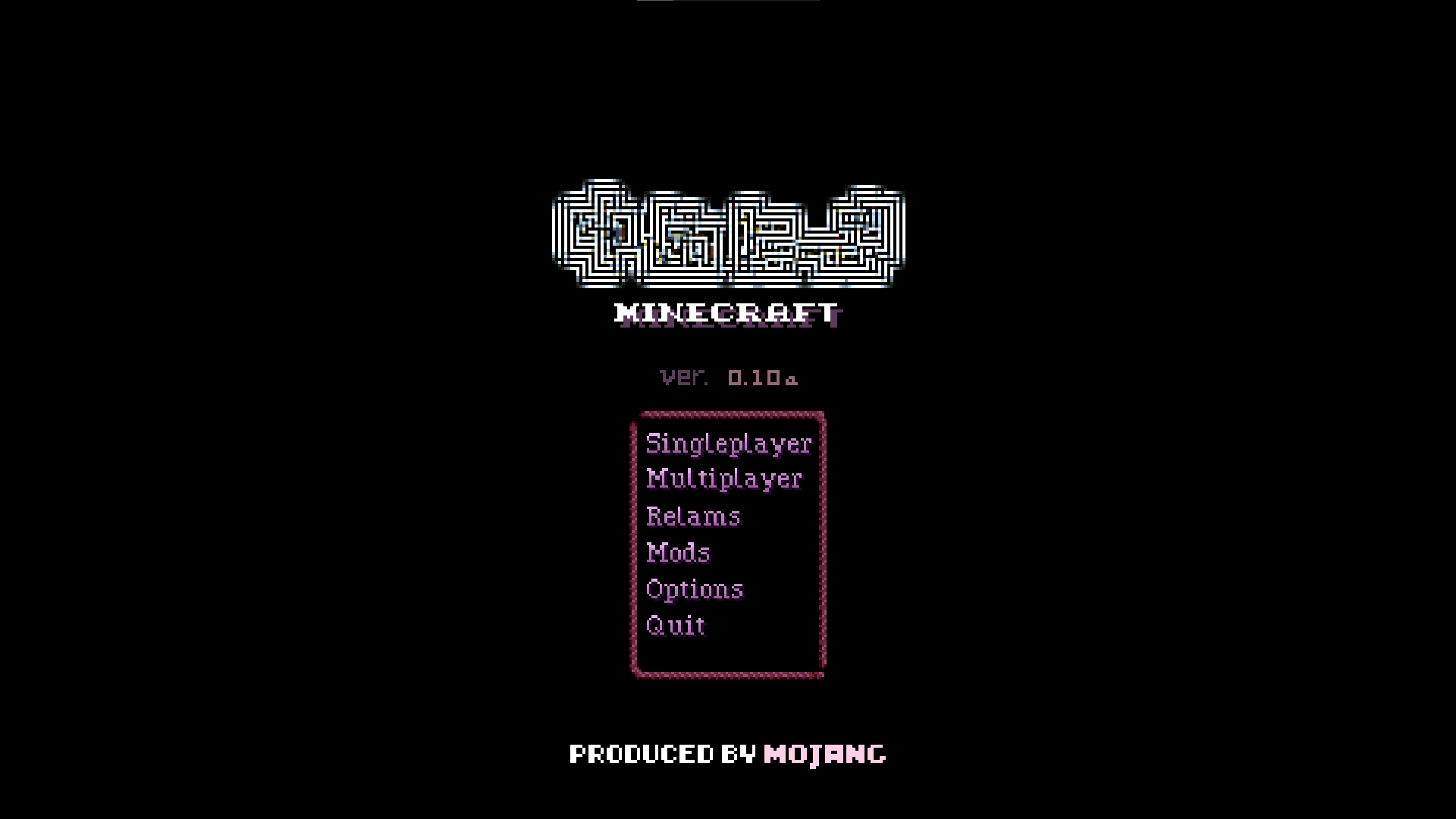
Yume Nikki inspired Title Screen by WOLFOL
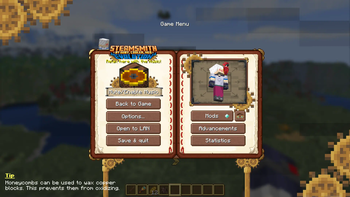
Pause Screen by Aaby


История
Версии проекта
Опубликованные версии и оригинальные файлы Modrinth.
v3.9.8-26.2-neoforgeПоследняяRelease
15.07.2026 · 666 загрузки
Neoforge26.2
v3.9.8-26.2-fabricRelease
15.07.2026 · 30 767 загрузки
Fabric26.2
v3.9.8-26.1.2-neoforgeRelease
15.07.2026 · 259 загрузки
Neoforge26.1.2
v3.9.8-26.1.2-fabricRelease
15.07.2026 · 5 016 загрузки
Fabric26.1.2
v3.9.8-1.21.11-neoforgeRelease
15.07.2026 · 222 загрузки
Neoforge1.21.11
v3.9.8-1.21.11-fabricRelease
15.07.2026 · 10 556 загрузки
Fabric1.21.11
v3.9.8-1.21.1-neoforgeRelease
15.07.2026 · 18 120 загрузки
Neoforge1.21.1
v3.9.8-1.21.1-fabricRelease
15.07.2026 · 59 849 загрузки
Fabric1.21.1
v3.9.8-1.20.1-forgeRelease
15.07.2026 · 60 477 загрузки
Forge1.20.1
v3.9.8-1.20.1-fabricRelease
15.07.2026 · 4 601 загрузки
Fabric1.20.1
v3.9.8-1.19.2-forgeRelease
15.07.2026 · 1 272 загрузки
Forge1.19.2
v3.9.8-1.19.2-fabricRelease
15.07.2026 · 173 загрузки
Fabric1.19.2
v3.9.7-26.2-neoforgeRelease
12.07.2026 · 280 загрузки
Neoforge26.2
v3.9.7-26.2-fabricRelease
12.07.2026 · 16 880 загрузки
Fabric26.2
v3.9.7-26.1.2-neoforgeRelease
12.07.2026 · 155 загрузки
Neoforge26.1.2
v3.9.7-26.1.2-fabricRelease
12.07.2026 · 2 645 загрузки
Fabric26.1.2
v3.9.7-1.21.11-neoforgeRelease
12.07.2026 · 94 загрузки
Neoforge1.21.11
v3.9.7-1.21.11-fabricRelease
12.07.2026 · 5 277 загрузки
Fabric1.21.11
v3.9.7-1.21.1-neoforgeRelease
12.07.2026 · 7 182 загрузки
Neoforge1.21.1
v3.9.7-1.21.1-fabricRelease
12.07.2026 · 131 551 загрузки
Fabric1.21.1
v3.9.7-1.20.1-forgeRelease
12.07.2026 · 22 358 загрузки
Forge1.20.1
v3.9.7-1.20.1-fabricRelease
12.07.2026 · 1 886 загрузки
Fabric1.20.1
v3.9.7-1.19.2-forgeRelease
12.07.2026 · 637 загрузки
Forge1.19.2
v3.9.7-1.19.2-fabricRelease
12.07.2026 · 76 загрузки
Fabric1.19.2
v3.9.6-1.19.2-forgeRelease
28.06.2026 · 2 684 загрузки
Forge1.19.2
v3.9.6-1.19.2-fabricRelease
28.06.2026 · 408 загрузки
Fabric1.19.2
v3.9.6-26.2-neoforgeRelease
28.06.2026 · 642 загрузки
Neoforge26.2
v3.9.6-26.2-fabricRelease
28.06.2026 · 52 485 загрузки
Fabric26.2
v3.9.6-26.1.1-neoforgeRelease
28.06.2026 · 76 загрузки
Neoforge26.1.126.1.2
v3.9.6-26.1.1-fabricRelease
28.06.2026 · 1 923 загрузки
Fabric26.1.126.1.2
v3.9.6-1.21.11-neoforgeRelease
28.06.2026 · 429 загрузки
Neoforge1.21.11
v3.9.6-1.21.11-fabricRelease
28.06.2026 · 23 556 загрузки
Fabric1.21.11
v3.9.6-1.21.1-neoforgeRelease
27.06.2026 · 62 395 загрузки
Neoforge1.21.1
v3.9.6-1.21.1-fabricRelease
27.06.2026 · 113 246 загрузки
Fabric1.21.1
v3.9.6-1.20.1-forgeRelease
27.06.2026 · 292 868 загрузки
Forge1.20.1
v3.9.6-1.20.1-fabricRelease
27.06.2026 · 9 029 загрузки
Fabric1.20.1
v3.9.5-26.2-neoforgeRelease
26.06.2026 · 127 загрузки
Neoforge26.2
v3.9.5-26.2-fabricRelease
26.06.2026 · 5 116 загрузки
Fabric26.2
v3.9.4-26.2-neoforgeRelease
25.06.2026 · 83 загрузки
Neoforge26.2
v3.9.4-26.2-fabricRelease
25.06.2026 · 3 218 загрузки
Fabric26.2
v3.9.3-1.20.1-forgeRelease
15.05.2026 · 757 259 загрузки
Forge1.20.1
v3.9.1-26.1.1-26.1.2-neoforgeRelease
14.05.2026 · 3 741 загрузки
Neoforge26.1.126.1.2
v3.9.1-26.1.1-26.1.2-fabricRelease
14.05.2026 · 221 059 загрузки
Fabric26.1.126.1.2
v3.9.1-1.21.11-neoforgeRelease
14.05.2026 · 1 387 загрузки
Neoforge1.21.11
v3.9.1-1.21.11-fabricRelease
14.05.2026 · 75 882 загрузки
Fabric1.21.11
v3.9.1-1.21.1-neoforgeRelease
14.05.2026 · 213 268 загрузки
Neoforge1.21.1
v3.9.1-1.21.1-fabricRelease
14.05.2026 · 120 142 загрузки
Fabric1.21.1
v3.9.1-1.20.1-forgeRelease
14.05.2026 · 2 589 загрузки
Forge1.20.1
v3.9.1-1.20.1-fabricRelease
14.05.2026 · 68 816 загрузки
Fabric1.20.1
v3.9.1-1.19.2-forgeRelease
14.05.2026 · 23 525 загрузки
Forge1.19.2
v3.9.1-1.19.2-fabricRelease
14.05.2026 · 701 загрузки
Fabric1.19.2
v3.9.0-26.1.1-26.1.2-neoforgeRelease
03.05.2026 · 1 519 загрузки
Neoforge26.1.126.1.2
v3.9.0-26.1.1-26.1.2-fabricRelease
03.05.2026 · 50 768 загрузки
Fabric26.1.126.1.2
v3.9.0-1.21.11-neoforgeRelease
03.05.2026 · 350 загрузки
Neoforge1.21.11
v3.9.0-1.21.11-fabricRelease
03.05.2026 · 20 270 загрузки
Fabric1.21.11
v3.9.0-1.21.1-neoforgeRelease
03.05.2026 · 61 774 загрузки
Neoforge1.21.1
v3.9.0-1.21.1-fabricRelease
03.05.2026 · 13 105 загрузки
Fabric1.21.1
v3.9.0-1.20.1-forgeRelease
03.05.2026 · 503 249 загрузки
Forge1.20.1
v3.9.0-1.20.1-fabricRelease
03.05.2026 · 4 814 загрузки
Fabric1.20.1
v3.9.0-1.19.2-forgeRelease
03.05.2026 · 928 загрузки
Forge1.19.2
v3.9.0-1.19.2-fabricRelease
03.05.2026 · 169 загрузки
Fabric1.19.2
v3.8.6-26.1.1-neoforgeRelease
08.04.2026 · 4 291 загрузки
Neoforge26.1.126.1.2
v3.8.6-26.1.1-fabricRelease
08.04.2026 · 58 670 загрузки
Fabric26.1.126.1.2
v3.8.5-26.1.1-neoforgeRelease
06.04.2026 · 155 загрузки
Neoforge26.1.1
v3.8.5-26.1.1-fabricRelease
06.04.2026 · 3 599 загрузки
Fabric26.1.1
v3.8.4-1.21.11-neoforgeRelease
01.02.2026 · 4 654 загрузки
Neoforge1.21.11
v3.8.4-1.21.11-fabricRelease
01.02.2026 · 380 820 загрузки
Fabric1.21.11
v3.8.3-1.21.11-neoforgeRelease
24.12.2025 · 3 416 загрузки
Neoforge1.21.11
v3.8.3-1.21.11-fabricRelease
24.12.2025 · 187 270 загрузки
Fabric1.21.11
v3.8.2-1.21.10-neoforgeRelease
08.12.2025 · 1 647 загрузки
Neoforge1.21.10
v3.8.2-1.21.10-fabricRelease
08.12.2025 · 109 021 загрузки
Fabric1.21.10
v3.8.1-1.21.10-neoforgeRelease
24.11.2025 · 1 110 загрузки
Neoforge1.21.10
v3.8.1-1.21.10-fabricRelease
24.11.2025 · 40 544 загрузки
Fabric1.21.10
v3.8.1-1.21.1-neoforgeRelease
24.11.2025 · 711 380 загрузки
Neoforge1.21.1
v3.8.1-1.21.1-fabricRelease
24.11.2025 · 5 977 866 загрузки
Fabric1.21.1
v3.8.1-1.20.1-forgeRelease
24.11.2025 · 2 777 358 загрузки
Forge1.20.1
v3.8.1-1.20.1-fabricRelease
24.11.2025 · 666 518 загрузки
Fabric1.20.1
v3.8.1-1.19.2-forgeRelease
24.11.2025 · 46 426 загрузки
Forge1.19.2
v3.8.1-1.19.2-fabricRelease
24.11.2025 · 2 384 загрузки
Fabric1.19.2
v3.8.0-1.21.10-neoforgeRelease
22.11.2025 · 254 загрузки
Neoforge1.21.10
v3.8.0-1.21.10-fabricRelease
22.11.2025 · 4 554 загрузки
Fabric1.21.10
v3.8.0-1.21.1-neoforgeRelease
22.11.2025 · 4 764 загрузки
Neoforge1.21.1
v3.8.0-1.21.1-fabricRelease
22.11.2025 · 104 180 загрузки
Fabric1.21.1
v3.8.0-1.20.1-forgeRelease
22.11.2025 · 14 667 загрузки
Forge1.20.1
v3.8.0-1.20.1-fabricRelease
22.11.2025 · 2 914 загрузки
Fabric1.20.1
v3.8.0-1.19.2-forgeRelease
22.11.2025 · 495 загрузки
Forge1.19.2
v3.8.0-1.19.2-fabricRelease
22.11.2025 · 136 загрузки
Fabric1.19.2
v3.7.2-1.21.10-neoforgeRelease
18.10.2025 · 2 405 загрузки
Neoforge1.21.10
v3.7.2-1.21.10-fabricRelease
18.10.2025 · 82 222 загрузки
Fabric1.21.10
v3.7.1-1.21.8-neoforgeRelease
31.08.2025 · 5 461 загрузки
Neoforge1.21.8
v3.7.1-1.21.8-forgeRelease
31.08.2025 · 2 680 загрузки
Forge1.21.8
v3.7.1-1.21.8-fabricRelease
31.08.2025 · 197 528 загрузки
Fabric1.21.8
v3.7.1-1.21.4-neoforgeRelease
31.08.2025 · 1 874 загрузки
Neoforge1.21.4
v3.7.1-1.21.4-forgeRelease
31.08.2025 · 1 531 загрузки
Forge1.21.4
v3.7.1-1.21.4-fabricRelease
31.08.2025 · 104 756 загрузки
Fabric1.21.4
v3.7.0-1.21.8-neoforgeRelease
23.08.2025 · 349 загрузки
Neoforge1.21.8
v3.7.0-1.21.8-forgeRelease
23.08.2025 · 394 загрузки
Forge1.21.8
v3.7.0-1.21.8-fabricRelease
23.08.2025 · 14 188 загрузки
Fabric1.21.8
v3.7.0-1.21.4-neoforgeRelease
23.08.2025 · 157 загрузки
Neoforge1.21.4
v3.7.0-1.21.4-forgeRelease
23.08.2025 · 186 загрузки
Forge1.21.4
v3.7.0-1.21.4-fabricRelease
23.08.2025 · 1 822 загрузки
Fabric1.21.4
v3.7.0-1.21.1-neoforgeRelease
23.08.2025 · 147 057 загрузки
Neoforge1.21.1
v3.7.0-1.21.1-forgeRelease
23.08.2025 · 7 457 загрузки
Forge1.21.1
v3.7.0-1.21.1-fabricRelease
23.08.2025 · 1 745 263 загрузки
Fabric1.21.1
v3.7.0-1.20.1-forgeRelease
23.08.2025 · 4 741 413 загрузки
Forge1.20.1
v3.7.0-1.20.1-fabricRelease
23.08.2025 · 1 918 555 загрузки
Fabric1.20.1
v3.7.0-1.19.2-forgeRelease
23.08.2025 · 561 547 загрузки
Forge1.19.2
v3.7.0-1.19.2-fabricRelease
23.08.2025 · 1 476 загрузки
Fabric1.19.2
v3.7.0-1.18.2-forgeRelease
23.08.2025 · 269 033 загрузки
Forge1.18.2
v3.7.0-1.18.2-fabricRelease
23.08.2025 · 3 176 загрузки
Fabric1.18.2
v3.6.4-1.21.7-neoforgeRelease
18.07.2025 · 4 603 загрузки
Neoforge1.21.71.21.8
v3.6.4-1.21.7-forgeRelease
18.07.2025 · 1 181 загрузки
Forge1.21.71.21.8
v3.6.4-1.21.7-fabricRelease
18.07.2025 · 104 856 загрузки
Fabric1.21.71.21.8
v3.6.4-1.21.4-neoforgeRelease
18.07.2025 · 728 загрузки
Neoforge1.21.4
v3.6.4-1.21.4-forgeRelease
18.07.2025 · 381 загрузки
Forge1.21.4
v3.6.4-1.21.4-fabricRelease
18.07.2025 · 60 069 загрузки
Fabric1.21.4
v3.6.4-1.21.1-neoforgeRelease
18.07.2025 · 41 271 загрузки
Neoforge1.21.1
v3.6.4-1.21.1-forgeRelease
18.07.2025 · 822 загрузки
Forge1.21.1
v3.6.4-1.21.1-fabricRelease
18.07.2025 · 163 659 загрузки
Fabric1.21.1
v3.6.4-1.20.1-forgeRelease
18.07.2025 · 2 200 754 загрузки
Forge1.20.1
v3.6.4-1.20.1-fabricRelease
18.07.2025 · 789 350 загрузки
Fabric1.20.1
v3.6.4-1.19.2-forgeRelease
18.07.2025 · 56 301 загрузки
Forge1.19.2
v3.6.4-1.19.2-fabricRelease
18.07.2025 · 656 загрузки
Fabric1.19.2
v3.6.4-1.18.2-forgeRelease
18.07.2025 · 7 210 загрузки
Forge1.18.2
v3.6.4-1.18.2-fabricRelease
18.07.2025 · 416 загрузки
Fabric1.18.2
v3.6.3-1.21.7-neoforgeRelease
03.07.2025 · 385 загрузки
Neoforge1.21.7
v3.6.3-1.21.7-forgeRelease
03.07.2025 · 413 загрузки
Forge1.21.7
v3.6.3-1.21.7-fabricRelease
03.07.2025 · 42 904 загрузки
Fabric1.21.7
v3.6.2-1.21.6-neoforgeRelease
02.07.2025 · 512 загрузки
Neoforge1.21.6
v3.6.2-1.21.6-forgeRelease
02.07.2025 · 549 загрузки
Forge1.21.6
v3.6.2-1.21.6-fabricRelease
02.07.2025 · 77 017 загрузки
Fabric1.21.6
v3.6.2-1.21.4-neoforgeRelease
02.07.2025 · 135 загрузки
Neoforge1.21.4
v3.6.2-1.21.4-forgeRelease
02.07.2025 · 178 загрузки
Forge1.21.4
v3.6.2-1.21.4-fabricRelease
02.07.2025 · 10 570 загрузки
Fabric1.21.4
v3.6.2-1.21.1-neoforgeRelease
02.07.2025 · 16 139 загрузки
Neoforge1.21.1
v3.6.2-1.21.1-forgeRelease
02.07.2025 · 370 загрузки
Forge1.21.1
v3.6.2-1.21.1-fabricRelease
02.07.2025 · 117 296 загрузки
Fabric1.21.1
v3.6.2-1.20.1-forgeRelease
02.07.2025 · 334 333 загрузки
Forge1.20.1
v3.6.2-1.20.1-fabricRelease
02.07.2025 · 15 142 загрузки
Fabric1.20.1
v3.6.2-1.19.2-forgeRelease
02.07.2025 · 45 351 загрузки
Forge1.19.2
v3.6.2-1.19.2-fabricRelease
02.07.2025 · 389 загрузки
Fabric1.19.2
v3.6.2-1.18.2-forgeRelease
02.07.2025 · 6 123 загрузки
Forge1.18.2
v3.6.2-1.18.2-fabricRelease
02.07.2025 · 259 загрузки
Fabric1.18.2
v3.6.1-1.20.1-forgeRelease
30.06.2025 · 18 268 загрузки
Forge1.20.1
v3.6.1-1.20.1-fabricRelease
30.06.2025 · 1 005 загрузки
Fabric1.20.1
v3.6.0-1.21.6-neoforgeRelease
30.06.2025 · 74 загрузки
Neoforge1.21.6
v3.6.0-1.21.6-forgeRelease
30.06.2025 · 131 загрузки
Forge1.21.6
v3.6.0-1.21.6-fabricRelease
30.06.2025 · 9 634 загрузки
Fabric1.21.6
v3.6.0-1.21.4-neoforgeRelease
30.06.2025 · 67 загрузки
Neoforge1.21.4
v3.6.0-1.21.4-forgeRelease
30.06.2025 · 78 загрузки
Forge1.21.4
v3.6.0-1.21.4-fabricRelease
30.06.2025 · 5 241 загрузки
Fabric1.21.4
v3.6.0-1.21.1-neoforgeRelease
30.06.2025 · 5 128 загрузки
Neoforge1.21.1
v3.6.0-1.21.1-forgeRelease
30.06.2025 · 92 загрузки
Forge1.21.1
v3.6.0-1.21.1-fabricRelease
30.06.2025 · 2 928 загрузки
Fabric1.21.1
v3.6.0-1.20.1-forgeRelease
30.06.2025 · 359 загрузки
Forge1.20.1
v3.6.0-1.20.1-fabricRelease
30.06.2025 · 323 загрузки
Fabric1.20.1
v3.6.0-1.19.2-forgeRelease
30.06.2025 · 327 загрузки
Forge1.19.2
v3.6.0-1.19.2-fabricRelease
30.06.2025 · 88 загрузки
Fabric1.19.2
v3.6.0-1.18.2-forgeRelease
30.06.2025 · 127 загрузки
Forge1.18.2
v3.6.0-1.18.2-fabricRelease
30.06.2025 · 91 загрузки
Fabric1.18.2
v3.5.3-1.21.6-neoforgeRelease
21.06.2025 · 199 загрузки
Neoforge1.21.6
v3.5.3-1.21.6-forgeRelease
21.06.2025 · 259 загрузки
Forge1.21.6
v3.5.3-1.21.6-fabricRelease
21.06.2025 · 11 505 загрузки
Fabric1.21.6
v3.5.2-1.20.1-forgeRelease
12.05.2025 · 1 102 997 загрузки
Forge1.20.1
v3.5.2-1.20.1-fabricRelease
12.05.2025 · 167 006 загрузки
Fabric1.20.1
v3.5.2-1.19.2-forgeRelease
12.05.2025 · 105 125 загрузки
Forge1.19.2
v3.5.2-1.19.2-fabricRelease
12.05.2025 · 948 загрузки
Fabric1.19.2
v3.5.2-1.18.2-forgeRelease
12.05.2025 · 17 765 загрузки
Forge1.18.2
v3.5.2-1.18.2-fabricRelease
12.05.2025 · 910 загрузки
Fabric1.18.2
v3.5.1-1.21.5-neoforgeRelease
05.05.2025 · 1 987 загрузки
Neoforge1.21.5
v3.5.1-1.21.5-forgeRelease
05.05.2025 · 2 149 загрузки
Forge1.21.5
v3.5.1-1.21.5-fabricRelease
05.05.2025 · 125 219 загрузки
Fabric1.21.5
v3.5.0-1.21.4-neoforgeRelease
10.04.2025 · 911 загрузки
Neoforge1.21.4
v3.5.0-1.21.4-forgeRelease
10.04.2025 · 1 192 загрузки
Forge1.21.4
v3.5.0-1.21.4-fabricRelease
10.04.2025 · 48 875 загрузки
Fabric1.21.4
v3.5.0-1.21.1-neoforgeRelease
10.04.2025 · 935 051 загрузки
Neoforge1.21.1
v3.5.0-1.21.1-forgeRelease
10.04.2025 · 1 466 загрузки
Forge1.21.1
v3.5.0-1.21.1-fabricRelease
10.04.2025 · 2 096 866 загрузки
Fabric1.21.1
v3.5.0-1.20.1-forgeRelease
10.04.2025 · 182 729 загрузки
Forge1.20.1
v3.5.0-1.20.1-fabricRelease
10.04.2025 · 84 088 загрузки
Fabric1.20.1
v3.5.0-1.19.2-forgeRelease
10.04.2025 · 17 669 загрузки
Forge1.19.2
v3.5.0-1.19.2-fabricRelease
10.04.2025 · 808 загрузки
Fabric1.19.2
v3.5.0-1.18.2-forgeRelease
10.04.2025 · 2 558 загрузки
Forge1.18.2
v3.5.0-1.18.2-fabricRelease
10.04.2025 · 464 загрузки
Fabric1.18.2
v3.4.6-1.21.4-neoforgeRelease
24.02.2025 · 1 626 загрузки
Neoforge1.21.4
v3.4.6-1.21.4-forgeRelease
24.02.2025 · 1 164 загрузки
Forge1.21.4
v3.4.6-1.21.4-fabricRelease
24.02.2025 · 82 528 загрузки
Fabric1.21.4
v3.4.6-1.21.1-neoforgeRelease
24.02.2025 · 168 009 загрузки
Neoforge1.21.1
v3.4.6-1.21.1-forgeRelease
24.02.2025 · 684 загрузки
Forge1.21.1
v3.4.6-1.21.1-fabricRelease
24.02.2025 · 498 462 загрузки
Fabric1.21.1
v3.4.6-1.20.1-forgeRelease
24.02.2025 · 418 404 загрузки
Forge1.20.1
v3.4.6-1.20.1-fabricRelease
24.02.2025 · 67 428 загрузки
Fabric1.20.1
v3.4.6-1.19.2-forgeRelease
24.02.2025 · 183 852 загрузки
Forge1.19.2
v3.4.6-1.19.2-fabricRelease
24.02.2025 · 1 146 загрузки
Fabric1.19.2
v3.4.6-1.18.2-forgeRelease
24.02.2025 · 3 077 загрузки
Forge1.18.2
v3.4.6-1.18.2-fabricRelease
24.02.2025 · 3 128 загрузки
Fabric1.18.2
v3.4.5-1.21.4-neoforgeRelease
22.02.2025 · 90 загрузки
Neoforge1.21.4
v3.4.5-1.21.4-forgeRelease
22.02.2025 · 147 загрузки
Forge1.21.4
v3.4.5-1.21.4-fabricRelease
22.02.2025 · 3 649 загрузки
Fabric1.21.4
v3.4.5-1.21.1-neoforgeRelease
22.02.2025 · 1 986 загрузки
Neoforge1.21.1
v3.4.5-1.21.1-forgeRelease
22.02.2025 · 89 загрузки
Forge1.21.1
v3.4.5-1.21.1-fabricRelease
22.02.2025 · 9 890 загрузки
Fabric1.21.1
v3.4.5-1.20.1-forgeRelease
22.02.2025 · 11 953 загрузки
Forge1.20.1
v3.4.5-1.20.1-fabricRelease
22.02.2025 · 2 866 загрузки
Fabric1.20.1
v3.4.5-1.19.2-forgeRelease
22.02.2025 · 2 108 загрузки
Forge1.19.2
v3.4.5-1.19.2-fabricRelease
22.02.2025 · 100 загрузки
Fabric1.19.2
v3.4.5-1.18.2-forgeRelease
22.02.2025 · 3 875 загрузки
Forge1.18.2
v3.4.5-1.18.2-fabricRelease
22.02.2025 · 73 загрузки
Fabric1.18.2
v3.4.4-1.21.4-neoforgeRelease
12.02.2025 · 320 загрузки
Neoforge1.21.4
v3.4.4-1.21.4-forgeRelease
12.02.2025 · 282 загрузки
Forge1.21.4
v3.4.4-1.21.4-fabricRelease
12.02.2025 · 6 959 загрузки
Fabric1.21.4
v3.4.4-1.21.1-neoforgeRelease
12.02.2025 · 4 986 загрузки
Neoforge1.21.1
v3.4.4-1.21.1-forgeRelease
12.02.2025 · 152 загрузки
Forge1.21.1
v3.4.4-1.21.1-fabricRelease
12.02.2025 · 48 392 загрузки
Fabric1.21.1
v3.4.4-1.20.1-forgeRelease
12.02.2025 · 64 725 загрузки
Forge1.20.1
v3.4.4-1.20.1-fabricRelease
12.02.2025 · 9 023 загрузки
Fabric1.20.1
v3.4.4-1.19.2-forgeRelease
12.02.2025 · 4 033 загрузки
Forge1.19.2
v3.4.4-1.19.2-fabricRelease
12.02.2025 · 244 загрузки
Fabric1.19.2
v3.4.4-1.18.2-forgeRelease
12.02.2025 · 638 загрузки
Forge1.18.2
v3.4.4-1.18.2-fabricRelease
12.02.2025 · 122 загрузки
Fabric1.18.2
v3.4.3-1.21.4-neoforgeRelease
12.02.2025 · 79 загрузки
Neoforge1.21.4
v3.4.3-1.21.4-forgeRelease
12.02.2025 · 76 загрузки
Forge1.21.4
v3.4.3-1.21.4-fabricRelease
12.02.2025 · 433 загрузки
Fabric1.21.4
v3.4.3-1.21.1-neoforgeRelease
12.02.2025 · 331 загрузки
Neoforge1.21.1
v3.4.3-1.21.1-forgeRelease
12.02.2025 · 70 загрузки
Forge1.21.1
v3.4.3-1.21.1-fabricRelease
12.02.2025 · 737 загрузки
Fabric1.21.1
v3.4.3-1.20.1-forgeRelease
12.02.2025 · 2 734 загрузки
Forge1.20.1
v3.4.3-1.20.1-fabricRelease
12.02.2025 · 836 загрузки
Fabric1.20.1
v3.4.3-1.19.2-forgeRelease
12.02.2025 · 331 загрузки
Forge1.19.2
v3.4.3-1.19.2-fabricRelease
12.02.2025 · 84 загрузки
Fabric1.19.2
v3.4.3-1.18.2-forgeRelease
12.02.2025 · 113 загрузки
Forge1.18.2
v3.4.3-1.18.2-fabricRelease
12.02.2025 · 60 загрузки
Fabric1.18.2
Some changelog text.
Supports multiline input.
v3.4.2-1.21.4-neoforgeRelease
09.02.2025 · 125 загрузки
Neoforge1.21.4
v3.4.1-1.20.1-fabricRelease
08.02.2025 · 6 240 загрузки
Fabric1.20.1
v3.4.1-1.19.2-fabricRelease
08.02.2025 · 165 загрузки
Fabric1.19.2
v3.4.1-1.18.2-fabricRelease
08.02.2025 · 117 загрузки
Fabric1.18.2
v3.4.0-1.19.2-forgeRelease
08.02.2025 · 1 680 загрузки
Forge1.19.2
v3.4.0-1.20.1-forgeRelease
08.02.2025 · 13 694 загрузки
Forge1.20.1
v3.4.0-1.21.4-neoforgeRelease
08.02.2025 · 73 загрузки
Neoforge1.21.4
v3.4.0-1.21.4-forgeRelease
08.02.2025 · 142 загрузки
Forge1.21.4
v3.4.0-1.21.4-fabricRelease
08.02.2025 · 1 865 загрузки
Fabric1.21.4
v3.4.0-1.21.1-neoforgeRelease
08.02.2025 · 603 загрузки
Neoforge1.21.1
v3.4.0-1.21.1-forgeRelease
08.02.2025 · 92 загрузки
Forge1.21.1
v3.4.0-1.21.1-fabricRelease
08.02.2025 · 603 290 загрузки
Fabric1.21.1
v3.4.0-1.20.1-fabricRelease
08.02.2025 · 963 загрузки
Fabric1.20.1
v3.4.0-1.19.2-fabricRelease
08.02.2025 · 93 загрузки
Fabric1.19.2
v3.4.0-1.18.2-forgeRelease
08.02.2025 · 348 загрузки
Forge1.18.2
v3.4.0-1.18.2-fabricRelease
08.02.2025 · 67 загрузки
Fabric1.18.2
v3.3.5-1.21.4-neoforgeRelease
08.01.2025 · 431 загрузки
Neoforge1.21.4
v3.3.5-1.21.4-forgeRelease
08.01.2025 · 604 загрузки
Forge1.21.4
v3.3.5-1.21.4-fabricRelease
08.01.2025 · 62 418 загрузки
Fabric1.21.4
v3.3.4-1.21.4-neoforgeRelease
24.12.2024 · 177 загрузки
Neoforge1.21.4
v3.3.4-1.21.4-forgeRelease
24.12.2024 · 332 загрузки
Forge1.21.4
v3.3.4-1.21.4-fabricRelease
24.12.2024 · 13 920 загрузки
Fabric1.21.4
v3.3.3-1.21.4-neoforgeRelease
15.12.2024 · 156 загрузки
Neoforge1.21.4
v3.3.3-1.21.4-forgeRelease
15.12.2024 · 210 загрузки
Forge1.21.4
v3.3.3-1.21.4-fabricRelease
15.12.2024 · 2 076 загрузки
Fabric1.21.4
v3.3.2-1.21.1-neoforgeRelease
19.10.2024 · 120 099 загрузки
Neoforge1.21.1
v3.3.2-1.21.1-forgeRelease
19.10.2024 · 1 104 загрузки
Forge1.21.1
v3.3.2-1.21.1-fabricRelease
19.10.2024 · 1 423 222 загрузки
Fabric1.21.1
v3.3.2-1.20.6-neoforgeRelease
19.10.2024 · 369 загрузки
Neoforge1.20.6
v3.3.2-1.20.6-forgeRelease
19.10.2024 · 1 367 загрузки
Forge1.20.6
v3.3.2-1.20.6-fabricRelease
19.10.2024 · 5 811 загрузки
Fabric1.20.6
v3.3.2-1.20.4-neoforgeRelease
19.10.2024 · 1 236 загрузки
Neoforge1.20.4
v3.3.2-1.20.4-forgeRelease
19.10.2024 · 1 896 загрузки
Forge1.20.4
v3.3.2-1.20.4-fabricRelease
19.10.2024 · 57 181 загрузки
Fabric1.20.4
v3.3.2-1.20.1-forgeRelease
19.10.2024 · 4 357 195 загрузки
Forge1.20.1
v3.3.2-1.20.1-fabricRelease
19.10.2024 · 2 975 295 загрузки
Fabric1.20.1
v3.3.2-1.19.2-forgeRelease
19.10.2024 · 206 671 загрузки
Forge1.19.2
v3.3.2-1.19.2-fabricRelease
19.10.2024 · 7 047 загрузки
Fabric1.19.2
v3.3.2-1.18.2-forgeRelease
19.10.2024 · 98 917 загрузки
Forge1.18.2
v3.3.2-1.18.2-fabricRelease
19.10.2024 · 973 загрузки
Fabric1.18.2
v3.3.1-1.20.1-forgeRelease
13.10.2024 · 158 054 загрузки
Forge1.20.1
v3.3.1-1.19.2-forgeRelease
13.10.2024 · 1 065 загрузки
Forge1.19.2
v3.3.0-1.21.1-neoforgeRelease
13.10.2024 · 526 загрузки
Neoforge1.21.1
v3.3.0-1.21.1-forgeRelease
13.10.2024 · 168 загрузки
Forge1.21.1
v3.3.0-1.21.1-fabricRelease
13.10.2024 · 2 421 загрузки
Fabric1.21.1
v3.3.0-1.20.6-neoforgeRelease
13.10.2024 · 70 загрузки
Neoforge1.20.6
v3.3.0-1.20.6-forgeRelease
13.10.2024 · 111 загрузки
Forge1.20.6
v3.3.0-1.20.6-fabricRelease
13.10.2024 · 166 загрузки
Fabric1.20.6
v3.3.0-1.20.4-neoforgeRelease
13.10.2024 · 76 загрузки
Neoforge1.20.4
v3.3.0-1.20.4-forgeRelease
13.10.2024 · 110 загрузки
Forge1.20.4
v3.3.0-1.20.4-fabricRelease
13.10.2024 · 530 загрузки
Fabric1.20.4
v3.3.0-1.20.1-forgeRelease
13.10.2024 · 400 загрузки
Forge1.20.1
v3.3.0-1.20.1-fabricRelease
13.10.2024 · 27 539 загрузки
Fabric1.20.1
v3.3.0-1.19.2-forgeRelease
13.10.2024 · 211 загрузки
Forge1.19.2
v3.3.0-1.19.2-fabricRelease
13.10.2024 · 203 загрузки
Fabric1.19.2
v3.3.0-1.18.2-forgeRelease
13.10.2024 · 474 загрузки
Forge1.18.2
v3.3.0-1.18.2-fabricRelease
13.10.2024 · 125 загрузки
Fabric1.18.2
v3.2.6-1.21.1-neoforgeRelease
23.09.2024 · 5 176 загрузки
Neoforge1.21.1
v3.2.6-1.21.1-forgeRelease
23.09.2024 · 385 загрузки
Forge1.21.1
v3.2.5-1.21-neoforgeRelease
21.06.2024 · 8 778 загрузки
Neoforge1.211.21.1
v3.2.5-1.21-forgeRelease
15.06.2024 · 5 024 загрузки
Forge1.211.21.1
v3.2.5-1.21-fabricRelease
15.06.2024 · 652 805 загрузки
Fabric1.211.21.1
v3.2.4-1.20.6-forgeRelease
16.05.2024 · 824 загрузки
Forge1.20.6
v3.2.3-1.20.6-neoforgeRelease
13.05.2024 · 808 загрузки
Neoforge1.20.6
v3.2.3-1.20.6-fabricRelease
13.05.2024 · 50 077 загрузки
Fabric1.20.6
v3.2.3-1.20.4-neoforgeRelease
13.05.2024 · 6 946 загрузки
Neoforge1.20.4
v3.2.3-1.20.4-forgeRelease
13.05.2024 · 733 загрузки
Forge1.20.4
v3.2.3-1.20.4-fabricRelease
13.05.2024 · 57 351 загрузки
Fabric1.20.4
v3.2.3-1.20.1-forgeRelease
13.05.2024 · 522 684 загрузки
Forge1.20.1
v3.2.3-1.20.1-fabricRelease
13.05.2024 · 1 760 034 загрузки
Fabric1.20.1
v3.2.3-1.19.2-forgeRelease
13.05.2024 · 1 264 598 загрузки
Forge1.19.2
v3.2.3-1.19.2-fabricRelease
13.05.2024 · 15 183 загрузки
Fabric1.19.2
v3.2.3-1.18.2-forgeRelease
13.05.2024 · 43 621 загрузки
Forge1.18.2
v3.2.3-1.18.2-fabricRelease
13.05.2024 · 2 187 загрузки
Fabric1.18.2
v3.2.2-1.20.6-neoforgeRelease
08.05.2024 · 183 загрузки
Neoforge1.20.6
v3.2.2-1.20.6-fabricRelease
08.05.2024 · 2 000 загрузки
Fabric1.20.6
v3.2.2-1.20.4-neoforgeRelease
08.05.2024 · 943 загрузки
Neoforge1.20.4
v3.2.2-1.20.4-forgeRelease
08.05.2024 · 177 загрузки
Forge1.20.4
v3.2.2-1.20.4-fabricRelease
08.05.2024 · 4 697 загрузки
Fabric1.20.4
v3.2.2-1.20.1-forgeRelease
08.05.2024 · 347 275 загрузки
Forge1.20.1
v3.2.2-1.20.1-fabricRelease
08.05.2024 · 1 099 796 загрузки
Fabric1.20.1
v3.2.2-1.19.2-forgeRelease
08.05.2024 · 22 978 загрузки
Forge1.19.2
v3.2.2-1.19.2-fabricRelease
08.05.2024 · 1 156 загрузки
Fabric1.19.2
v3.2.2-1.18.2-forgeRelease
08.05.2024 · 424 загрузки
Forge1.18.2
v3.2.2-1.18.2-fabricRelease
08.05.2024 · 163 загрузки
Fabric1.18.2
v3.2.1-1.20.6-neoforgeRelease
06.05.2024 · 121 загрузки
Neoforge1.20.6
v3.2.1-1.20.6-fabricRelease
06.05.2024 · 741 загрузки
Fabric1.20.6
v3.2.0-1.20.6-neoforgeRelease
04.05.2024 · 127 загрузки
Neoforge1.20.6
v3.2.0-1.20.6-fabricRelease
04.05.2024 · 500 загрузки
Fabric1.20.6
v3.2.0-1.20.1-forgeRelease
04.05.2024 · 3 926 загрузки
Forge1.20.1
v3.2.0-1.20.1-fabricRelease
04.05.2024 · 9 832 загрузки
Fabric1.20.1
v3.2.0-1.19.2-forgeRelease
04.05.2024 · 1 452 загрузки
Forge1.19.2
v3.2.0-1.19.2-fabricRelease
04.05.2024 · 278 загрузки
Fabric1.19.2
v3.2.0-1.18.2-forgeRelease
04.05.2024 · 283 загрузки
Forge1.18.2
v3.2.0-1.18.2-fabricRelease
04.05.2024 · 151 загрузки
Fabric1.18.2
v3.1.7-1.20.6-neoforgeRelease
30.04.2024 · 230 загрузки
Neoforge1.20.51.20.6
v3.1.7-1.20.6-fabricRelease
30.04.2024 · 6 580 загрузки
Fabric1.20.51.20.6
v3.1.7-1.20.4-neoforgeRelease
30.04.2024 · 399 загрузки
Neoforge1.20.4
v3.1.7-1.20.4-forgeRelease
30.04.2024 · 183 загрузки
Forge1.20.4
v3.1.7-1.20.4-fabricRelease
30.04.2024 · 3 143 загрузки
Fabric1.20.4
v3.1.7-1.20.2-forgeRelease
30.04.2024 · 320 150 загрузки
Forge1.20.2
v3.1.7-1.20.2-fabricRelease
30.04.2024 · 7 099 загрузки
Fabric1.20.2
v3.1.7-1.20.1-forgeRelease
30.04.2024 · 8 723 загрузки
Forge1.20.1
v3.1.7-1.20.1-fabricRelease
30.04.2024 · 33 405 загрузки
Fabric1.20.1
v3.1.7-1.19.2-forgeRelease
30.04.2024 · 4 588 загрузки
Forge1.19.2
v3.1.7-1.19.2-fabricRelease
30.04.2024 · 253 загрузки
Fabric1.19.2
v3.1.7-1.18.2-forgeRelease
30.04.2024 · 344 загрузки
Forge1.18.2
v3.1.7-1.18.2-fabricRelease
30.04.2024 · 139 загрузки
Fabric1.18.2
v3.1.6-1.20.5-neoforgeRelease
27.04.2024 · 114 загрузки
Neoforge1.20.51.20.6
v3.1.6-1.20.5-fabricRelease
27.04.2024 · 461 загрузки
Fabric1.20.51.20.6
v3.1.5-1.20.1-forgeRelease
14.04.2024 · 108 684 загрузки
Forge1.20.1
v3.1.5-1.19.2-forgeRelease
14.04.2024 · 126 191 загрузки
Forge1.19.2
v3.1.5-1.18.2-forgeRelease
14.04.2024 · 1 861 загрузки
Forge1.18.2
v3.1.4-1.20.2-forgeRelease
10.04.2024 · 591 загрузки
Forge1.20.2
v3.1.4-1.20.2-fabricRelease
10.04.2024 · 905 загрузки
Fabric1.20.2
v3.1.4-1.20.4-neoforgeRelease
08.04.2024 · 1 070 загрузки
Neoforge1.20.4
v3.1.4-1.20.4-forgeRelease
08.04.2024 · 250 загрузки
Forge1.20.4
v3.1.4-1.20.4-fabricRelease
08.04.2024 · 12 439 загрузки
Fabric1.20.4
v3.1.4-1.20.1-forgeRelease
08.04.2024 · 19 527 загрузки
Forge1.20.1
v3.1.4-1.20.1-fabricRelease
08.04.2024 · 97 699 загрузки
Fabric1.20.1
v3.1.4-1.19.2-forgeRelease
08.04.2024 · 2 910 загрузки
Forge1.19.2
v3.1.4-1.19.2-fabricRelease
08.04.2024 · 1 546 загрузки
Fabric1.19.2
v3.1.4-1.18.2-forgeRelease
08.04.2024 · 1 892 загрузки
Forge1.18.2
v3.1.4-1.18.2-fabricRelease
08.04.2024 · 328 загрузки
Fabric1.18.2
v3.1.3-1.20.4-neoforgeRelease
08.04.2024 · 138 загрузки
Neoforge1.20.4
v3.1.3-1.20.4-forgeRelease
08.04.2024 · 117 загрузки
Forge1.20.4
v3.1.3-1.20.4-fabricRelease
08.04.2024 · 156 загрузки
Fabric1.20.4
v3.1.3-1.20.1-forgeRelease
08.04.2024 · 239 загрузки
Forge1.20.1
v3.1.3-1.20.1-fabricRelease
08.04.2024 · 350 загрузки
Fabric1.20.1
v3.1.3-1.19.2-forgeRelease
08.04.2024 · 157 загрузки
Forge1.19.2
v3.1.3-1.19.2-fabricRelease
08.04.2024 · 114 загрузки
Fabric1.19.2
v3.1.3-1.18.2-forgeRelease
08.04.2024 · 157 загрузки
Forge1.18.2
v3.1.3-1.18.2-fabricRelease
08.04.2024 · 118 загрузки
Fabric1.18.2
v3.1.2-1.20.4-neoforgeRelease
03.03.2024 · 917 загрузки
Neoforge1.20.4
v3.1.2-1.20.4-forgeRelease
03.03.2024 · 339 загрузки
Forge1.20.4
v3.1.2-1.20.4-fabricRelease
03.03.2024 · 17 247 загрузки
Fabric1.20.4
v3.1.2-1.20.1-forgeRelease
03.03.2024 · 101 684 загрузки
Forge1.20.1
v3.1.2-1.20.1-fabricRelease
03.03.2024 · 113 839 загрузки
Fabric1.20.1
v3.1.2-1.19.2-forgeRelease
03.03.2024 · 7 694 загрузки
Forge1.19.2
v3.1.2-1.19.2-fabricRelease
03.03.2024 · 20 026 загрузки
Fabric1.19.2
v3.1.2-1.18.2-forgeRelease
03.03.2024 · 8 284 загрузки
Forge1.18.2
v3.1.2-1.18.2-fabricRelease
03.03.2024 · 842 загрузки
Fabric1.18.2
v3.1.1-1.20.4-neoforgeRelease
29.02.2024 · 139 загрузки
Neoforge1.20.4
v3.1.1-1.20.4-forgeRelease
27.02.2024 · 167 загрузки
Forge1.20.4
v3.1.1-1.20.4-fabricRelease
27.02.2024 · 1 407 загрузки
Fabric1.20.4
v3.1.1-1.20.1-forgeRelease
27.02.2024 · 1 214 загрузки
Forge1.20.1
v3.1.1-1.20.1-fabricRelease
27.02.2024 · 3 849 загрузки
Fabric1.20.1
v3.1.1-1.19.2-forgeRelease
27.02.2024 · 986 загрузки
Forge1.19.2
v3.1.1-1.19.2-fabricRelease
27.02.2024 · 242 загрузки
Fabric1.19.2
v3.1.1-1.18.2-forgeRelease
27.02.2024 · 869 загрузки
Forge1.18.2
v3.1.1-1.18.2-fabricRelease
27.02.2024 · 147 загрузки
Fabric1.18.2
v3.1.0-1.20.4-forgeRelease
18.02.2024 · 253 загрузки
Forge1.20.4
v3.1.0-1.20.4-fabricRelease
18.02.2024 · 3 613 загрузки
Fabric1.20.4
v3.1.0-1.20.1-forgeRelease
18.02.2024 · 6 311 загрузки
Forge1.20.1
v3.1.0-1.20.1-fabricRelease
18.02.2024 · 37 349 загрузки
Fabric1.20.1
v3.1.0-1.19.2-forgeRelease
18.02.2024 · 801 загрузки
Forge1.19.2
v3.1.0-1.19.2-fabricRelease
18.02.2024 · 455 загрузки
Fabric1.19.2
v3.1.0-1.18.2-forgeRelease
18.02.2024 · 920 загрузки
Forge1.18.2
v3.1.0-1.18.2-fabricRelease
18.02.2024 · 592 загрузки
Fabric1.18.2
v3.0.6-1.20.4-forgeBeta
05.02.2024 · 259 загрузки
Forge1.20.4
v3.0.6-1.20.4-fabricBeta
05.02.2024 · 3 496 загрузки
Fabric1.20.4
v3.0.6-1.20.1-forgeBeta
05.02.2024 · 28 539 загрузки
Forge1.20.1
v3.0.6-1.20.1-fabricBeta
05.02.2024 · 9 520 загрузки
Fabric1.20.1
v3.0.6-1.19.2-forgeBeta
05.02.2024 · 1 849 загрузки
Forge1.19.2
v3.0.6-1.19.2-fabricBeta
05.02.2024 · 818 загрузки
Fabric1.19.2
v3.0.6-1.18.2-forgeBeta
05.02.2024 · 461 загрузки
Forge1.18.2
v3.0.6-1.18.2-fabricBeta
05.02.2024 · 191 загрузки
Fabric1.18.2
v3.0.5-1.20.4-forgeBeta
02.02.2024 · 132 загрузки
Forge1.20.4
v3.0.5-1.20.4-fabricBeta
02.02.2024 · 763 загрузки
Fabric1.20.4
v3.0.5-1.20.1-forgeBeta
02.02.2024 · 462 загрузки
Forge1.20.1
v3.0.5-1.20.1-fabricBeta
02.02.2024 · 8 852 загрузки
Fabric1.20.1
v3.0.5-1.19.2-forgeBeta
02.02.2024 · 310 загрузки
Forge1.19.2
v3.0.5-1.19.2-fabricBeta
02.02.2024 · 164 загрузки
Fabric1.19.2
v3.0.5-1.18.2-forgeBeta
02.02.2024 · 239 загрузки
Forge1.18.2
v3.0.5-1.18.2-fabricBeta
02.02.2024 · 115 загрузки
Fabric1.18.2
v3.0.4-1.20.4-forgeBeta
30.01.2024 · 112 загрузки
Forge1.20.4
v3.0.4-1.20.4-fabricBeta
30.01.2024 · 326 загрузки
Fabric1.20.4
v3.0.4-1.20.1-forgeBeta
30.01.2024 · 2 550 загрузки
Forge1.20.1
v3.0.4-1.20.1-fabricBeta
30.01.2024 · 4 293 загрузки
Fabric1.20.1
v3.0.4-1.19.2-forgeBeta
30.01.2024 · 190 загрузки
Forge1.19.2
v3.0.4-1.19.2-fabricBeta
30.01.2024 · 195 загрузки
Fabric1.19.2
v3.0.4-1.18.2-forgeBeta
30.01.2024 · 166 загрузки
Forge1.18.2
v3.0.4-1.18.2-fabricBeta
30.01.2024 · 101 загрузки
Fabric1.18.2
v3.0.3-1.20.4-forgeBeta
30.01.2024 · 82 загрузки
Forge1.20.4
v3.0.3-1.20.4-fabricBeta
30.01.2024 · 95 загрузки
Fabric1.20.4
v3.0.3-1.20.1-forgeBeta
30.01.2024 · 134 загрузки
Forge1.20.1
v3.0.3-1.20.1-fabricBeta
30.01.2024 · 153 загрузки
Fabric1.20.1
v3.0.3-1.19.2-forgeBeta
30.01.2024 · 89 загрузки
Forge1.19.2
v3.0.3-1.19.2-fabricBeta
30.01.2024 · 82 загрузки
Fabric1.19.2
v3.0.3-1.18.2-forgeBeta
30.01.2024 · 88 загрузки
Forge1.18.2
v3.0.3-1.18.2-fabricBeta
30.01.2024 · 87 загрузки
Fabric1.18.2
v3.0.2-1.20.4-forgeBeta
28.01.2024 · 120 загрузки
Forge1.20.4
v3.0.2-1.20.4-fabricBeta
28.01.2024 · 330 загрузки
Fabric1.20.4
v3.0.2-1.20.1-forgeBeta
28.01.2024 · 399 загрузки
Forge1.20.1
v3.0.2-1.20.1-fabricBeta
28.01.2024 · 669 загрузки
Fabric1.20.1
v3.0.2-1.19.2-forgeBeta
28.01.2024 · 146 загрузки
Forge1.19.2
v3.0.2-1.19.2-fabricBeta
28.01.2024 · 147 загрузки
Fabric1.19.2
v3.0.2-1.18.2-forgeBeta
28.01.2024 · 118 загрузки
Forge1.18.2
v3.0.2-1.18.2-fabricBeta
28.01.2024 · 97 загрузки
Fabric1.18.2
v3.0.1-1.20.4-forgeBeta
25.01.2024 · 132 загрузки
Forge1.20.4
- Improved mixins related to tab/arrow focus behavior of screen widgets
--> This fixes an incompatibility with YACL (Yet Another Config Lib)

CHANGELOG v3.0.0: https://gist.github.com/Keksuccino/5b16971040cc06d1e1d4d901da2a53b6
v3.0.1-1.20.4-fabricBeta
25.01.2024 · 460 загрузки
Fabric1.20.4
- Improved mixins related to tab/arrow focus behavior of screen widgets
--> This fixes an incompatibility with YACL (Yet Another Config Lib)
CHANGELOG v3.0.0: https://gist.github.com/Keksuccino/5b16971040cc06d1e1d4d901da2a53b6
v3.0.1-1.20.1-forgeBeta
25.01.2024 · 518 загрузки
Forge1.20.1
- Improved mixins related to tab/arrow focus behavior of screen widgets
--> This fixes an incompatibility with YACL (Yet Another Config Lib)
CHANGELOG v3.0.0: https://gist.github.com/Keksuccino/5b16971040cc06d1e1d4d901da2a53b6
v3.0.1-1.20.1-fabricBeta
25.01.2024 · 2 158 загрузки
Fabric1.20.1
- Improved mixins related to tab/arrow focus behavior of screen widgets
--> This fixes an incompatibility with YACL (Yet Another Config Lib)
CHANGELOG v3.0.0: https://gist.github.com/Keksuccino/5b16971040cc06d1e1d4d901da2a53b6
v3.0.0-1.20.4-forgeBeta
25.01.2024 · 108 загрузки
Forge1.20.4
v3.0.0-1.20.4-fabricBeta
25.01.2024 · 137 загрузки
Fabric1.20.4
v3.0.0-1.20.1-forgeBeta
25.01.2024 · 1 167 загрузки
Forge1.20.1
v3.0.0-1.20.1-fabricBeta
25.01.2024 · 545 загрузки
Fabric1.20.1
v3.0.0-1.19.2-forgeBeta
25.01.2024 · 409 загрузки
Forge1.19.2
v3.0.0-1.19.2-fabricBeta
25.01.2024 · 525 загрузки
Fabric1.19.2
v3.0.0-1.18.2-forgeBeta
25.01.2024 · 310 загрузки
Forge1.18.2
v3.0.0-1.18.2-fabricBeta
25.01.2024 · 118 загрузки
Fabric1.18.2
v2.14.14-1.19-1.19.2-fabricRelease
16.01.2024 · 7 607 загрузки
Fabric1.191.19.11.19.2
- Fixed: Error spam "Unable to cancel DrawScreenEvent"
- Fixed: Title Screen not rendering correctly
- Fixed: Level Loading Screen not rendering correctly
v2.14.14-1.18.2-fabricRelease
16.01.2024 · 1 298 загрузки
Fabric1.18.2
- Fixed: Error spam "Unable to cancel DrawScreenEvent"
- Fixed: Title Screen not rendering correctly
- Fixed: Level Loading Screen not rendering correctly
v2.14.13-1.20.4-forgeRelease
13.01.2024 · 233 загрузки
Forge1.20.4
- Preparing for FancyMenu v3.0.0 and Drippy Loading Screen v3.0.0
- Minimum required Konkrete version is now 1.8.0 and versions starting at 1.9.0+ are not allowed (to prevent future Konkrete updates breaking FancyMenu v2)
- Changed FancyMenu's license to DSMSLv2
v2.14.13-1.20.1-forgeRelease
13.01.2024 · 160 642 загрузки
Forge1.20.1
- Preparing for FancyMenu v3.0.0 and Drippy Loading Screen v3.0.0
- Minimum required Konkrete version is now 1.8.0 and versions starting at 1.9.0+ are not allowed (to prevent future Konkrete updates breaking FancyMenu v2)
- Changed FancyMenu's license to DSMSLv2
v2.14.13-1.19-1.19.2-forgeRelease
13.01.2024 · 9 304 загрузки
Forge1.191.19.11.19.2
- Preparing for FancyMenu v3.0.0 and Drippy Loading Screen v3.0.0
- Minimum required Konkrete version is now 1.8.0 and versions starting at 1.9.0+ are not allowed (to prevent future Konkrete updates breaking FancyMenu v2)
- Changed FancyMenu's license to DSMSLv2
v2.14.13-1.18.2-forgeRelease
13.01.2024 · 11 586 загрузки
Forge1.18.2
- Preparing for FancyMenu v3.0.0 and Drippy Loading Screen v3.0.0
- Minimum required Konkrete version is now 1.8.0 and versions starting at 1.9.0+ are not allowed (to prevent future Konkrete updates breaking FancyMenu v2)
- Changed FancyMenu's license to DSMSLv2
v2.14.13-1.20.4-fabricRelease
13.01.2024 · 10 842 загрузки
Fabric1.20.4
- Preparing for FancyMenu v3.0.0 and Drippy Loading Screen v3.0.0
- Minimum required Konkrete version is now 1.8.0 and versions starting at 1.9.0+ are not allowed (to prevent future Konkrete updates breaking FancyMenu v2)
- Changed FancyMenu's license to DSMSLv2
v2.14.13-1.20.1-fabricRelease
13.01.2024 · 89 200 загрузки
Fabric1.20.1
- Preparing for FancyMenu v3.0.0 and Drippy Loading Screen v3.0.0
- Minimum required Konkrete version is now 1.8.0 and versions starting at 1.9.0+ are not allowed (to prevent future Konkrete updates breaking FancyMenu v2)
- Changed FancyMenu's license to DSMSLv2
v2.14.13-1.19-1.19.2-fabricRelease
13.01.2024 · 705 загрузки
Fabric1.191.19.11.19.2
- Preparing for FancyMenu v3.0.0 and Drippy Loading Screen v3.0.0
- Minimum required Konkrete version is now 1.8.0 and versions starting at 1.9.0+ are not allowed (to prevent future Konkrete updates breaking FancyMenu v2)
- Changed FancyMenu's license to DSMSLv2
v2.14.13-1.18.2-fabricRelease
13.01.2024 · 116 загрузки
Fabric1.18.2
- Preparing for FancyMenu v3.0.0 and Drippy Loading Screen v3.0.0
- Minimum required Konkrete version is now 1.8.0 and versions starting at 1.9.0+ are not allowed (to prevent future Konkrete updates breaking FancyMenu v2)
- Changed FancyMenu's license to DSMSLv2
v2.14.12-1.20.2-forgeRelease
10.01.2024 · 752 загрузки
Forge1.20.2
- Fixed: MC 1.20.2: Image elements get added with a width of 0, making it impossible to see or resize them
v2.14.12-1.20.2-fabricRelease
10.01.2024 · 43 045 загрузки
Fabric1.20.2
- Fixed: MC 1.20.2: Image elements get added with a width of 0, making it impossible to see or resize them
v2.14.12-1.20.4-forgeRelease
08.01.2024 · 113 загрузки
Forge1.20.4
- Fixed: MC 1.20.4: Image elements get added with a width of 0, making it impossible to see or resize them
v2.14.12-1.20.4-fabricRelease
08.01.2024 · 2 482 загрузки
Fabric1.20.4
- Fixed: MC 1.20.4: Image elements get added with a width of 0, making it impossible to see or resize them
v2.14.11-1.20.4-forgeRelease
05.01.2024 · 131 загрузки
Forge1.20.4
- Ported to MC 1.20.4
v2.14.11-1.20.4-fabricRelease
05.01.2024 · 588 загрузки
Fabric1.20.4
- Ported to MC 1.20.4
v2.14.9-5-1.20.2-forgeRelease
23.10.2023 · 1 314 загрузки
Forge1.20.2
- Fixed a bug related to the Element Size and Position placeholders leading to " Failed to parse '"' " log spam in combination with the Calculator placeholder
v2.14.10-4-1.20.2-fabricRelease
23.10.2023 · 45 393 загрузки
Fabric1.20.2
- Fixed a bug related to the Element Size and Position placeholders leading to " Failed to parse '"' " log spam in combination with the Calculator placeholder
v2.14.10-3-1.20.2-fabricRelease
23.10.2023 · 128 загрузки
Fabric1.20.2
- Added some debug stuff for the " Failed to parse '"' " error in Calculator placeholders
- Implemented some potential fixes for the " Failed to parse '"' " error
v2.14.9-4-1.20.2-forgeRelease
23.10.2023 · 97 загрузки
Forge1.20.2
- Added some debug stuff for the " Failed to parse '"' " error in Calculator placeholders
- Implemented some potential fixes for the " Failed to parse '"' " error
v2.14.10-2-1.20.2-fabricRelease
20.10.2023 · 1 242 загрузки
Fabric1.20.2
CHANGELOG | FANCYMENU v2.14.10-2
- Fixed: Game sometimes crashing when joining a server
v2.14.10-2-1.20.1-fabricRelease
20.10.2023 · 692 291 загрузки
Fabric1.20.1
CHANGELOG | FANCYMENU v2.14.10-2
- Fixed: Game sometimes crashing when joining a server
v2.14.10-1.20.1-fabricRelease
19.10.2023 · 1 433 загрузки
Fabric1.20.1
CHANGELOG | FANCYMENU v2.14.10
- IMPORTANT: This update contains breaking changes that could make mods crash that were made with older versions of FancyMenu!
- Fixed: Setup name input field not clickable when exporting a setup
- Fixed: Appearance Delay not working when opening the Title screen for the first time
- Fixed: Background customizations not working for some scrollable screens
- Fixed: Incompatibility with Axiom mod
- Fixed: Incompatibility with owo-lib mod
v2.14.10-1-1.20.2-fabricRelease
19.10.2023 · 449 загрузки
Fabric1.20.2
CHANGELOG | FANCYMENU v2.14.10
- IMPORTANT: This update contains breaking changes that could make mods crash that were made with older versions of FancyMenu!
- Fixed: Setup name input field not clickable when exporting a setup
- Fixed: Appearance Delay not working when opening the Title screen for the first time
- Fixed: Background customizations not working for some scrollable screens
- Fixed: Incompatibility with Axiom mod
- Fixed: Incompatibility with owo-lib mod
v2.14.10-1.20.2-fabricRelease
18.10.2023 · 246 загрузки
Fabric1.20.2
CHANGELOG | FANCYMENU v2.14.10
- IMPORTANT: This update contains breaking changes that could make mods crash that were made with older versions of FancyMenu!
- Fixed: Appearance Delay not working when opening the Title screen for the first time
- Fixed: Background customizations not working for some scrollable screens
- Fixed: Incompatibility with Axiom mod
- Fixed: Incompatibility with owo-lib mod
v2.14.9-3-1.20.2-forgeRelease
01.10.2023 · 75 746 загрузки
Forge1.20.2
CHANGELOG | FANCYMENU v2.14.9-3 for MC 1.20.X
- Fixed: Glitched Title Screen Minecraft Logo element in the editor in MC 1.20.1
- Fixed: Text input field in the "Build Custom GUI" screen not clickable
v2.14.9-3-1.20.1-forgeRelease
01.10.2023 · 226 346 загрузки
Forge1.20.1
CHANGELOG | FANCYMENU v2.14.9-3 for MC 1.20.X
- Fixed: Glitched Title Screen Minecraft Logo element in the editor in MC 1.20.1
- Fixed: Text input field in the "Build Custom GUI" screen not clickable
v2.14.9-3-1.20.2-fabricRelease
01.10.2023 · 9 380 загрузки
Fabric1.20.2
CHANGELOG | FANCYMENU v2.14.9-3 for MC 1.20.X
- Fixed: Glitched Title Screen Minecraft Logo element in the editor in MC 1.20.1
- Fixed: Text input field in the "Build Custom GUI" screen not clickable
v2.14.9-3-1.20.1-fabricRelease
01.10.2023 · 159 694 загрузки
Fabric1.20.1
CHANGELOG | FANCYMENU v2.14.9-3 for MC 1.20.X
- Fixed: Glitched Title Screen Minecraft Logo element in the editor in MC 1.20.1
- Fixed: Text input field in the "Build Custom GUI" screen not clickable
v2.14.9-1-1.20.2-forgeRelease
24.09.2023 · 138 загрузки
Forge1.20.2
- Fixed loading screen fade-out bug
v2.14.9-1-1.20.2-fabricRelease
24.09.2023 · 356 загрузки
Fabric1.20.2
- Fixed loading screen fade-out bug
v2.14.9-1.20.2-forgeRelease
23.09.2023 · 141 загрузки
Forge1.20.2
CHANGELOG | FANCYMENU v2.14.9 for MC 1.20.2
- Added support for MC 1.20.2
v2.14.9-1.20.2-fabricRelease
23.09.2023 · 188 загрузки
Fabric1.20.2
CHANGELOG | FANCYMENU v2.14.9 for MC 1.20.2
- Added support for MC 1.20.2
v2.14.9-1-1.20.1-forgeRelease
29.08.2023 · 293 140 загрузки
Forge1.20.1
CHANGELOG | FANCYMENU v2.14.9-1 for Forge 1.20.1
- Just a little update for the Pixelmon team to make their lives a bit easier (not really anything new for normal users)
v2.14.9-1.20.1-forgeRelease
21.07.2023 · 133 565 загрузки
Forge1.20.1
CHANGELOG | FANCYMENU v2.14.9
- Dropped Minecraft 1.19.3
- Fixed: Broken custom window icon (could also lead to crash in some cases)
- Fixed: Broken custom window title (could also lead to crash in some cases)
v2.14.9-1.19.4-forgeRelease
21.07.2023 · 9 149 загрузки
Forge1.19.4
CHANGELOG | FANCYMENU v2.14.9
- Dropped Minecraft 1.19.3
- Fixed: Broken custom window icon (could also lead to crash in some cases)
- Fixed: Broken custom window title (could also lead to crash in some cases)
v2.14.9-1.19-1.19.2-forgeRelease
21.07.2023 · 37 259 загрузки
Forge1.191.19.11.19.2
CHANGELOG | FANCYMENU v2.14.9
- Dropped Minecraft 1.19.3
- Fixed: Broken custom window icon (could also lead to crash in some cases)
- Fixed: Broken custom window title (could also lead to crash in some cases)
v2.14.9-1.18.2-forgeRelease
21.07.2023 · 27 444 загрузки
Forge1.18.2
CHANGELOG | FANCYMENU v2.14.9
- Dropped Minecraft 1.19.3
- Fixed: Broken custom window icon (could also lead to crash in some cases)
- Fixed: Broken custom window title (could also lead to crash in some cases)
v2.14.9-1.16.2-1.16.5-forgeRelease
21.07.2023 · 782 454 загрузки
Forge1.16.21.16.31.16.41.16.5
CHANGELOG | FANCYMENU v2.14.9
- Dropped Minecraft 1.19.3
- Fixed: Broken custom window icon (could also lead to crash in some cases)
- Fixed: Broken custom window title (could also lead to crash in some cases)
v2.14.9-1.12-1.12.2-forgeRelease
21.07.2023 · 159 483 загрузки
Forge1.121.12.11.12.2
CHANGELOG | FANCYMENU v2.14.9
- Dropped Minecraft 1.19.3
- Fixed: Broken custom window icon (could also lead to crash in some cases)
- Fixed: Broken custom window title (could also lead to crash in some cases)
v2.14.9-1.20-fabricRelease
21.07.2023 · 38 688 загрузки
Fabric1.201.20.1
CHANGELOG | FANCYMENU v2.14.9
- Dropped Minecraft 1.19.3
- Fixed: Broken custom window icon (could also lead to crash in some cases)
- Fixed: Broken custom window title (could also lead to crash in some cases)
v2.14.9-1.19.4-fabricRelease
21.07.2023 · 66 086 загрузки
Fabric1.19.4
CHANGELOG | FANCYMENU v2.14.9
- Dropped Minecraft 1.19.3
- Fixed: Broken custom window icon (could also lead to crash in some cases)
- Fixed: Broken custom window title (could also lead to crash in some cases)
v2.14.9-1.19-1.19.2-fabricRelease
21.07.2023 · 252 265 загрузки
Fabric1.191.19.11.19.2
CHANGELOG | FANCYMENU v2.14.9
- Dropped Minecraft 1.19.3
- Fixed: Broken custom window icon (could also lead to crash in some cases)
- Fixed: Broken custom window title (could also lead to crash in some cases)
v2.14.9-1.18.2-fabricRelease
21.07.2023 · 3 032 загрузки
Fabric1.18.2
CHANGELOG | FANCYMENU v2.14.9
- Dropped Minecraft 1.19.3
- Fixed: Broken custom window icon (could also lead to crash in some cases)
- Fixed: Broken custom window title (could also lead to crash in some cases)
v2.14.8-2-1.20.1-forgeRelease
23.06.2023 · 10 752 загрузки
Forge1.20.1
CHANGELOG | FANCYMENU v2.14.8-2 for Forge 1.20.1
- Fixed: Crash when a custom window title is set in FancyMenu's config
v2.14.8-1-1.20.1-forgeRelease
21.06.2023 · 149 загрузки
Forge1.20.1
CHANGELOG | FANCYMENU v2.14.8-1 for Forge 1.20.1
- Minimum compatible Drippy version set to v2.2.3
v2.14.8-1.20.1-forgeRelease
21.06.2023 · 235 загрузки
Forge1.20.1
CHANGELOG | FANCYMENU v2.14.8 for Forge 1.20.1
- Minimum required Forge build is 47.0.14 now
- Dropped support for MC 1.20.0
- Added support for latest 1.20.1 Forge build
v2.14.7-3-1.20-fabricRelease
13.06.2023 · 67 316 загрузки
Fabric1.201.20.1
- Fixed: Some input fields not working in MC 1.20
v2.14.7-3-1.20-forgeRelease
13.06.2023 · 3 276 загрузки
Forge1.201.20.1
- Fixed: Some input fields not working in MC 1.20
v2.14.7-2-1.20-fabricRelease
13.06.2023 · 132 загрузки
Fabric1.20
- Fixed: Opacity not working for animations in 1.20
v2.14.7-2-1.20-forgeRelease
13.06.2023 · 129 загрузки
Forge1.20
- Fixed: Opacity not working for animations in 1.20
v2.14.7-1-1.20-forgeRelease
12.06.2023 · 105 загрузки
Forge1.20
- Fixed: Crash on 1.20
- Fixed: Transparancy not working for image elements in 1.20
v2.14.7-1.20-fabricRelease
12.06.2023 · 830 загрузки
Fabric1.20
CHANGELOG | FANCYMENU v2.14.7 for MC 1.20
- Added support for MC 1.20
v2.14.7-1.20-forgeRelease
12.06.2023 · 118 загрузки
Forge1.20
CHANGELOG | FANCYMENU v2.14.7 for MC 1.20
- Added support for MC 1.20
v2.14.7-1.19.4-forgeRelease
23.04.2023 · 897 загрузки
Forge1.19.4
CHANGELOG | FANCYMENU v2.14.7
- Fixed: Rendering broken when loading screen is fading to the Title screen with default dirt background (due to a missing background resource)
- Fixed: Appearance delay of elements of target menu sometimes not working when fading from the loading screen to said menu
v2.14.7-1.19.3-forgeRelease
23.04.2023 · 2 770 загрузки
Forge1.19.3
CHANGELOG | FANCYMENU v2.14.7
- Fixed: Rendering broken when loading screen is fading to the Title screen with default dirt background (due to a missing background resource)
- Fixed: Appearance delay of elements of target menu sometimes not working when fading from the loading screen to said menu
v2.14.7-1.19-1.19.2-forgeRelease
23.04.2023 · 20 257 загрузки
Forge1.191.19.11.19.2
CHANGELOG | FANCYMENU v2.14.7
- Fixed: Rendering broken when loading screen is fading to the Title screen with default dirt background (due to a missing background resource)
- Fixed: Appearance delay of elements of target menu sometimes not working when fading from the loading screen to said menu
v2.14.7-1.18.2-forgeRelease
23.04.2023 · 1 849 загрузки
Forge1.18.2
CHANGELOG | FANCYMENU v2.14.7
- Fixed: Rendering broken when loading screen is fading to the Title screen with default dirt background (due to a missing background resource)
- Fixed: Appearance delay of elements of target menu sometimes not working when fading from the loading screen to said menu
v2.14.7-1.16.2-1.16.5-forgeRelease
23.04.2023 · 47 668 загрузки
Forge1.16.21.16.31.16.41.16.5
CHANGELOG | FANCYMENU v2.14.7
- Fixed: Rendering broken when loading screen is fading to the Title screen with default dirt background (due to a missing background resource)
- Fixed: Appearance delay of elements of target menu sometimes not working when fading from the loading screen to said menu
v2.14.7-1.12-1.12.2-forgeRelease
23.04.2023 · 4 680 загрузки
Forge1.121.12.11.12.2
CHANGELOG | FANCYMENU v2.14.7
- Fixed: Rendering broken when loading screen is fading to the Title screen with default dirt background (due to a missing background resource)
- Fixed: Appearance delay of elements of target menu sometimes not working when fading from the loading screen to said menu
v2.14.7-1.19.4-fabricRelease
23.04.2023 · 14 787 загрузки
Fabric1.19.4
CHANGELOG | FANCYMENU v2.14.7
- Fixed: Rendering broken when loading screen is fading to the Title screen with default dirt background (due to a missing background resource)
- Fixed: Appearance delay of elements of target menu sometimes not working when fading from the loading screen to said menu
v2.14.7-1.19.3-fabricRelease
23.04.2023 · 14 161 загрузки
Fabric1.19.3
CHANGELOG | FANCYMENU v2.14.7
- Fixed: Rendering broken when loading screen is fading to the Title screen with default dirt background (due to a missing background resource)
- Fixed: Appearance delay of elements of target menu sometimes not working when fading from the loading screen to said menu
v2.14.7-1.19-1.19.2-fabricRelease
23.04.2023 · 36 862 загрузки
Fabric1.191.19.11.19.2
CHANGELOG | FANCYMENU v2.14.7
- Fixed: Rendering broken when loading screen is fading to the Title screen with default dirt background (due to a missing background resource)
- Fixed: Appearance delay of elements of target menu sometimes not working when fading from the loading screen to said menu
v2.14.7-1.18.2-fabricRelease
23.04.2023 · 2 177 загрузки
Fabric1.18.2
CHANGELOG | FANCYMENU v2.14.7
- Fixed: Rendering broken when loading screen is fading to the Title screen with default dirt background (due to a missing background resource)
- Fixed: Appearance delay of elements of target menu sometimes not working when fading from the loading screen to said menu
v2.14.6-1.19.4-forgeRelease
22.04.2023 · 102 загрузки
Forge1.19.4
CHANGELOG | FANCYMENU v2.14.6
- Fixed: Hidden vanilla elements of the Title Screen visible when the loading screen is fading to the Title Screen
v2.14.6-1.19.3-forgeRelease
22.04.2023 · 100 загрузки
Forge1.19.3
CHANGELOG | FANCYMENU v2.14.6
- Fixed: Hidden vanilla elements of the Title Screen visible when the loading screen is fading to the Title Screen
v2.14.6-1.19-1.19.2-forgeRelease
22.04.2023 · 195 загрузки
Forge1.191.19.11.19.2
CHANGELOG | FANCYMENU v2.14.6
- Fixed: Hidden vanilla elements of the Title Screen visible when the loading screen is fading to the Title Screen
v2.14.6-1.18.2-forgeRelease
22.04.2023 · 93 загрузки
Forge1.18.2
CHANGELOG | FANCYMENU v2.14.6
- Fixed: Hidden vanilla elements of the Title Screen visible when the loading screen is fading to the Title Screen
v2.14.6-1.16.2-1.16.5-forgeRelease
22.04.2023 · 136 загрузки
Forge1.16.21.16.31.16.41.16.5
CHANGELOG | FANCYMENU v2.14.6
- Fixed: Hidden vanilla elements of the Title Screen visible when the loading screen is fading to the Title Screen
v2.14.6-1.12-1.12.2-forgeRelease
22.04.2023 · 113 загрузки
Forge1.121.12.11.12.2
CHANGELOG | FANCYMENU v2.14.6
- Fixed: Hidden vanilla elements of the Title Screen visible when the loading screen is fading to the Title Screen
v2.14.6-1.19.4-fabricRelease
22.04.2023 · 115 загрузки
Fabric1.19.4
CHANGELOG | FANCYMENU v2.14.6
- Fixed: Hidden vanilla elements of the Title Screen visible when the loading screen is fading to the Title Screen
v2.14.6-1.19.3-fabricRelease
22.04.2023 · 85 загрузки
Fabric1.19.3
CHANGELOG | FANCYMENU v2.14.6
- Fixed: Hidden vanilla elements of the Title Screen visible when the loading screen is fading to the Title Screen
v2.14.6-1.19-1.19.2-fabricRelease
22.04.2023 · 139 загрузки
Fabric1.191.19.11.19.2
CHANGELOG | FANCYMENU v2.14.6
- Fixed: Hidden vanilla elements of the Title Screen visible when the loading screen is fading to the Title Screen
v2.14.6-1.18.2-fabricRelease
22.04.2023 · 82 загрузки
Fabric1.18.2
CHANGELOG | FANCYMENU v2.14.6
- Fixed: Hidden vanilla elements of the Title Screen visible when the loading screen is fading to the Title Screen
v2.14.5-1.19.4-forgeRelease
21.04.2023 · 108 загрузки
Forge1.19.4
CHANGELOG | FANCYMENU v2.14.5
- Fixed: Random crash on startup related to config sometimes not being initialized yet
v2.14.5-1.19.3-forgeRelease
21.04.2023 · 101 загрузки
Forge1.19.3
CHANGELOG | FANCYMENU v2.14.5
- Fixed: Random crash on startup related to config sometimes not being initialized yet
v2.14.5-1.19-1.19.2-forgeRelease
21.04.2023 · 107 загрузки
Forge1.191.19.11.19.2
CHANGELOG | FANCYMENU v2.14.5
- Fixed: Random crash on startup related to config sometimes not being initialized yet
v2.14.5-1.18.2-forgeRelease
21.04.2023 · 120 загрузки
Forge1.18.2
CHANGELOG | FANCYMENU v2.14.5
- Fixed: Random crash on startup related to config sometimes not being initialized yet
v2.14.5-1.16.2-1.16.5-forgeRelease
21.04.2023 · 114 загрузки
Forge1.16.21.16.31.16.41.16.5
CHANGELOG | FANCYMENU v2.14.5
- Fixed: Random crash on startup related to config sometimes not being initialized yet
v2.14.5-1.12-1.12.2-forgeRelease
21.04.2023 · 97 загрузки
Forge1.121.12.11.12.2
CHANGELOG | FANCYMENU v2.14.5
- Fixed: Random crash on startup related to config sometimes not being initialized yet
v2.14.5-1.19.4-fabricRelease
21.04.2023 · 427 загрузки
Fabric1.19.4
CHANGELOG | FANCYMENU v2.14.5
- Fixed: Random crash on startup related to config sometimes not being initialized yet
v2.14.5-1.19.3-fabricRelease
21.04.2023 · 77 загрузки
Fabric1.19.3
CHANGELOG | FANCYMENU v2.14.5
- Fixed: Random crash on startup related to config sometimes not being initialized yet
v2.14.5-1.19-1.19.2-fabricRelease
21.04.2023 · 536 загрузки
Fabric1.191.19.11.19.2
CHANGELOG | FANCYMENU v2.14.5
- Fixed: Random crash on startup related to config sometimes not being initialized yet
v2.14.5-1.18.2-fabricRelease
21.04.2023 · 91 загрузки
Fabric1.18.2
CHANGELOG | FANCYMENU v2.14.5
- Fixed: Random crash on startup related to config sometimes not being initialized yet
v2.14.4-1.19.4-forgeRelease
20.04.2023 · 322 загрузки
Forge1.19.4
CHANGELOG | FANCYMENU v2.14.4
- FOR DEVELOPERS: This update could BREAK your FM extension mods, because I changed some stuff in the MenuHandlerBase, MenuHandlerEvents, LayoutEditorScreen, LayoutElement & ButtonCache classes
- When using Drippy Loading Screen, you will now need to use v2.2.0+ (older Drippy versions aren't compatible with this FancyMenu version)
- Improved: Loading screens now fade out even if the menu they are fading to has customizations enabled
- Improved: Text elements now use a new scroll logic
- Improved: The scroll bar of text elements now hides/shows more precisely depending on the height of its content, if scrolling is enabled
- Improved: The border of text elements now also applies to the top and bottom of the element, not just at the left and right sides
- Improved: The tooltip when hovering over the Minimize/Shrink button of the customization overlay now tells the user how to fully hide it
- Changed: Disabled customizations for Twilight Forest menus
- Fixed: Opacity of text elements sometimes not working correctly
- Fixed: Crash on next startup after enabling customizations for some unsupported mod menus
- Fixed: MC 1.12: Entries of context menus in the editor not clickable when hovering over text elements
v2.14.4-1.19.3-forgeRelease
20.04.2023 · 113 загрузки
Forge1.19.3
CHANGELOG | FANCYMENU v2.14.4
- FOR DEVELOPERS: This update could BREAK your FM extension mods, because I changed some stuff in the MenuHandlerBase, MenuHandlerEvents, LayoutEditorScreen, LayoutElement & ButtonCache classes
- When using Drippy Loading Screen, you will now need to use v2.2.0+ (older Drippy versions aren't compatible with this FancyMenu version)
- Improved: Loading screens now fade out even if the menu they are fading to has customizations enabled
- Improved: Text elements now use a new scroll logic
- Improved: The scroll bar of text elements now hides/shows more precisely depending on the height of its content, if scrolling is enabled
- Improved: The border of text elements now also applies to the top and bottom of the element, not just at the left and right sides
- Improved: The tooltip when hovering over the Minimize/Shrink button of the customization overlay now tells the user how to fully hide it
- Changed: Disabled customizations for Twilight Forest menus
- Fixed: Opacity of text elements sometimes not working correctly
- Fixed: Crash on next startup after enabling customizations for some unsupported mod menus
- Fixed: MC 1.12: Entries of context menus in the editor not clickable when hovering over text elements
v2.14.4-1.19-1.19.2-forgeRelease
20.04.2023 · 262 загрузки
Forge1.191.19.11.19.2
CHANGELOG | FANCYMENU v2.14.4
- FOR DEVELOPERS: This update could BREAK your FM extension mods, because I changed some stuff in the MenuHandlerBase, MenuHandlerEvents, LayoutEditorScreen, LayoutElement & ButtonCache classes
- When using Drippy Loading Screen, you will now need to use v2.2.0+ (older Drippy versions aren't compatible with this FancyMenu version)
- Improved: Loading screens now fade out even if the menu they are fading to has customizations enabled
- Improved: Text elements now use a new scroll logic
- Improved: The scroll bar of text elements now hides/shows more precisely depending on the height of its content, if scrolling is enabled
- Improved: The border of text elements now also applies to the top and bottom of the element, not just at the left and right sides
- Improved: The tooltip when hovering over the Minimize/Shrink button of the customization overlay now tells the user how to fully hide it
- Changed: Disabled customizations for Twilight Forest menus
- Fixed: Opacity of text elements sometimes not working correctly
- Fixed: Crash on next startup after enabling customizations for some unsupported mod menus
- Fixed: MC 1.12: Entries of context menus in the editor not clickable when hovering over text elements
v2.14.4-1.18.2-forgeRelease
20.04.2023 · 166 загрузки
Forge1.18.2
CHANGELOG | FANCYMENU v2.14.4
- FOR DEVELOPERS: This update could BREAK your FM extension mods, because I changed some stuff in the MenuHandlerBase, MenuHandlerEvents, LayoutEditorScreen, LayoutElement & ButtonCache classes
- When using Drippy Loading Screen, you will now need to use v2.2.0+ (older Drippy versions aren't compatible with this FancyMenu version)
- Improved: Loading screens now fade out even if the menu they are fading to has customizations enabled
- Improved: Text elements now use a new scroll logic
- Improved: The scroll bar of text elements now hides/shows more precisely depending on the height of its content, if scrolling is enabled
- Improved: The border of text elements now also applies to the top and bottom of the element, not just at the left and right sides
- Improved: The tooltip when hovering over the Minimize/Shrink button of the customization overlay now tells the user how to fully hide it
- Changed: Disabled customizations for Twilight Forest menus
- Fixed: Opacity of text elements sometimes not working correctly
- Fixed: Crash on next startup after enabling customizations for some unsupported mod menus
- Fixed: MC 1.12: Entries of context menus in the editor not clickable when hovering over text elements
v2.14.4-1.16.2-1.16.5-forgeRelease
20.04.2023 · 279 загрузки
Forge1.16.21.16.31.16.41.16.5
CHANGELOG | FANCYMENU v2.14.4
- FOR DEVELOPERS: This update could BREAK your FM extension mods, because I changed some stuff in the MenuHandlerBase, MenuHandlerEvents, LayoutEditorScreen, LayoutElement & ButtonCache classes
- When using Drippy Loading Screen, you will now need to use v2.2.0+ (older Drippy versions aren't compatible with this FancyMenu version)
- Improved: Loading screens now fade out even if the menu they are fading to has customizations enabled
- Improved: Text elements now use a new scroll logic
- Improved: The scroll bar of text elements now hides/shows more precisely depending on the height of its content, if scrolling is enabled
- Improved: The border of text elements now also applies to the top and bottom of the element, not just at the left and right sides
- Improved: The tooltip when hovering over the Minimize/Shrink button of the customization overlay now tells the user how to fully hide it
- Changed: Disabled customizations for Twilight Forest menus
- Fixed: Opacity of text elements sometimes not working correctly
- Fixed: Crash on next startup after enabling customizations for some unsupported mod menus
- Fixed: MC 1.12: Entries of context menus in the editor not clickable when hovering over text elements
v2.14.4-1.12-1.12.2-forgeRelease
20.04.2023 · 153 загрузки
Forge1.121.12.11.12.2
CHANGELOG | FANCYMENU v2.14.4
- FOR DEVELOPERS: This update could BREAK your FM extension mods, because I changed some stuff in the MenuHandlerBase, MenuHandlerEvents, LayoutEditorScreen, LayoutElement & ButtonCache classes
- When using Drippy Loading Screen, you will now need to use v2.2.0+ (older Drippy versions aren't compatible with this FancyMenu version)
- Improved: Loading screens now fade out even if the menu they are fading to has customizations enabled
- Improved: Text elements now use a new scroll logic
- Improved: The scroll bar of text elements now hides/shows more precisely depending on the height of its content, if scrolling is enabled
- Improved: The border of text elements now also applies to the top and bottom of the element, not just at the left and right sides
- Improved: The tooltip when hovering over the Minimize/Shrink button of the customization overlay now tells the user how to fully hide it
- Changed: Disabled customizations for Twilight Forest menus
- Fixed: Opacity of text elements sometimes not working correctly
- Fixed: Crash on next startup after enabling customizations for some unsupported mod menus
- Fixed: MC 1.12: Entries of context menus in the editor not clickable when hovering over text elements
v2.14.4-1.19.4-fabricRelease
20.04.2023 · 140 загрузки
Fabric1.19.4
CHANGELOG | FANCYMENU v2.14.4
- FOR DEVELOPERS: This update could BREAK your FM extension mods, because I changed some stuff in the MenuHandlerBase, MenuHandlerEvents, LayoutEditorScreen, LayoutElement & ButtonCache classes
- When using Drippy Loading Screen, you will now need to use v2.2.0+ (older Drippy versions aren't compatible with this FancyMenu version)
- Improved: Loading screens now fade out even if the menu they are fading to has customizations enabled
- Improved: Text elements now use a new scroll logic
- Improved: The scroll bar of text elements now hides/shows more precisely depending on the height of its content, if scrolling is enabled
- Improved: The border of text elements now also applies to the top and bottom of the element, not just at the left and right sides
- Improved: The tooltip when hovering over the Minimize/Shrink button of the customization overlay now tells the user how to fully hide it
- Changed: Disabled customizations for Twilight Forest menus
- Fixed: Opacity of text elements sometimes not working correctly
- Fixed: Crash on next startup after enabling customizations for some unsupported mod menus
- Fixed: MC 1.12: Entries of context menus in the editor not clickable when hovering over text elements
v2.14.4-1.19.3-fabricRelease
20.04.2023 · 94 загрузки
Fabric1.19.3
CHANGELOG | FANCYMENU v2.14.4
- FOR DEVELOPERS: This update could BREAK your FM extension mods, because I changed some stuff in the MenuHandlerBase, MenuHandlerEvents, LayoutEditorScreen, LayoutElement & ButtonCache classes
- When using Drippy Loading Screen, you will now need to use v2.2.0+ (older Drippy versions aren't compatible with this FancyMenu version)
- Improved: Loading screens now fade out even if the menu they are fading to has customizations enabled
- Improved: Text elements now use a new scroll logic
- Improved: The scroll bar of text elements now hides/shows more precisely depending on the height of its content, if scrolling is enabled
- Improved: The border of text elements now also applies to the top and bottom of the element, not just at the left and right sides
- Improved: The tooltip when hovering over the Minimize/Shrink button of the customization overlay now tells the user how to fully hide it
- Changed: Disabled customizations for Twilight Forest menus
- Fixed: Opacity of text elements sometimes not working correctly
- Fixed: Crash on next startup after enabling customizations for some unsupported mod menus
- Fixed: MC 1.12: Entries of context menus in the editor not clickable when hovering over text elements
v2.14.4-1.19-1.19.2-fabricRelease
20.04.2023 · 1 376 загрузки
Fabric1.191.19.11.19.2
CHANGELOG | FANCYMENU v2.14.4
- FOR DEVELOPERS: This update could BREAK your FM extension mods, because I changed some stuff in the MenuHandlerBase, MenuHandlerEvents, LayoutEditorScreen, LayoutElement & ButtonCache classes
- When using Drippy Loading Screen, you will now need to use v2.2.0+ (older Drippy versions aren't compatible with this FancyMenu version)
- Improved: Loading screens now fade out even if the menu they are fading to has customizations enabled
- Improved: Text elements now use a new scroll logic
- Improved: The scroll bar of text elements now hides/shows more precisely depending on the height of its content, if scrolling is enabled
- Improved: The border of text elements now also applies to the top and bottom of the element, not just at the left and right sides
- Improved: The tooltip when hovering over the Minimize/Shrink button of the customization overlay now tells the user how to fully hide it
- Changed: Disabled customizations for Twilight Forest menus
- Fixed: Opacity of text elements sometimes not working correctly
- Fixed: Crash on next startup after enabling customizations for some unsupported mod menus
- Fixed: MC 1.12: Entries of context menus in the editor not clickable when hovering over text elements
v2.14.4-1.18.2-fabricRelease
20.04.2023 · 96 загрузки
Fabric1.18.2
CHANGELOG | FANCYMENU v2.14.4
- FOR DEVELOPERS: This update could BREAK your FM extension mods, because I changed some stuff in the MenuHandlerBase, MenuHandlerEvents, LayoutEditorScreen, LayoutElement & ButtonCache classes
- When using Drippy Loading Screen, you will now need to use v2.2.0+ (older Drippy versions aren't compatible with this FancyMenu version)
- Improved: Loading screens now fade out even if the menu they are fading to has customizations enabled
- Improved: Text elements now use a new scroll logic
- Improved: The scroll bar of text elements now hides/shows more precisely depending on the height of its content, if scrolling is enabled
- Improved: The border of text elements now also applies to the top and bottom of the element, not just at the left and right sides
- Improved: The tooltip when hovering over the Minimize/Shrink button of the customization overlay now tells the user how to fully hide it
- Changed: Disabled customizations for Twilight Forest menus
- Fixed: Opacity of text elements sometimes not working correctly
- Fixed: Crash on next startup after enabling customizations for some unsupported mod menus
- Fixed: MC 1.12: Entries of context menus in the editor not clickable when hovering over text elements
v2.14.3-1.19.4-forgeRelease
10.04.2023 · 134 загрузки
Forge1.19.4
CHANGELOG | FANCYMENU v2.14.3
- Fixed: Rare crash related to converting old legacy visibility requirements to loading requirements
v2.14.3-1.19.3-forgeRelease
10.04.2023 · 100 загрузки
Forge1.19.3
CHANGELOG | FANCYMENU v2.14.3
- Fixed: Rare crash related to converting old legacy visibility requirements to loading requirements
v2.14.3-1.19-1.19.2-forgeRelease
10.04.2023 · 691 загрузки
Forge1.191.19.11.19.2
CHANGELOG | FANCYMENU v2.14.3
- Fixed: Rare crash related to converting old legacy visibility requirements to loading requirements
v2.14.3-1.18.2-forgeRelease
10.04.2023 · 137 загрузки
Forge1.18.2
CHANGELOG | FANCYMENU v2.14.3
- Fixed: Rare crash related to converting old legacy visibility requirements to loading requirements
v2.14.3-1.16.2-1.16.5-forgeRelease
10.04.2023 · 2 474 загрузки
Forge1.16.21.16.31.16.41.16.5
CHANGELOG | FANCYMENU v2.14.3
- Fixed: Rare crash related to converting old legacy visibility requirements to loading requirements
v2.14.3-1.12-1.12.2-forgeRelease
10.04.2023 · 106 загрузки
Forge1.121.12.11.12.2
CHANGELOG | FANCYMENU v2.14.3
- Fixed: Rare crash related to converting old legacy visibility requirements to loading requirements
v2.14.3-1.19.4-fabricRelease
10.04.2023 · 1 530 загрузки
Fabric1.19.4
CHANGELOG | FANCYMENU v2.14.3
- Fixed: Rare crash related to converting old legacy visibility requirements to loading requirements
v2.14.3-1.19.3-fabricRelease
10.04.2023 · 130 загрузки
Fabric1.19.3
CHANGELOG | FANCYMENU v2.14.3
- Fixed: Rare crash related to converting old legacy visibility requirements to loading requirements
v2.14.3-1.19-1.19.2-fabricRelease
10.04.2023 · 363 загрузки
Fabric1.191.19.11.19.2
CHANGELOG | FANCYMENU v2.14.3
- Fixed: Rare crash related to converting old legacy visibility requirements to loading requirements
v2.14.3-1.18.2-fabricRelease
10.04.2023 · 164 загрузки
Fabric1.18.2
CHANGELOG | FANCYMENU v2.14.3
- Fixed: Rare crash related to converting old legacy visibility requirements to loading requirements
v2.14.2-1.19.4-fabricRelease
06.04.2023 · 279 загрузки
Fabric1.19.4
CHANGELOG | FANCYMENU v2.14.2
- Fixed: Attempt at fixing the "Bad Access To Protected Data" bug/crash caused by Drippy Loading Screen + Oculus/Iris/OptiFine
v2.14.2-1.19.3-fabricRelease
06.04.2023 · 103 загрузки
Fabric1.19.3
CHANGELOG | FANCYMENU v2.14.2
- Fixed: Attempt at fixing the "Bad Access To Protected Data" bug/crash caused by Drippy Loading Screen + Oculus/Iris/OptiFine
v2.14.2-1.19-1.19.2-fabricRelease
06.04.2023 · 337 загрузки
Fabric1.191.19.11.19.2
CHANGELOG | FANCYMENU v2.14.2
- Fixed: Attempt at fixing the "Bad Access To Protected Data" bug/crash caused by Drippy Loading Screen + Oculus/Iris/OptiFine
v2.14.2-1.18.2-fabricRelease
06.04.2023 · 23 694 загрузки
Fabric1.18.2
CHANGELOG | FANCYMENU v2.14.2
- Fixed: Attempt at fixing the "Bad Access To Protected Data" bug/crash caused by Drippy Loading Screen + Oculus/Iris/OptiFine
v2.14.2-1.19.4-forgeRelease
06.04.2023 · 120 загрузки
Forge1.19.4
CHANGELOG | FANCYMENU v2.14.2
- Fixed: Attempt at fixing the "Bad Access To Protected Data" bug/crash caused by Drippy Loading Screen + Oculus/Iris/OptiFine
v2.14.2-1.19.3-forgeRelease
06.04.2023 · 109 загрузки
Forge1.19.3
CHANGELOG | FANCYMENU v2.14.2
- Fixed: Attempt at fixing the "Bad Access To Protected Data" bug/crash caused by Drippy Loading Screen + Oculus/Iris/OptiFine
v2.14.2-1.19-1.19.2-forgeRelease
06.04.2023 · 238 загрузки
Forge1.191.19.11.19.2
CHANGELOG | FANCYMENU v2.14.2
- Fixed: Attempt at fixing the "Bad Access To Protected Data" bug/crash caused by Drippy Loading Screen + Oculus/Iris/OptiFine
v2.14.2-1.18.2-forgeRelease
06.04.2023 · 198 загрузки
Forge1.18.2
CHANGELOG | FANCYMENU v2.14.2
- Fixed: Attempt at fixing the "Bad Access To Protected Data" bug/crash caused by Drippy Loading Screen + Oculus/Iris/OptiFine
v2.14.2-1.16.2-1.16.5-forgeRelease
06.04.2023 · 233 загрузки
Forge1.16.21.16.31.16.41.16.5
CHANGELOG | FANCYMENU v2.14.2
- Fixed: Attempt at fixing the "Bad Access To Protected Data" bug/crash caused by Drippy Loading Screen + Oculus/Iris/OptiFine
v2.14.2-1.12-1.12.2-forgeRelease
06.04.2023 · 166 загрузки
Forge1.121.12.11.12.2
CHANGELOG | FANCYMENU v2.14.2
- Fixed: Attempt at fixing the "Bad Access To Protected Data" bug/crash caused by Drippy Loading Screen + Oculus/Iris/OptiFine
v2.14.1-2-1.19.4-fabricRelease
05.04.2023 · 177 загрузки
Fabric1.19.4
CHANGELOG | FANCYMENU v2.14.1-2 for MC 1.19.4
- Fixed: Screens have wrong resolution when coming from a screen that has a custom scale and/or auto-scaling enabled
v2.14.1-2-1.19.4-forgeRelease
05.04.2023 · 106 загрузки
Forge1.19.4
CHANGELOG | FANCYMENU v2.14.1-2 for MC 1.19.4
- Fixed: Screens have wrong resolution when coming from a screen that has a custom scale and/or auto-scaling enabled
v2.14.1-1-1.19.4-forgeRelease
04.04.2023 · 115 загрузки
Forge1.19.4
CHANGELOG | FANCYMENU v2.14.1-1 for MC 1.19.4
- Fixed: Fabric: Buttons added by other mods (like Mod Menu's "Mods" button) act weird (they get duplicated, etc.)
- Improved: Further improved handling of Minecraft 1.19.4's new screen init behaviour
CHANGELOG | FANCYMENU v2.14.1
- Fixed: Text elements don't render in Drippy Loading Screen
- Fixed: Unable to open Resource Pack Screen via 'opengui' action in some MC versions
- Fixed: Very rare bug related to a task executor that caused a NullPointer error spam in the log
- Fixed: MC 1.12: Scroll grabber of text elements is invisible when setting a grabber texture
- Changed: Disabled customizations for GUIs of "Screenshot Viewer" mod, because it caused crashes
CHANGELOG | FANCYMENU v2.14.0
- Added: Ukrainian translation by BurrConnie (Thank you!)
- Added: Russian translation by dardRus (Thank you!)
- Added: Config option to reset specific variables on game launch (comma-separated list with variable names)
- Added: Multi-action support for custom buttons (it's now possible to let buttons execute multiple actions without using a button script)
- Reworked: Completely reworked Visibility Requirements
--> They are called "Loading Requirements" now, because the last months made them evolve into more than just visibility controllers (they handle tickers, audio elements, etc.)
--> You can now add multiple instances of the same requirement type to one element/layout
--> "Show If" and "Show If Not" requirement modes are now called "NORMAL" and "OPPOSITE"
--> Added Requirement Groups
----> Requirement groups can hold multiple requirements to basically make them one big requirement
----> Groups have two modes to control how they should handle their child requirements
------> In 'AND' mode, all of its requirements need to return TRUE for the group to return TRUE (which basically means "Yes, show this!")
------> In 'OR' mode, only one requirement needs to return TRUE for the group to return TRUE
--> New fancy GUIs to manage requirements!
- Reworked: Manage Actions GUI (when managing actions of buttons and tickers)
--> You can now re-order actions
--> You can now add new actions directly in the Manage Actions screen
- Improved: Most text inputs now open an in-game TEXT EDITOR to easily edit content
--> Especially useful when working with placeholders, since the text editor highlights them
- Fixed: Advanced sizing/positioning of custom buttons not correctly saving/loading in the layout editor
- Fixed: Text elements sometimes throwing errors due to getting updated asynchronously
- Fixed: Crash when pressing Done after rapidly clicking 'closegui' action in button action screen
- Fixed: Selected button action in Manage Actions screen can change when clicking on button in popup
- Fixed: Text Input Field element sometimes not correctly updating its content when its variable gets reset
- Fixed: Player element buttons to toggle crouching and nickname have the same tooltip
- Fixed: No warning in Save Layout screen when using bad/unsupported characters in layout name
- Fixed: Deleted/hidden vanilla elements get visible again if a layout with them not deleted is loaded after the layout that deleted them
- Fixed: Hover label shows when hovering over disabled vanilla buttons
- Fixed: Hover sound plays when hovering over disabled vanilla buttons
- Fixed: MC formatting codes (color, bold, etc.) sometimes not working in placeholders
v2.14.1-1-1.19.4-fabricRelease
04.04.2023 · 109 загрузки
Fabric1.19.4
CHANGELOG | FANCYMENU v2.14.1-1 for MC 1.19.4
- Fixed: Fabric: Buttons added by other mods (like Mod Menu's "Mods" button) act weird (they get duplicated, etc.)
- Improved: Further improved handling of Minecraft 1.19.4's new screen init behaviour
CHANGELOG | FANCYMENU v2.14.1
- Fixed: Text elements don't render in Drippy Loading Screen
- Fixed: Unable to open Resource Pack Screen via 'opengui' action in some MC versions
- Fixed: Very rare bug related to a task executor that caused a NullPointer error spam in the log
- Fixed: MC 1.12: Scroll grabber of text elements is invisible when setting a grabber texture
- Changed: Disabled customizations for GUIs of "Screenshot Viewer" mod, because it caused crashes
CHANGELOG | FANCYMENU v2.14.0
- Added: Ukrainian translation by BurrConnie (Thank you!)
- Added: Russian translation by dardRus (Thank you!)
- Added: Config option to reset specific variables on game launch (comma-separated list with variable names)
- Added: Multi-action support for custom buttons (it's now possible to let buttons execute multiple actions without using a button script)
- Reworked: Completely reworked Visibility Requirements
--> They are called "Loading Requirements" now, because the last months made them evolve into more than just visibility controllers (they handle tickers, audio elements, etc.)
--> You can now add multiple instances of the same requirement type to one element/layout
--> "Show If" and "Show If Not" requirement modes are now called "NORMAL" and "OPPOSITE"
--> Added Requirement Groups
----> Requirement groups can hold multiple requirements to basically make them one big requirement
----> Groups have two modes to control how they should handle their child requirements
------> In 'AND' mode, all of its requirements need to return TRUE for the group to return TRUE (which basically means "Yes, show this!")
------> In 'OR' mode, only one requirement needs to return TRUE for the group to return TRUE
--> New fancy GUIs to manage requirements!
- Reworked: Manage Actions GUI (when managing actions of buttons and tickers)
--> You can now re-order actions
--> You can now add new actions directly in the Manage Actions screen
- Improved: Most text inputs now open an in-game TEXT EDITOR to easily edit content
--> Especially useful when working with placeholders, since the text editor highlights them
- Fixed: Advanced sizing/positioning of custom buttons not correctly saving/loading in the layout editor
- Fixed: Text elements sometimes throwing errors due to getting updated asynchronously
- Fixed: Crash when pressing Done after rapidly clicking 'closegui' action in button action screen
- Fixed: Selected button action in Manage Actions screen can change when clicking on button in popup
- Fixed: Text Input Field element sometimes not correctly updating its content when its variable gets reset
- Fixed: Player element buttons to toggle crouching and nickname have the same tooltip
- Fixed: No warning in Save Layout screen when using bad/unsupported characters in layout name
- Fixed: Deleted/hidden vanilla elements get visible again if a layout with them not deleted is loaded after the layout that deleted them
- Fixed: Hover label shows when hovering over disabled vanilla buttons
- Fixed: Hover sound plays when hovering over disabled vanilla buttons
- Fixed: MC formatting codes (color, bold, etc.) sometimes not working in placeholders
v2.14.1-1.19.4-fabricRelease
04.04.2023 · 99 загрузки
Fabric1.19.4
CHANGELOG | FANCYMENU v2.14.1
- Fixed: Text elements don't render in Drippy Loading Screen
- Fixed: Unable to open Resource Pack Screen via 'opengui' action in some MC versions
- Fixed: Very rare bug related to a task executor that caused a NullPointer error spam in the log
- Fixed: MC 1.12: Scroll grabber of text elements is invisible when setting a grabber texture
- Changed: Disabled customizations for GUIs of "Screenshot Viewer" mod, because it caused crashes
CHANGELOG | FANCYMENU v2.14.0
- Added: Ukrainian translation by BurrConnie (Thank you!)
- Added: Russian translation by dardRus (Thank you!)
- Added: Config option to reset specific variables on game launch (comma-separated list with variable names)
- Added: Multi-action support for custom buttons (it's now possible to let buttons execute multiple actions without using a button script)
- Reworked: Completely reworked Visibility Requirements
--> They are called "Loading Requirements" now, because the last months made them evolve into more than just visibility controllers (they handle tickers, audio elements, etc.)
--> You can now add multiple instances of the same requirement type to one element/layout
--> "Show If" and "Show If Not" requirement modes are now called "NORMAL" and "OPPOSITE"
--> Added Requirement Groups
----> Requirement groups can hold multiple requirements to basically make them one big requirement
----> Groups have two modes to control how they should handle their child requirements
------> In 'AND' mode, all of its requirements need to return TRUE for the group to return TRUE (which basically means "Yes, show this!")
------> In 'OR' mode, only one requirement needs to return TRUE for the group to return TRUE
--> New fancy GUIs to manage requirements!
- Reworked: Manage Actions GUI (when managing actions of buttons and tickers)
--> You can now re-order actions
--> You can now add new actions directly in the Manage Actions screen
- Improved: Most text inputs now open an in-game TEXT EDITOR to easily edit content
--> Especially useful when working with placeholders, since the text editor highlights them
- Fixed: Advanced sizing/positioning of custom buttons not correctly saving/loading in the layout editor
- Fixed: Text elements sometimes throwing errors due to getting updated asynchronously
- Fixed: Crash when pressing Done after rapidly clicking 'closegui' action in button action screen
- Fixed: Selected button action in Manage Actions screen can change when clicking on button in popup
- Fixed: Text Input Field element sometimes not correctly updating its content when its variable gets reset
- Fixed: Player element buttons to toggle crouching and nickname have the same tooltip
- Fixed: No warning in Save Layout screen when using bad/unsupported characters in layout name
- Fixed: Deleted/hidden vanilla elements get visible again if a layout with them not deleted is loaded after the layout that deleted them
- Fixed: Hover label shows when hovering over disabled vanilla buttons
- Fixed: Hover sound plays when hovering over disabled vanilla buttons
- Fixed: MC formatting codes (color, bold, etc.) sometimes not working in placeholders
v2.14.1-1.19.3-fabricRelease
04.04.2023 · 96 загрузки
Fabric1.19.3
CHANGELOG | FANCYMENU v2.14.1
- Fixed: Text elements don't render in Drippy Loading Screen
- Fixed: Unable to open Resource Pack Screen via 'opengui' action in some MC versions
- Fixed: Very rare bug related to a task executor that caused a NullPointer error spam in the log
- Fixed: MC 1.12: Scroll grabber of text elements is invisible when setting a grabber texture
- Changed: Disabled customizations for GUIs of "Screenshot Viewer" mod, because it caused crashes
CHANGELOG | FANCYMENU v2.14.0
- Added: Ukrainian translation by BurrConnie (Thank you!)
- Added: Russian translation by dardRus (Thank you!)
- Added: Config option to reset specific variables on game launch (comma-separated list with variable names)
- Added: Multi-action support for custom buttons (it's now possible to let buttons execute multiple actions without using a button script)
- Reworked: Completely reworked Visibility Requirements
--> They are called "Loading Requirements" now, because the last months made them evolve into more than just visibility controllers (they handle tickers, audio elements, etc.)
--> You can now add multiple instances of the same requirement type to one element/layout
--> "Show If" and "Show If Not" requirement modes are now called "NORMAL" and "OPPOSITE"
--> Added Requirement Groups
----> Requirement groups can hold multiple requirements to basically make them one big requirement
----> Groups have two modes to control how they should handle their child requirements
------> In 'AND' mode, all of its requirements need to return TRUE for the group to return TRUE (which basically means "Yes, show this!")
------> In 'OR' mode, only one requirement needs to return TRUE for the group to return TRUE
--> New fancy GUIs to manage requirements!
- Reworked: Manage Actions GUI (when managing actions of buttons and tickers)
--> You can now re-order actions
--> You can now add new actions directly in the Manage Actions screen
- Improved: Most text inputs now open an in-game TEXT EDITOR to easily edit content
--> Especially useful when working with placeholders, since the text editor highlights them
- Fixed: Advanced sizing/positioning of custom buttons not correctly saving/loading in the layout editor
- Fixed: Text elements sometimes throwing errors due to getting updated asynchronously
- Fixed: Crash when pressing Done after rapidly clicking 'closegui' action in button action screen
- Fixed: Selected button action in Manage Actions screen can change when clicking on button in popup
- Fixed: Text Input Field element sometimes not correctly updating its content when its variable gets reset
- Fixed: Player element buttons to toggle crouching and nickname have the same tooltip
- Fixed: No warning in Save Layout screen when using bad/unsupported characters in layout name
- Fixed: Deleted/hidden vanilla elements get visible again if a layout with them not deleted is loaded after the layout that deleted them
- Fixed: Hover label shows when hovering over disabled vanilla buttons
- Fixed: Hover sound plays when hovering over disabled vanilla buttons
- Fixed: MC formatting codes (color, bold, etc.) sometimes not working in placeholders
v2.14.1-1.19-1.19.2-fabricRelease
04.04.2023 · 379 загрузки
Fabric1.191.19.11.19.2
CHANGELOG | FANCYMENU v2.14.1
- Fixed: Text elements don't render in Drippy Loading Screen
- Fixed: Unable to open Resource Pack Screen via 'opengui' action in some MC versions
- Fixed: Very rare bug related to a task executor that caused a NullPointer error spam in the log
- Fixed: MC 1.12: Scroll grabber of text elements is invisible when setting a grabber texture
- Changed: Disabled customizations for GUIs of "Screenshot Viewer" mod, because it caused crashes
CHANGELOG | FANCYMENU v2.14.0
- Added: Ukrainian translation by BurrConnie (Thank you!)
- Added: Russian translation by dardRus (Thank you!)
- Added: Config option to reset specific variables on game launch (comma-separated list with variable names)
- Added: Multi-action support for custom buttons (it's now possible to let buttons execute multiple actions without using a button script)
- Reworked: Completely reworked Visibility Requirements
--> They are called "Loading Requirements" now, because the last months made them evolve into more than just visibility controllers (they handle tickers, audio elements, etc.)
--> You can now add multiple instances of the same requirement type to one element/layout
--> "Show If" and "Show If Not" requirement modes are now called "NORMAL" and "OPPOSITE"
--> Added Requirement Groups
----> Requirement groups can hold multiple requirements to basically make them one big requirement
----> Groups have two modes to control how they should handle their child requirements
------> In 'AND' mode, all of its requirements need to return TRUE for the group to return TRUE (which basically means "Yes, show this!")
------> In 'OR' mode, only one requirement needs to return TRUE for the group to return TRUE
--> New fancy GUIs to manage requirements!
- Reworked: Manage Actions GUI (when managing actions of buttons and tickers)
--> You can now re-order actions
--> You can now add new actions directly in the Manage Actions screen
- Improved: Most text inputs now open an in-game TEXT EDITOR to easily edit content
--> Especially useful when working with placeholders, since the text editor highlights them
- Fixed: Advanced sizing/positioning of custom buttons not correctly saving/loading in the layout editor
- Fixed: Text elements sometimes throwing errors due to getting updated asynchronously
- Fixed: Crash when pressing Done after rapidly clicking 'closegui' action in button action screen
- Fixed: Selected button action in Manage Actions screen can change when clicking on button in popup
- Fixed: Text Input Field element sometimes not correctly updating its content when its variable gets reset
- Fixed: Player element buttons to toggle crouching and nickname have the same tooltip
- Fixed: No warning in Save Layout screen when using bad/unsupported characters in layout name
- Fixed: Deleted/hidden vanilla elements get visible again if a layout with them not deleted is loaded after the layout that deleted them
- Fixed: Hover label shows when hovering over disabled vanilla buttons
- Fixed: Hover sound plays when hovering over disabled vanilla buttons
- Fixed: MC formatting codes (color, bold, etc.) sometimes not working in placeholders
v2.14.1-1.18.2-fabricRelease
04.04.2023 · 143 загрузки
Fabric1.18.2
CHANGELOG | FANCYMENU v2.14.1
- Fixed: Text elements don't render in Drippy Loading Screen
- Fixed: Unable to open Resource Pack Screen via 'opengui' action in some MC versions
- Fixed: Very rare bug related to a task executor that caused a NullPointer error spam in the log
- Fixed: MC 1.12: Scroll grabber of text elements is invisible when setting a grabber texture
- Changed: Disabled customizations for GUIs of "Screenshot Viewer" mod, because it caused crashes
CHANGELOG | FANCYMENU v2.14.0
- Added: Ukrainian translation by BurrConnie (Thank you!)
- Added: Russian translation by dardRus (Thank you!)
- Added: Config option to reset specific variables on game launch (comma-separated list with variable names)
- Added: Multi-action support for custom buttons (it's now possible to let buttons execute multiple actions without using a button script)
- Reworked: Completely reworked Visibility Requirements
--> They are called "Loading Requirements" now, because the last months made them evolve into more than just visibility controllers (they handle tickers, audio elements, etc.)
--> You can now add multiple instances of the same requirement type to one element/layout
--> "Show If" and "Show If Not" requirement modes are now called "NORMAL" and "OPPOSITE"
--> Added Requirement Groups
----> Requirement groups can hold multiple requirements to basically make them one big requirement
----> Groups have two modes to control how they should handle their child requirements
------> In 'AND' mode, all of its requirements need to return TRUE for the group to return TRUE (which basically means "Yes, show this!")
------> In 'OR' mode, only one requirement needs to return TRUE for the group to return TRUE
--> New fancy GUIs to manage requirements!
- Reworked: Manage Actions GUI (when managing actions of buttons and tickers)
--> You can now re-order actions
--> You can now add new actions directly in the Manage Actions screen
- Improved: Most text inputs now open an in-game TEXT EDITOR to easily edit content
--> Especially useful when working with placeholders, since the text editor highlights them
- Fixed: Advanced sizing/positioning of custom buttons not correctly saving/loading in the layout editor
- Fixed: Text elements sometimes throwing errors due to getting updated asynchronously
- Fixed: Crash when pressing Done after rapidly clicking 'closegui' action in button action screen
- Fixed: Selected button action in Manage Actions screen can change when clicking on button in popup
- Fixed: Text Input Field element sometimes not correctly updating its content when its variable gets reset
- Fixed: Player element buttons to toggle crouching and nickname have the same tooltip
- Fixed: No warning in Save Layout screen when using bad/unsupported characters in layout name
- Fixed: Deleted/hidden vanilla elements get visible again if a layout with them not deleted is loaded after the layout that deleted them
- Fixed: Hover label shows when hovering over disabled vanilla buttons
- Fixed: Hover sound plays when hovering over disabled vanilla buttons
- Fixed: MC formatting codes (color, bold, etc.) sometimes not working in placeholders
v2.14.1-1.19.4-forgeRelease
04.04.2023 · 143 загрузки
Forge1.19.4
CHANGELOG | FANCYMENU v2.14.1
- Fixed: Text elements don't render in Drippy Loading Screen
- Fixed: Unable to open Resource Pack Screen via 'opengui' action in some MC versions
- Fixed: Very rare bug related to a task executor that caused a NullPointer error spam in the log
- Fixed: MC 1.12: Scroll grabber of text elements is invisible when setting a grabber texture
- Changed: Disabled customizations for GUIs of "Screenshot Viewer" mod, because it caused crashes
CHANGELOG | FANCYMENU v2.14.0
- Added: Ukrainian translation by BurrConnie (Thank you!)
- Added: Russian translation by dardRus (Thank you!)
- Added: Config option to reset specific variables on game launch (comma-separated list with variable names)
- Added: Multi-action support for custom buttons (it's now possible to let buttons execute multiple actions without using a button script)
- Reworked: Completely reworked Visibility Requirements
--> They are called "Loading Requirements" now, because the last months made them evolve into more than just visibility controllers (they handle tickers, audio elements, etc.)
--> You can now add multiple instances of the same requirement type to one element/layout
--> "Show If" and "Show If Not" requirement modes are now called "NORMAL" and "OPPOSITE"
--> Added Requirement Groups
----> Requirement groups can hold multiple requirements to basically make them one big requirement
----> Groups have two modes to control how they should handle their child requirements
------> In 'AND' mode, all of its requirements need to return TRUE for the group to return TRUE (which basically means "Yes, show this!")
------> In 'OR' mode, only one requirement needs to return TRUE for the group to return TRUE
--> New fancy GUIs to manage requirements!
- Reworked: Manage Actions GUI (when managing actions of buttons and tickers)
--> You can now re-order actions
--> You can now add new actions directly in the Manage Actions screen
- Improved: Most text inputs now open an in-game TEXT EDITOR to easily edit content
--> Especially useful when working with placeholders, since the text editor highlights them
- Fixed: Advanced sizing/positioning of custom buttons not correctly saving/loading in the layout editor
- Fixed: Text elements sometimes throwing errors due to getting updated asynchronously
- Fixed: Crash when pressing Done after rapidly clicking 'closegui' action in button action screen
- Fixed: Selected button action in Manage Actions screen can change when clicking on button in popup
- Fixed: Text Input Field element sometimes not correctly updating its content when its variable gets reset
- Fixed: Player element buttons to toggle crouching and nickname have the same tooltip
- Fixed: No warning in Save Layout screen when using bad/unsupported characters in layout name
- Fixed: Deleted/hidden vanilla elements get visible again if a layout with them not deleted is loaded after the layout that deleted them
- Fixed: Hover label shows when hovering over disabled vanilla buttons
- Fixed: Hover sound plays when hovering over disabled vanilla buttons
- Fixed: MC formatting codes (color, bold, etc.) sometimes not working in placeholders
v2.14.1-1.19.3-forgeRelease
04.04.2023 · 154 загрузки
Forge1.19.3
CHANGELOG | FANCYMENU v2.14.1
- Fixed: Text elements don't render in Drippy Loading Screen
- Fixed: Unable to open Resource Pack Screen via 'opengui' action in some MC versions
- Fixed: Very rare bug related to a task executor that caused a NullPointer error spam in the log
- Fixed: MC 1.12: Scroll grabber of text elements is invisible when setting a grabber texture
- Changed: Disabled customizations for GUIs of "Screenshot Viewer" mod, because it caused crashes
CHANGELOG | FANCYMENU v2.14.0
- Added: Ukrainian translation by BurrConnie (Thank you!)
- Added: Russian translation by dardRus (Thank you!)
- Added: Config option to reset specific variables on game launch (comma-separated list with variable names)
- Added: Multi-action support for custom buttons (it's now possible to let buttons execute multiple actions without using a button script)
- Reworked: Completely reworked Visibility Requirements
--> They are called "Loading Requirements" now, because the last months made them evolve into more than just visibility controllers (they handle tickers, audio elements, etc.)
--> You can now add multiple instances of the same requirement type to one element/layout
--> "Show If" and "Show If Not" requirement modes are now called "NORMAL" and "OPPOSITE"
--> Added Requirement Groups
----> Requirement groups can hold multiple requirements to basically make them one big requirement
----> Groups have two modes to control how they should handle their child requirements
------> In 'AND' mode, all of its requirements need to return TRUE for the group to return TRUE (which basically means "Yes, show this!")
------> In 'OR' mode, only one requirement needs to return TRUE for the group to return TRUE
--> New fancy GUIs to manage requirements!
- Reworked: Manage Actions GUI (when managing actions of buttons and tickers)
--> You can now re-order actions
--> You can now add new actions directly in the Manage Actions screen
- Improved: Most text inputs now open an in-game TEXT EDITOR to easily edit content
--> Especially useful when working with placeholders, since the text editor highlights them
- Fixed: Advanced sizing/positioning of custom buttons not correctly saving/loading in the layout editor
- Fixed: Text elements sometimes throwing errors due to getting updated asynchronously
- Fixed: Crash when pressing Done after rapidly clicking 'closegui' action in button action screen
- Fixed: Selected button action in Manage Actions screen can change when clicking on button in popup
- Fixed: Text Input Field element sometimes not correctly updating its content when its variable gets reset
- Fixed: Player element buttons to toggle crouching and nickname have the same tooltip
- Fixed: No warning in Save Layout screen when using bad/unsupported characters in layout name
- Fixed: Deleted/hidden vanilla elements get visible again if a layout with them not deleted is loaded after the layout that deleted them
- Fixed: Hover label shows when hovering over disabled vanilla buttons
- Fixed: Hover sound plays when hovering over disabled vanilla buttons
- Fixed: MC formatting codes (color, bold, etc.) sometimes not working in placeholders
v2.14.1-1.19-1.19.2-forgeRelease
04.04.2023 · 169 загрузки
Forge1.191.19.11.19.2
CHANGELOG | FANCYMENU v2.14.1
- Fixed: Text elements don't render in Drippy Loading Screen
- Fixed: Unable to open Resource Pack Screen via 'opengui' action in some MC versions
- Fixed: Very rare bug related to a task executor that caused a NullPointer error spam in the log
- Fixed: MC 1.12: Scroll grabber of text elements is invisible when setting a grabber texture
- Changed: Disabled customizations for GUIs of "Screenshot Viewer" mod, because it caused crashes
CHANGELOG | FANCYMENU v2.14.0
- Added: Ukrainian translation by BurrConnie (Thank you!)
- Added: Russian translation by dardRus (Thank you!)
- Added: Config option to reset specific variables on game launch (comma-separated list with variable names)
- Added: Multi-action support for custom buttons (it's now possible to let buttons execute multiple actions without using a button script)
- Reworked: Completely reworked Visibility Requirements
--> They are called "Loading Requirements" now, because the last months made them evolve into more than just visibility controllers (they handle tickers, audio elements, etc.)
--> You can now add multiple instances of the same requirement type to one element/layout
--> "Show If" and "Show If Not" requirement modes are now called "NORMAL" and "OPPOSITE"
--> Added Requirement Groups
----> Requirement groups can hold multiple requirements to basically make them one big requirement
----> Groups have two modes to control how they should handle their child requirements
------> In 'AND' mode, all of its requirements need to return TRUE for the group to return TRUE (which basically means "Yes, show this!")
------> In 'OR' mode, only one requirement needs to return TRUE for the group to return TRUE
--> New fancy GUIs to manage requirements!
- Reworked: Manage Actions GUI (when managing actions of buttons and tickers)
--> You can now re-order actions
--> You can now add new actions directly in the Manage Actions screen
- Improved: Most text inputs now open an in-game TEXT EDITOR to easily edit content
--> Especially useful when working with placeholders, since the text editor highlights them
- Fixed: Advanced sizing/positioning of custom buttons not correctly saving/loading in the layout editor
- Fixed: Text elements sometimes throwing errors due to getting updated asynchronously
- Fixed: Crash when pressing Done after rapidly clicking 'closegui' action in button action screen
- Fixed: Selected button action in Manage Actions screen can change when clicking on button in popup
- Fixed: Text Input Field element sometimes not correctly updating its content when its variable gets reset
- Fixed: Player element buttons to toggle crouching and nickname have the same tooltip
- Fixed: No warning in Save Layout screen when using bad/unsupported characters in layout name
- Fixed: Deleted/hidden vanilla elements get visible again if a layout with them not deleted is loaded after the layout that deleted them
- Fixed: Hover label shows when hovering over disabled vanilla buttons
- Fixed: Hover sound plays when hovering over disabled vanilla buttons
- Fixed: MC formatting codes (color, bold, etc.) sometimes not working in placeholders
v2.14.1-1.18.2-forgeRelease
04.04.2023 · 150 загрузки
Forge1.18.2
CHANGELOG | FANCYMENU v2.14.1
- Fixed: Text elements don't render in Drippy Loading Screen
- Fixed: Unable to open Resource Pack Screen via 'opengui' action in some MC versions
- Fixed: Very rare bug related to a task executor that caused a NullPointer error spam in the log
- Fixed: MC 1.12: Scroll grabber of text elements is invisible when setting a grabber texture
- Changed: Disabled customizations for GUIs of "Screenshot Viewer" mod, because it caused crashes
CHANGELOG | FANCYMENU v2.14.0
- Added: Ukrainian translation by BurrConnie (Thank you!)
- Added: Russian translation by dardRus (Thank you!)
- Added: Config option to reset specific variables on game launch (comma-separated list with variable names)
- Added: Multi-action support for custom buttons (it's now possible to let buttons execute multiple actions without using a button script)
- Reworked: Completely reworked Visibility Requirements
--> They are called "Loading Requirements" now, because the last months made them evolve into more than just visibility controllers (they handle tickers, audio elements, etc.)
--> You can now add multiple instances of the same requirement type to one element/layout
--> "Show If" and "Show If Not" requirement modes are now called "NORMAL" and "OPPOSITE"
--> Added Requirement Groups
----> Requirement groups can hold multiple requirements to basically make them one big requirement
----> Groups have two modes to control how they should handle their child requirements
------> In 'AND' mode, all of its requirements need to return TRUE for the group to return TRUE (which basically means "Yes, show this!")
------> In 'OR' mode, only one requirement needs to return TRUE for the group to return TRUE
--> New fancy GUIs to manage requirements!
- Reworked: Manage Actions GUI (when managing actions of buttons and tickers)
--> You can now re-order actions
--> You can now add new actions directly in the Manage Actions screen
- Improved: Most text inputs now open an in-game TEXT EDITOR to easily edit content
--> Especially useful when working with placeholders, since the text editor highlights them
- Fixed: Advanced sizing/positioning of custom buttons not correctly saving/loading in the layout editor
- Fixed: Text elements sometimes throwing errors due to getting updated asynchronously
- Fixed: Crash when pressing Done after rapidly clicking 'closegui' action in button action screen
- Fixed: Selected button action in Manage Actions screen can change when clicking on button in popup
- Fixed: Text Input Field element sometimes not correctly updating its content when its variable gets reset
- Fixed: Player element buttons to toggle crouching and nickname have the same tooltip
- Fixed: No warning in Save Layout screen when using bad/unsupported characters in layout name
- Fixed: Deleted/hidden vanilla elements get visible again if a layout with them not deleted is loaded after the layout that deleted them
- Fixed: Hover label shows when hovering over disabled vanilla buttons
- Fixed: Hover sound plays when hovering over disabled vanilla buttons
- Fixed: MC formatting codes (color, bold, etc.) sometimes not working in placeholders
v2.14.1-1.16.2-1.16.5-forgeRelease
04.04.2023 · 198 загрузки
Forge1.16.21.16.31.16.41.16.5
CHANGELOG | FANCYMENU v2.14.1
- Fixed: Text elements don't render in Drippy Loading Screen
- Fixed: Unable to open Resource Pack Screen via 'opengui' action in some MC versions
- Fixed: Very rare bug related to a task executor that caused a NullPointer error spam in the log
- Fixed: MC 1.12: Scroll grabber of text elements is invisible when setting a grabber texture
- Changed: Disabled customizations for GUIs of "Screenshot Viewer" mod, because it caused crashes
CHANGELOG | FANCYMENU v2.14.0
- Added: Ukrainian translation by BurrConnie (Thank you!)
- Added: Russian translation by dardRus (Thank you!)
- Added: Config option to reset specific variables on game launch (comma-separated list with variable names)
- Added: Multi-action support for custom buttons (it's now possible to let buttons execute multiple actions without using a button script)
- Reworked: Completely reworked Visibility Requirements
--> They are called "Loading Requirements" now, because the last months made them evolve into more than just visibility controllers (they handle tickers, audio elements, etc.)
--> You can now add multiple instances of the same requirement type to one element/layout
--> "Show If" and "Show If Not" requirement modes are now called "NORMAL" and "OPPOSITE"
--> Added Requirement Groups
----> Requirement groups can hold multiple requirements to basically make them one big requirement
----> Groups have two modes to control how they should handle their child requirements
------> In 'AND' mode, all of its requirements need to return TRUE for the group to return TRUE (which basically means "Yes, show this!")
------> In 'OR' mode, only one requirement needs to return TRUE for the group to return TRUE
--> New fancy GUIs to manage requirements!
- Reworked: Manage Actions GUI (when managing actions of buttons and tickers)
--> You can now re-order actions
--> You can now add new actions directly in the Manage Actions screen
- Improved: Most text inputs now open an in-game TEXT EDITOR to easily edit content
--> Especially useful when working with placeholders, since the text editor highlights them
- Fixed: Advanced sizing/positioning of custom buttons not correctly saving/loading in the layout editor
- Fixed: Text elements sometimes throwing errors due to getting updated asynchronously
- Fixed: Crash when pressing Done after rapidly clicking 'closegui' action in button action screen
- Fixed: Selected button action in Manage Actions screen can change when clicking on button in popup
- Fixed: Text Input Field element sometimes not correctly updating its content when its variable gets reset
- Fixed: Player element buttons to toggle crouching and nickname have the same tooltip
- Fixed: No warning in Save Layout screen when using bad/unsupported characters in layout name
- Fixed: Deleted/hidden vanilla elements get visible again if a layout with them not deleted is loaded after the layout that deleted them
- Fixed: Hover label shows when hovering over disabled vanilla buttons
- Fixed: Hover sound plays when hovering over disabled vanilla buttons
- Fixed: MC formatting codes (color, bold, etc.) sometimes not working in placeholders
v2.14.1-1.12-1.12.2-forgeRelease
04.04.2023 · 165 загрузки
Forge1.121.12.11.12.2
CHANGELOG | FANCYMENU v2.14.1
- Fixed: Text elements don't render in Drippy Loading Screen
- Fixed: Unable to open Resource Pack Screen via 'opengui' action in some MC versions
- Fixed: Very rare bug related to a task executor that caused a NullPointer error spam in the log
- Fixed: MC 1.12: Scroll grabber of text elements is invisible when setting a grabber texture
- Changed: Disabled customizations for GUIs of "Screenshot Viewer" mod, because it caused crashes
CHANGELOG | FANCYMENU v2.14.0
- Added: Ukrainian translation by BurrConnie (Thank you!)
- Added: Russian translation by dardRus (Thank you!)
- Added: Config option to reset specific variables on game launch (comma-separated list with variable names)
- Added: Multi-action support for custom buttons (it's now possible to let buttons execute multiple actions without using a button script)
- Reworked: Completely reworked Visibility Requirements
--> They are called "Loading Requirements" now, because the last months made them evolve into more than just visibility controllers (they handle tickers, audio elements, etc.)
--> You can now add multiple instances of the same requirement type to one element/layout
--> "Show If" and "Show If Not" requirement modes are now called "NORMAL" and "OPPOSITE"
--> Added Requirement Groups
----> Requirement groups can hold multiple requirements to basically make them one big requirement
----> Groups have two modes to control how they should handle their child requirements
------> In 'AND' mode, all of its requirements need to return TRUE for the group to return TRUE (which basically means "Yes, show this!")
------> In 'OR' mode, only one requirement needs to return TRUE for the group to return TRUE
--> New fancy GUIs to manage requirements!
- Reworked: Manage Actions GUI (when managing actions of buttons and tickers)
--> You can now re-order actions
--> You can now add new actions directly in the Manage Actions screen
- Improved: Most text inputs now open an in-game TEXT EDITOR to easily edit content
--> Especially useful when working with placeholders, since the text editor highlights them
- Fixed: Advanced sizing/positioning of custom buttons not correctly saving/loading in the layout editor
- Fixed: Text elements sometimes throwing errors due to getting updated asynchronously
- Fixed: Crash when pressing Done after rapidly clicking 'closegui' action in button action screen
- Fixed: Selected button action in Manage Actions screen can change when clicking on button in popup
- Fixed: Text Input Field element sometimes not correctly updating its content when its variable gets reset
- Fixed: Player element buttons to toggle crouching and nickname have the same tooltip
- Fixed: No warning in Save Layout screen when using bad/unsupported characters in layout name
- Fixed: Deleted/hidden vanilla elements get visible again if a layout with them not deleted is loaded after the layout that deleted them
- Fixed: Hover label shows when hovering over disabled vanilla buttons
- Fixed: Hover sound plays when hovering over disabled vanilla buttons
- Fixed: MC formatting codes (color, bold, etc.) sometimes not working in placeholders
v2.14.0-1.19.4-forgeRelease
03.04.2023 · 160 загрузки
Forge1.19.4
CHANGELOG | FANCYMENU v2.14.0
- Added: Ukrainian translation by BurrConnie (Thank you!)
- Added: Russian translation by dardRus (Thank you!)
- Added: Config option to reset specific variables on game launch (comma-separated list with variable names)
- Added: Multi-action support for custom buttons (it's now possible to let buttons execute multiple actions without using a button script)
- Reworked: Completely reworked Visibility Requirements
--> They are called "Loading Requirements" now, because the last months made them evolve into more than just visibility controllers (they handle tickers, audio elements, etc.)
--> You can now add multiple instances of the same requirement type to one element/layout
--> "Show If" and "Show If Not" requirement modes are now called "NORMAL" and "OPPOSITE"
--> Added Requirement Groups
----> Requirement groups can hold multiple requirements to basically make them one big requirement
----> Groups have two modes to control how they should handle their child requirements
------> In 'AND' mode, all of its requirements need to return TRUE for the group to return TRUE (which basically means "Yes, show this!")
------> In 'OR' mode, only one requirement needs to return TRUE for the group to return TRUE
--> New fancy GUIs to manage requirements!
- Reworked: Manage Actions GUI (when managing actions of buttons and tickers)
--> You can now re-order actions
--> You can now add new actions directly in the Manage Actions screen
- Improved: Most text inputs now open an in-game TEXT EDITOR to easily edit content
--> Especially useful when working with placeholders, since the text editor highlights them
- Fixed: Advanced sizing/positioning of custom buttons not correctly saving/loading in the layout editor
- Fixed: Text elements sometimes throwing errors due to getting updated asynchronously
- Fixed: Crash when pressing Done after rapidly clicking 'closegui' action in button action screen
- Fixed: Selected button action in Manage Actions screen can change when clicking on button in popup
- Fixed: Text Input Field element sometimes not correctly updating its content when its variable gets reset
- Fixed: Player element buttons to toggle crouching and nickname have the same tooltip
- Fixed: No warning in Save Layout screen when using bad/unsupported characters in layout name
- Fixed: Deleted/hidden vanilla elements get visible again if a layout with them not deleted is loaded after the layout that deleted them
- Fixed: Hover label shows when hovering over disabled vanilla buttons
- Fixed: Hover sound plays when hovering over disabled vanilla buttons
- Fixed: MC formatting codes (color, bold, etc.) sometimes not working in placeholders
v2.14.0-1.19.3-forgeRelease
03.04.2023 · 274 загрузки
Forge1.19.3
CHANGELOG | FANCYMENU v2.14.0
- Added: Ukrainian translation by BurrConnie (Thank you!)
- Added: Russian translation by dardRus (Thank you!)
- Added: Config option to reset specific variables on game launch (comma-separated list with variable names)
- Added: Multi-action support for custom buttons (it's now possible to let buttons execute multiple actions without using a button script)
- Reworked: Completely reworked Visibility Requirements
--> They are called "Loading Requirements" now, because the last months made them evolve into more than just visibility controllers (they handle tickers, audio elements, etc.)
--> You can now add multiple instances of the same requirement type to one element/layout
--> "Show If" and "Show If Not" requirement modes are now called "NORMAL" and "OPPOSITE"
--> Added Requirement Groups
----> Requirement groups can hold multiple requirements to basically make them one big requirement
----> Groups have two modes to control how they should handle their child requirements
------> In 'AND' mode, all of its requirements need to return TRUE for the group to return TRUE (which basically means "Yes, show this!")
------> In 'OR' mode, only one requirement needs to return TRUE for the group to return TRUE
--> New fancy GUIs to manage requirements!
- Reworked: Manage Actions GUI (when managing actions of buttons and tickers)
--> You can now re-order actions
--> You can now add new actions directly in the Manage Actions screen
- Improved: Most text inputs now open an in-game TEXT EDITOR to easily edit content
--> Especially useful when working with placeholders, since the text editor highlights them
- Fixed: Advanced sizing/positioning of custom buttons not correctly saving/loading in the layout editor
- Fixed: Text elements sometimes throwing errors due to getting updated asynchronously
- Fixed: Crash when pressing Done after rapidly clicking 'closegui' action in button action screen
- Fixed: Selected button action in Manage Actions screen can change when clicking on button in popup
- Fixed: Text Input Field element sometimes not correctly updating its content when its variable gets reset
- Fixed: Player element buttons to toggle crouching and nickname have the same tooltip
- Fixed: No warning in Save Layout screen when using bad/unsupported characters in layout name
- Fixed: Deleted/hidden vanilla elements get visible again if a layout with them not deleted is loaded after the layout that deleted them
- Fixed: Hover label shows when hovering over disabled vanilla buttons
- Fixed: Hover sound plays when hovering over disabled vanilla buttons
- Fixed: MC formatting codes (color, bold, etc.) sometimes not working in placeholders
v2.14.0-1.19-1.19.2-forgeRelease
03.04.2023 · 216 загрузки
Forge1.191.19.11.19.2
CHANGELOG | FANCYMENU v2.14.0
- Added: Ukrainian translation by BurrConnie (Thank you!)
- Added: Russian translation by dardRus (Thank you!)
- Added: Config option to reset specific variables on game launch (comma-separated list with variable names)
- Added: Multi-action support for custom buttons (it's now possible to let buttons execute multiple actions without using a button script)
- Reworked: Completely reworked Visibility Requirements
--> They are called "Loading Requirements" now, because the last months made them evolve into more than just visibility controllers (they handle tickers, audio elements, etc.)
--> You can now add multiple instances of the same requirement type to one element/layout
--> "Show If" and "Show If Not" requirement modes are now called "NORMAL" and "OPPOSITE"
--> Added Requirement Groups
----> Requirement groups can hold multiple requirements to basically make them one big requirement
----> Groups have two modes to control how they should handle their child requirements
------> In 'AND' mode, all of its requirements need to return TRUE for the group to return TRUE (which basically means "Yes, show this!")
------> In 'OR' mode, only one requirement needs to return TRUE for the group to return TRUE
--> New fancy GUIs to manage requirements!
- Reworked: Manage Actions GUI (when managing actions of buttons and tickers)
--> You can now re-order actions
--> You can now add new actions directly in the Manage Actions screen
- Improved: Most text inputs now open an in-game TEXT EDITOR to easily edit content
--> Especially useful when working with placeholders, since the text editor highlights them
- Fixed: Advanced sizing/positioning of custom buttons not correctly saving/loading in the layout editor
- Fixed: Text elements sometimes throwing errors due to getting updated asynchronously
- Fixed: Crash when pressing Done after rapidly clicking 'closegui' action in button action screen
- Fixed: Selected button action in Manage Actions screen can change when clicking on button in popup
- Fixed: Text Input Field element sometimes not correctly updating its content when its variable gets reset
- Fixed: Player element buttons to toggle crouching and nickname have the same tooltip
- Fixed: No warning in Save Layout screen when using bad/unsupported characters in layout name
- Fixed: Deleted/hidden vanilla elements get visible again if a layout with them not deleted is loaded after the layout that deleted them
- Fixed: Hover label shows when hovering over disabled vanilla buttons
- Fixed: Hover sound plays when hovering over disabled vanilla buttons
- Fixed: MC formatting codes (color, bold, etc.) sometimes not working in placeholders
v2.14.0-1.18.2-forgeRelease
03.04.2023 · 177 загрузки
Forge1.18.2
CHANGELOG | FANCYMENU v2.14.0
- Added: Ukrainian translation by BurrConnie (Thank you!)
- Added: Russian translation by dardRus (Thank you!)
- Added: Config option to reset specific variables on game launch (comma-separated list with variable names)
- Added: Multi-action support for custom buttons (it's now possible to let buttons execute multiple actions without using a button script)
- Reworked: Completely reworked Visibility Requirements
--> They are called "Loading Requirements" now, because the last months made them evolve into more than just visibility controllers (they handle tickers, audio elements, etc.)
--> You can now add multiple instances of the same requirement type to one element/layout
--> "Show If" and "Show If Not" requirement modes are now called "NORMAL" and "OPPOSITE"
--> Added Requirement Groups
----> Requirement groups can hold multiple requirements to basically make them one big requirement
----> Groups have two modes to control how they should handle their child requirements
------> In 'AND' mode, all of its requirements need to return TRUE for the group to return TRUE (which basically means "Yes, show this!")
------> In 'OR' mode, only one requirement needs to return TRUE for the group to return TRUE
--> New fancy GUIs to manage requirements!
- Reworked: Manage Actions GUI (when managing actions of buttons and tickers)
--> You can now re-order actions
--> You can now add new actions directly in the Manage Actions screen
- Improved: Most text inputs now open an in-game TEXT EDITOR to easily edit content
--> Especially useful when working with placeholders, since the text editor highlights them
- Fixed: Advanced sizing/positioning of custom buttons not correctly saving/loading in the layout editor
- Fixed: Text elements sometimes throwing errors due to getting updated asynchronously
- Fixed: Crash when pressing Done after rapidly clicking 'closegui' action in button action screen
- Fixed: Selected button action in Manage Actions screen can change when clicking on button in popup
- Fixed: Text Input Field element sometimes not correctly updating its content when its variable gets reset
- Fixed: Player element buttons to toggle crouching and nickname have the same tooltip
- Fixed: No warning in Save Layout screen when using bad/unsupported characters in layout name
- Fixed: Deleted/hidden vanilla elements get visible again if a layout with them not deleted is loaded after the layout that deleted them
- Fixed: Hover label shows when hovering over disabled vanilla buttons
- Fixed: Hover sound plays when hovering over disabled vanilla buttons
- Fixed: MC formatting codes (color, bold, etc.) sometimes not working in placeholders
v2.14.0-1.16.2-1.16.5-forgeRelease
03.04.2023 · 164 загрузки
Forge1.16.21.16.31.16.41.16.5
CHANGELOG | FANCYMENU v2.14.0
- Added: Ukrainian translation by BurrConnie (Thank you!)
- Added: Russian translation by dardRus (Thank you!)
- Added: Config option to reset specific variables on game launch (comma-separated list with variable names)
- Added: Multi-action support for custom buttons (it's now possible to let buttons execute multiple actions without using a button script)
- Reworked: Completely reworked Visibility Requirements
--> They are called "Loading Requirements" now, because the last months made them evolve into more than just visibility controllers (they handle tickers, audio elements, etc.)
--> You can now add multiple instances of the same requirement type to one element/layout
--> "Show If" and "Show If Not" requirement modes are now called "NORMAL" and "OPPOSITE"
--> Added Requirement Groups
----> Requirement groups can hold multiple requirements to basically make them one big requirement
----> Groups have two modes to control how they should handle their child requirements
------> In 'AND' mode, all of its requirements need to return TRUE for the group to return TRUE (which basically means "Yes, show this!")
------> In 'OR' mode, only one requirement needs to return TRUE for the group to return TRUE
--> New fancy GUIs to manage requirements!
- Reworked: Manage Actions GUI (when managing actions of buttons and tickers)
--> You can now re-order actions
--> You can now add new actions directly in the Manage Actions screen
- Improved: Most text inputs now open an in-game TEXT EDITOR to easily edit content
--> Especially useful when working with placeholders, since the text editor highlights them
- Fixed: Advanced sizing/positioning of custom buttons not correctly saving/loading in the layout editor
- Fixed: Text elements sometimes throwing errors due to getting updated asynchronously
- Fixed: Crash when pressing Done after rapidly clicking 'closegui' action in button action screen
- Fixed: Selected button action in Manage Actions screen can change when clicking on button in popup
- Fixed: Text Input Field element sometimes not correctly updating its content when its variable gets reset
- Fixed: Player element buttons to toggle crouching and nickname have the same tooltip
- Fixed: No warning in Save Layout screen when using bad/unsupported characters in layout name
- Fixed: Deleted/hidden vanilla elements get visible again if a layout with them not deleted is loaded after the layout that deleted them
- Fixed: Hover label shows when hovering over disabled vanilla buttons
- Fixed: Hover sound plays when hovering over disabled vanilla buttons
- Fixed: MC formatting codes (color, bold, etc.) sometimes not working in placeholders
v2.14.0-1.12-1.12.2-forgeRelease
03.04.2023 · 197 загрузки
Forge1.121.12.11.12.2
CHANGELOG | FANCYMENU v2.14.0
- Added: Ukrainian translation by BurrConnie (Thank you!)
- Added: Russian translation by dardRus (Thank you!)
- Added: Config option to reset specific variables on game launch (comma-separated list with variable names)
- Added: Multi-action support for custom buttons (it's now possible to let buttons execute multiple actions without using a button script)
- Reworked: Completely reworked Visibility Requirements
--> They are called "Loading Requirements" now, because the last months made them evolve into more than just visibility controllers (they handle tickers, audio elements, etc.)
--> You can now add multiple instances of the same requirement type to one element/layout
--> "Show If" and "Show If Not" requirement modes are now called "NORMAL" and "OPPOSITE"
--> Added Requirement Groups
----> Requirement groups can hold multiple requirements to basically make them one big requirement
----> Groups have two modes to control how they should handle their child requirements
------> In 'AND' mode, all of its requirements need to return TRUE for the group to return TRUE (which basically means "Yes, show this!")
------> In 'OR' mode, only one requirement needs to return TRUE for the group to return TRUE
--> New fancy GUIs to manage requirements!
- Reworked: Manage Actions GUI (when managing actions of buttons and tickers)
--> You can now re-order actions
--> You can now add new actions directly in the Manage Actions screen
- Improved: Most text inputs now open an in-game TEXT EDITOR to easily edit content
--> Especially useful when working with placeholders, since the text editor highlights them
- Fixed: Advanced sizing/positioning of custom buttons not correctly saving/loading in the layout editor
- Fixed: Text elements sometimes throwing errors due to getting updated asynchronously
- Fixed: Crash when pressing Done after rapidly clicking 'closegui' action in button action screen
- Fixed: Selected button action in Manage Actions screen can change when clicking on button in popup
- Fixed: Text Input Field element sometimes not correctly updating its content when its variable gets reset
- Fixed: Player element buttons to toggle crouching and nickname have the same tooltip
- Fixed: No warning in Save Layout screen when using bad/unsupported characters in layout name
- Fixed: Deleted/hidden vanilla elements get visible again if a layout with them not deleted is loaded after the layout that deleted them
- Fixed: Hover label shows when hovering over disabled vanilla buttons
- Fixed: Hover sound plays when hovering over disabled vanilla buttons
- Fixed: MC formatting codes (color, bold, etc.) sometimes not working in placeholders
v2.14.0-1.19.4-fabricRelease
03.04.2023 · 168 загрузки
Fabric1.19.4
CHANGELOG | FANCYMENU v2.14.0
- Added: Ukrainian translation by BurrConnie (Thank you!)
- Added: Russian translation by dardRus (Thank you!)
- Added: Config option to reset specific variables on game launch (comma-separated list with variable names)
- Added: Multi-action support for custom buttons (it's now possible to let buttons execute multiple actions without using a button script)
- Reworked: Completely reworked Visibility Requirements
--> They are called "Loading Requirements" now, because the last months made them evolve into more than just visibility controllers (they handle tickers, audio elements, etc.)
--> You can now add multiple instances of the same requirement type to one element/layout
--> "Show If" and "Show If Not" requirement modes are now called "NORMAL" and "OPPOSITE"
--> Added Requirement Groups
----> Requirement groups can hold multiple requirements to basically make them one big requirement
----> Groups have two modes to control how they should handle their child requirements
------> In 'AND' mode, all of its requirements need to return TRUE for the group to return TRUE (which basically means "Yes, show this!")
------> In 'OR' mode, only one requirement needs to return TRUE for the group to return TRUE
--> New fancy GUIs to manage requirements!
- Reworked: Manage Actions GUI (when managing actions of buttons and tickers)
--> You can now re-order actions
--> You can now add new actions directly in the Manage Actions screen
- Improved: Most text inputs now open an in-game TEXT EDITOR to easily edit content
--> Especially useful when working with placeholders, since the text editor highlights them
- Fixed: Advanced sizing/positioning of custom buttons not correctly saving/loading in the layout editor
- Fixed: Text elements sometimes throwing errors due to getting updated asynchronously
- Fixed: Crash when pressing Done after rapidly clicking 'closegui' action in button action screen
- Fixed: Selected button action in Manage Actions screen can change when clicking on button in popup
- Fixed: Text Input Field element sometimes not correctly updating its content when its variable gets reset
- Fixed: Player element buttons to toggle crouching and nickname have the same tooltip
- Fixed: No warning in Save Layout screen when using bad/unsupported characters in layout name
- Fixed: Deleted/hidden vanilla elements get visible again if a layout with them not deleted is loaded after the layout that deleted them
- Fixed: Hover label shows when hovering over disabled vanilla buttons
- Fixed: Hover sound plays when hovering over disabled vanilla buttons
- Fixed: MC formatting codes (color, bold, etc.) sometimes not working in placeholders
v2.14.0-1.19.3-fabricRelease
03.04.2023 · 139 загрузки
Fabric1.19.3
CHANGELOG | FANCYMENU v2.14.0
- Added: Ukrainian translation by BurrConnie (Thank you!)
- Added: Russian translation by dardRus (Thank you!)
- Added: Config option to reset specific variables on game launch (comma-separated list with variable names)
- Added: Multi-action support for custom buttons (it's now possible to let buttons execute multiple actions without using a button script)
- Reworked: Completely reworked Visibility Requirements
--> They are called "Loading Requirements" now, because the last months made them evolve into more than just visibility controllers (they handle tickers, audio elements, etc.)
--> You can now add multiple instances of the same requirement type to one element/layout
--> "Show If" and "Show If Not" requirement modes are now called "NORMAL" and "OPPOSITE"
--> Added Requirement Groups
----> Requirement groups can hold multiple requirements to basically make them one big requirement
----> Groups have two modes to control how they should handle their child requirements
------> In 'AND' mode, all of its requirements need to return TRUE for the group to return TRUE (which basically means "Yes, show this!")
------> In 'OR' mode, only one requirement needs to return TRUE for the group to return TRUE
--> New fancy GUIs to manage requirements!
- Reworked: Manage Actions GUI (when managing actions of buttons and tickers)
--> You can now re-order actions
--> You can now add new actions directly in the Manage Actions screen
- Improved: Most text inputs now open an in-game TEXT EDITOR to easily edit content
--> Especially useful when working with placeholders, since the text editor highlights them
- Fixed: Advanced sizing/positioning of custom buttons not correctly saving/loading in the layout editor
- Fixed: Text elements sometimes throwing errors due to getting updated asynchronously
- Fixed: Crash when pressing Done after rapidly clicking 'closegui' action in button action screen
- Fixed: Selected button action in Manage Actions screen can change when clicking on button in popup
- Fixed: Text Input Field element sometimes not correctly updating its content when its variable gets reset
- Fixed: Player element buttons to toggle crouching and nickname have the same tooltip
- Fixed: No warning in Save Layout screen when using bad/unsupported characters in layout name
- Fixed: Deleted/hidden vanilla elements get visible again if a layout with them not deleted is loaded after the layout that deleted them
- Fixed: Hover label shows when hovering over disabled vanilla buttons
- Fixed: Hover sound plays when hovering over disabled vanilla buttons
- Fixed: MC formatting codes (color, bold, etc.) sometimes not working in placeholders
v2.14.0-1.19-1.19.2-fabricRelease
03.04.2023 · 169 загрузки
Fabric1.191.19.11.19.2
CHANGELOG | FANCYMENU v2.14.0
- Added: Ukrainian translation by BurrConnie (Thank you!)
- Added: Russian translation by dardRus (Thank you!)
- Added: Config option to reset specific variables on game launch (comma-separated list with variable names)
- Added: Multi-action support for custom buttons (it's now possible to let buttons execute multiple actions without using a button script)
- Reworked: Completely reworked Visibility Requirements
--> They are called "Loading Requirements" now, because the last months made them evolve into more than just visibility controllers (they handle tickers, audio elements, etc.)
--> You can now add multiple instances of the same requirement type to one element/layout
--> "Show If" and "Show If Not" requirement modes are now called "NORMAL" and "OPPOSITE"
--> Added Requirement Groups
----> Requirement groups can hold multiple requirements to basically make them one big requirement
----> Groups have two modes to control how they should handle their child requirements
------> In 'AND' mode, all of its requirements need to return TRUE for the group to return TRUE (which basically means "Yes, show this!")
------> In 'OR' mode, only one requirement needs to return TRUE for the group to return TRUE
--> New fancy GUIs to manage requirements!
- Reworked: Manage Actions GUI (when managing actions of buttons and tickers)
--> You can now re-order actions
--> You can now add new actions directly in the Manage Actions screen
- Improved: Most text inputs now open an in-game TEXT EDITOR to easily edit content
--> Especially useful when working with placeholders, since the text editor highlights them
- Fixed: Advanced sizing/positioning of custom buttons not correctly saving/loading in the layout editor
- Fixed: Text elements sometimes throwing errors due to getting updated asynchronously
- Fixed: Crash when pressing Done after rapidly clicking 'closegui' action in button action screen
- Fixed: Selected button action in Manage Actions screen can change when clicking on button in popup
- Fixed: Text Input Field element sometimes not correctly updating its content when its variable gets reset
- Fixed: Player element buttons to toggle crouching and nickname have the same tooltip
- Fixed: No warning in Save Layout screen when using bad/unsupported characters in layout name
- Fixed: Deleted/hidden vanilla elements get visible again if a layout with them not deleted is loaded after the layout that deleted them
- Fixed: Hover label shows when hovering over disabled vanilla buttons
- Fixed: Hover sound plays when hovering over disabled vanilla buttons
- Fixed: MC formatting codes (color, bold, etc.) sometimes not working in placeholders
v2.14.0-1.18.2-fabricRelease
03.04.2023 · 142 загрузки
Fabric1.18.2
CHANGELOG | FANCYMENU v2.14.0
- Added: Ukrainian translation by BurrConnie (Thank you!)
- Added: Russian translation by dardRus (Thank you!)
- Added: Config option to reset specific variables on game launch (comma-separated list with variable names)
- Added: Multi-action support for custom buttons (it's now possible to let buttons execute multiple actions without using a button script)
- Reworked: Completely reworked Visibility Requirements
--> They are called "Loading Requirements" now, because the last months made them evolve into more than just visibility controllers (they handle tickers, audio elements, etc.)
--> You can now add multiple instances of the same requirement type to one element/layout
--> "Show If" and "Show If Not" requirement modes are now called "NORMAL" and "OPPOSITE"
--> Added Requirement Groups
----> Requirement groups can hold multiple requirements to basically make them one big requirement
----> Groups have two modes to control how they should handle their child requirements
------> In 'AND' mode, all of its requirements need to return TRUE for the group to return TRUE (which basically means "Yes, show this!")
------> In 'OR' mode, only one requirement needs to return TRUE for the group to return TRUE
--> New fancy GUIs to manage requirements!
- Reworked: Manage Actions GUI (when managing actions of buttons and tickers)
--> You can now re-order actions
--> You can now add new actions directly in the Manage Actions screen
- Improved: Most text inputs now open an in-game TEXT EDITOR to easily edit content
--> Especially useful when working with placeholders, since the text editor highlights them
- Fixed: Advanced sizing/positioning of custom buttons not correctly saving/loading in the layout editor
- Fixed: Text elements sometimes throwing errors due to getting updated asynchronously
- Fixed: Crash when pressing Done after rapidly clicking 'closegui' action in button action screen
- Fixed: Selected button action in Manage Actions screen can change when clicking on button in popup
- Fixed: Text Input Field element sometimes not correctly updating its content when its variable gets reset
- Fixed: Player element buttons to toggle crouching and nickname have the same tooltip
- Fixed: No warning in Save Layout screen when using bad/unsupported characters in layout name
- Fixed: Deleted/hidden vanilla elements get visible again if a layout with them not deleted is loaded after the layout that deleted them
- Fixed: Hover label shows when hovering over disabled vanilla buttons
- Fixed: Hover sound plays when hovering over disabled vanilla buttons
- Fixed: MC formatting codes (color, bold, etc.) sometimes not working in placeholders
v2.13.3-3-1.19.4-fabricRelease
18.03.2023 · 240 загрузки
Fabric1.19.4
CHANGELOG | FANCYMENU v2.13.3-3 for MC 1.19.4
- Improved handling of new 1.19.4 screen init behaviour
v2.13.3-3-1.19.4-forgeRelease
17.03.2023 · 132 загрузки
Forge1.19.4
CHANGELOG | FANCYMENU v2.13.3-3 for MC 1.19.4
- Improved handling of new 1.19.4 screen init behaviour
v2.13.3-1.19.4-fabricRelease
17.03.2023 · 124 загрузки
Fabric1.19.4
CHANGELOG | FANCYMENU for MC 1.19.4
- Added support for MC 1.19.4
v2.13.3-1.19.4-forgeRelease
17.03.2023 · 200 загрузки
Forge1.19.4
CHANGELOG | FANCYMENU for MC 1.19.4
- Added support for MC 1.19.4
v2.13.3-2-1.18.2-forgeRelease
04.03.2023 · 5 181 загрузки
Forge1.18.2
CHANGELOG | FANCYMENU v2.13.3-2 for Forge 1.18+
- Fixed: Unable to launch game with ZeroCore installed, because FancyMenu always thinks the installed version is too old
- Changed: Lowered minimum required Forge versions of 1.18 and 1.19 (experimental; if possible, use the latest Forge build)
v2.13.3-2-1.19.3-forgeRelease
04.03.2023 · 176 загрузки
Forge1.19.3
CHANGELOG | FANCYMENU v2.13.3-2 for Forge 1.18+
- Fixed: Unable to launch game with ZeroCore installed, because FancyMenu always thinks the installed version is too old
v2.13.3-2-1.19-1.19.2-forgeRelease
04.03.2023 · 10 054 загрузки
Forge1.191.19.11.19.2
CHANGELOG | FANCYMENU v2.13.3-2 for Forge 1.18+
- Fixed: Unable to launch game with ZeroCore installed, because FancyMenu always thinks the installed version is too old
v2.13.3-1-1.19-1.19.2-forgeRelease
04.03.2023 · 167 загрузки
Forge1.191.19.11.19.2
CHANGELOG | FANCYMENU v2.13.3-1
- Compiled mod with latest Forge to try if it fixes the "Bad Access to Protected Data in GetField" crash
--> It's worth noting that this crash seems to not come from FancyMenu, but other mods (probably core mods)
that were built using too old Forge builds. FancyMenu is just the mod that throws the error,
because it happens in parts of FancyMenu's code.
v2.13.3-1-1.18.2-forgeRelease
04.03.2023 · 167 загрузки
Forge1.18.2
CHANGELOG | FANCYMENU v2.13.3-1
- Compiled mod with latest Forge to try if it fixes the "Bad Access to Protected Data in GetField" crash
--> It's worth noting that this crash seems to not come from FancyMenu, but other mods (probably core mods)
that were built using too old Forge builds. FancyMenu is just the mod that throws the error,
because it happens in parts of FancyMenu's code.
v2.13.3-1.19.3-forgeRelease
16.01.2023 · 285 загрузки
Forge1.19.3
CHANGELOG | FANCYMENU v2.13.3
- Fixed: MC 1.16+: Skin and cape textures of player entity element not instantly loading even if cached
- Fixed: Rare error spam (NullPointerException) related to placeholder system
- Fixed: MC 1.16+: Tried to fix a weird crash (NullPointer) related to web textures
- Fixed: MC 1.16+: Skin of Player Entity element fails to load when OptiFine is installed
- Fixed: Layout-wide visiblity requirements not updating correctly
- Changed: Disabled customizations for Alex's Mobs mod
v2.13.3-1.19-1.19.2-forgeRelease
16.01.2023 · 1 644 загрузки
Forge1.191.19.11.19.2
CHANGELOG | FANCYMENU v2.13.3
- Fixed: MC 1.16+: Skin and cape textures of player entity element not instantly loading even if cached
- Fixed: Rare error spam (NullPointerException) related to placeholder system
- Fixed: MC 1.16+: Tried to fix a weird crash (NullPointer) related to web textures
- Fixed: MC 1.16+: Skin of Player Entity element fails to load when OptiFine is installed
- Fixed: Layout-wide visiblity requirements not updating correctly
- Changed: Disabled customizations for Alex's Mobs mod
v2.13.3-1.18.2-forgeRelease
16.01.2023 · 237 загрузки
Forge1.18.2
CHANGELOG | FANCYMENU v2.13.3
- Fixed: MC 1.16+: Skin and cape textures of player entity element not instantly loading even if cached
- Fixed: Rare error spam (NullPointerException) related to placeholder system
- Fixed: MC 1.16+: Tried to fix a weird crash (NullPointer) related to web textures
- Fixed: MC 1.16+: Skin of Player Entity element fails to load when OptiFine is installed
- Fixed: Layout-wide visiblity requirements not updating correctly
- Changed: Disabled customizations for Alex's Mobs mod
v2.13.3-1.16.2-1.16.5-forgeRelease
16.01.2023 · 2 773 загрузки
Forge1.16.21.16.31.16.41.16.5
CHANGELOG | FANCYMENU v2.13.3
- Fixed: MC 1.16+: Skin and cape textures of player entity element not instantly loading even if cached
- Fixed: Rare error spam (NullPointerException) related to placeholder system
- Fixed: MC 1.16+: Tried to fix a weird crash (NullPointer) related to web textures
- Fixed: MC 1.16+: Skin of Player Entity element fails to load when OptiFine is installed
- Fixed: Layout-wide visiblity requirements not updating correctly
- Changed: Disabled customizations for Alex's Mobs mod
v2.13.3-1.12-1.12.2-forgeRelease
16.01.2023 · 319 загрузки
Forge1.121.12.11.12.2
CHANGELOG | FANCYMENU v2.13.3
- Fixed: MC 1.16+: Skin and cape textures of player entity element not instantly loading even if cached
- Fixed: Rare error spam (NullPointerException) related to placeholder system
- Fixed: MC 1.16+: Tried to fix a weird crash (NullPointer) related to web textures
- Fixed: MC 1.16+: Skin of Player Entity element fails to load when OptiFine is installed
- Fixed: Layout-wide visiblity requirements not updating correctly
- Changed: Disabled customizations for Alex's Mobs mod
v2.13.3-1.19.3-fabricRelease
16.01.2023 · 3 122 загрузки
Fabric1.19.3
CHANGELOG | FANCYMENU v2.13.3
- Fixed: MC 1.16+: Skin and cape textures of player entity element not instantly loading even if cached
- Fixed: Rare error spam (NullPointerException) related to placeholder system
- Fixed: MC 1.16+: Tried to fix a weird crash (NullPointer) related to web textures
- Fixed: MC 1.16+: Skin of Player Entity element fails to load when OptiFine is installed
- Fixed: Layout-wide visiblity requirements not updating correctly
- Changed: Disabled customizations for Alex's Mobs mod
v2.13.3-1.19-1.19.2-fabricRelease
16.01.2023 · 148 909 загрузки
Fabric1.191.19.11.19.2
CHANGELOG | FANCYMENU v2.13.3
- Fixed: MC 1.16+: Skin and cape textures of player entity element not instantly loading even if cached
- Fixed: Rare error spam (NullPointerException) related to placeholder system
- Fixed: MC 1.16+: Tried to fix a weird crash (NullPointer) related to web textures
- Fixed: MC 1.16+: Skin of Player Entity element fails to load when OptiFine is installed
- Fixed: Layout-wide visiblity requirements not updating correctly
- Changed: Disabled customizations for Alex's Mobs mod
v2.13.3-1.18.2-fabricRelease
16.01.2023 · 2 084 загрузки
Fabric1.18.2
CHANGELOG | FANCYMENU v2.13.3
- Fixed: MC 1.16+: Skin and cape textures of player entity element not instantly loading even if cached
- Fixed: Rare error spam (NullPointerException) related to placeholder system
- Fixed: MC 1.16+: Tried to fix a weird crash (NullPointer) related to web textures
- Fixed: MC 1.16+: Skin of Player Entity element fails to load when OptiFine is installed
- Fixed: Layout-wide visiblity requirements not updating correctly
- Changed: Disabled customizations for Alex's Mobs mod
v2.13.2-1.19.3-forgeRelease
26.12.2022 · 218 загрузки
Forge1.19.3
CHANGELOG | FANCYMENU v2.13.2
- Fixed: Placeholders in button action values not updating correctly
- Fixed: Placeholders in tooltips of custom buttons not updating correctly
v2.13.2-1.19-1.19.2-forgeRelease
26.12.2022 · 796 загрузки
Forge1.191.19.11.19.2
CHANGELOG | FANCYMENU v2.13.2
- Fixed: Placeholders in button action values not updating correctly
- Fixed: Placeholders in tooltips of custom buttons not updating correctly
v2.13.2-1.18.2-forgeRelease
26.12.2022 · 211 загрузки
Forge1.18.2
CHANGELOG | FANCYMENU v2.13.2
- Fixed: Placeholders in button action values not updating correctly
- Fixed: Placeholders in tooltips of custom buttons not updating correctly
v2.13.2-1.16.2-1.16.5-forgeRelease
26.12.2022 · 187 загрузки
Forge1.16.21.16.31.16.41.16.5
CHANGELOG | FANCYMENU v2.13.2
- Fixed: Placeholders in button action values not updating correctly
- Fixed: Placeholders in tooltips of custom buttons not updating correctly
v2.13.2-1.12-1.12.2-forgeRelease
26.12.2022 · 477 загрузки
Forge1.121.12.11.12.2
CHANGELOG | FANCYMENU v2.13.2
- Fixed: Placeholders in button action values not updating correctly
- Fixed: Placeholders in tooltips of custom buttons not updating correctly
v2.13.2-1.19.3-fabricRelease
26.12.2022 · 432 загрузки
Fabric1.19.3
CHANGELOG | FANCYMENU v2.13.2
- Fixed: Placeholders in button action values not updating correctly
- Fixed: Placeholders in tooltips of custom buttons not updating correctly
v2.13.2-1.19-1.19.2-fabricRelease
26.12.2022 · 1 701 загрузки
Fabric1.191.19.11.19.2
CHANGELOG | FANCYMENU v2.13.2
- Fixed: Placeholders in button action values not updating correctly
- Fixed: Placeholders in tooltips of custom buttons not updating correctly
v2.13.2-1.18.2-fabricRelease
26.12.2022 · 1 756 загрузки
Fabric1.18.2
CHANGELOG | FANCYMENU v2.13.2
- Fixed: Placeholders in button action values not updating correctly
- Fixed: Placeholders in tooltips of custom buttons not updating correctly
v2.13.1-1-1.19.3-fabricRelease
24.12.2022 · 208 загрузки
Fabric1.19.3
CHANGELOG | FANCYMENU v2.13.1-1 for MC 1.19.3
- Fixed: Buttons of some menus show as one big button in the editor
- Fixed: 'sendmessage' action not working
v2.13.1-1-1.19.3-forgeRelease
24.12.2022 · 207 загрузки
Forge1.19.3
CHANGELOG | FANCYMENU v2.13.1-1 for MC 1.19.3
- Fixed: Buttons of some menus show as one big button in the editor
- Fixed: 'sendmessage' action not working
v2.13.1-1.19-1.19.2-forgeRelease
20.12.2022 · 127 загрузки
Forge1.191.19.11.19.2
CHANGELOG | FANCYMENU v2.13.1 for MC <1.19.3
- IMPORTANT: THIS IS ONLY A DUMMY UPDATE FOR 1.12 AND ADDS NOTHING THERE!
- Reworked: Player Entity Element (1.16+)
--> THIS IS ONLY FOR 1.16+!! 1.12 did not get this rework since I'm a bit tired of it tbh.. (But if you're willing to port it to 1.12, hit me with a PR and I will add it!)
--> The old element is now DEPRECATED and will be removed in the future, so it's recommended to redo your player entities using the new element
--> Player name now supports placeholders
--> Skin and cape URLs now fully support placeholders
--> Added new "Is Baby" option to make the player a baby
--> Added new "Parrot On Left Shoulder" option to choose which shoulder the parrot should sit on
--> You can now separately enable the "Auto Skin" and "Auto Cape" options to pick the skin based on the player name
--> There is now an actual toggle to enable/disable the "Copy Client Player" option that automatically picks the client player name, skin and cape
v2.13.1-1.18.2-forgeRelease
20.12.2022 · 112 загрузки
Forge1.18.2
CHANGELOG | FANCYMENU v2.13.1 for MC <1.19.3
- IMPORTANT: THIS IS ONLY A DUMMY UPDATE FOR 1.12 AND ADDS NOTHING THERE!
- Reworked: Player Entity Element (1.16+)
--> THIS IS ONLY FOR 1.16+!! 1.12 did not get this rework since I'm a bit tired of it tbh.. (But if you're willing to port it to 1.12, hit me with a PR and I will add it!)
--> The old element is now DEPRECATED and will be removed in the future, so it's recommended to redo your player entities using the new element
--> Player name now supports placeholders
--> Skin and cape URLs now fully support placeholders
--> Added new "Is Baby" option to make the player a baby
--> Added new "Parrot On Left Shoulder" option to choose which shoulder the parrot should sit on
--> You can now separately enable the "Auto Skin" and "Auto Cape" options to pick the skin based on the player name
--> There is now an actual toggle to enable/disable the "Copy Client Player" option that automatically picks the client player name, skin and cape
v2.13.1-1.16.2-1.16.5-forgeRelease
20.12.2022 · 142 загрузки
Forge1.16.21.16.31.16.41.16.5
CHANGELOG | FANCYMENU v2.13.1 for MC <1.19.3
- IMPORTANT: THIS IS ONLY A DUMMY UPDATE FOR 1.12 AND ADDS NOTHING THERE!
- Reworked: Player Entity Element (1.16+)
--> THIS IS ONLY FOR 1.16+!! 1.12 did not get this rework since I'm a bit tired of it tbh.. (But if you're willing to port it to 1.12, hit me with a PR and I will add it!)
--> The old element is now DEPRECATED and will be removed in the future, so it's recommended to redo your player entities using the new element
--> Player name now supports placeholders
--> Skin and cape URLs now fully support placeholders
--> Added new "Is Baby" option to make the player a baby
--> Added new "Parrot On Left Shoulder" option to choose which shoulder the parrot should sit on
--> You can now separately enable the "Auto Skin" and "Auto Cape" options to pick the skin based on the player name
--> There is now an actual toggle to enable/disable the "Copy Client Player" option that automatically picks the client player name, skin and cape
v2.13.1-1.12-1.12.2-forgeRelease
20.12.2022 · 131 загрузки
Forge1.121.12.11.12.2
CHANGELOG | FANCYMENU v2.13.1 for MC <1.19.3
- IMPORTANT: THIS IS ONLY A DUMMY UPDATE FOR 1.12 AND ADDS NOTHING THERE!
- Reworked: Player Entity Element (1.16+)
--> THIS IS ONLY FOR 1.16+!! 1.12 did not get this rework since I'm a bit tired of it tbh.. (But if you're willing to port it to 1.12, hit me with a PR and I will add it!)
--> The old element is now DEPRECATED and will be removed in the future, so it's recommended to redo your player entities using the new element
--> Player name now supports placeholders
--> Skin and cape URLs now fully support placeholders
--> Added new "Is Baby" option to make the player a baby
--> Added new "Parrot On Left Shoulder" option to choose which shoulder the parrot should sit on
--> You can now separately enable the "Auto Skin" and "Auto Cape" options to pick the skin based on the player name
--> There is now an actual toggle to enable/disable the "Copy Client Player" option that automatically picks the client player name, skin and cape
v2.13.1-1.19-1.19.2-fabricRelease
20.12.2022 · 272 загрузки
Fabric1.191.19.11.19.2
CHANGELOG | FANCYMENU v2.13.1 for MC <1.19.3
- IMPORTANT: THIS IS ONLY A DUMMY UPDATE FOR 1.12 AND ADDS NOTHING THERE!
- Reworked: Player Entity Element (1.16+)
--> THIS IS ONLY FOR 1.16+!! 1.12 did not get this rework since I'm a bit tired of it tbh.. (But if you're willing to port it to 1.12, hit me with a PR and I will add it!)
--> The old element is now DEPRECATED and will be removed in the future, so it's recommended to redo your player entities using the new element
--> Player name now supports placeholders
--> Skin and cape URLs now fully support placeholders
--> Added new "Is Baby" option to make the player a baby
--> Added new "Parrot On Left Shoulder" option to choose which shoulder the parrot should sit on
--> You can now separately enable the "Auto Skin" and "Auto Cape" options to pick the skin based on the player name
--> There is now an actual toggle to enable/disable the "Copy Client Player" option that automatically picks the client player name, skin and cape
v2.13.1-1.18.2-fabricRelease
20.12.2022 · 139 загрузки
Fabric1.18.2
CHANGELOG | FANCYMENU v2.13.1 for MC <1.19.3
- IMPORTANT: THIS IS ONLY A DUMMY UPDATE FOR 1.12 AND ADDS NOTHING THERE!
- Reworked: Player Entity Element (1.16+)
--> THIS IS ONLY FOR 1.16+!! 1.12 did not get this rework since I'm a bit tired of it tbh.. (But if you're willing to port it to 1.12, hit me with a PR and I will add it!)
--> The old element is now DEPRECATED and will be removed in the future, so it's recommended to redo your player entities using the new element
--> Player name now supports placeholders
--> Skin and cape URLs now fully support placeholders
--> Added new "Is Baby" option to make the player a baby
--> Added new "Parrot On Left Shoulder" option to choose which shoulder the parrot should sit on
--> You can now separately enable the "Auto Skin" and "Auto Cape" options to pick the skin based on the player name
--> There is now an actual toggle to enable/disable the "Copy Client Player" option that automatically picks the client player name, skin and cape
v2.13.1-1.19.3-forgeRelease
19.12.2022 · 163 загрузки
Forge1.19.3
CHANGELOG | FANCYMENU v2.13.1
- Added: Support for MC 1.19.3
- Reworked: Player Entity Element
--> I had to do this to make it work in 1.19.3, but I wanted to rework it anways, so I used the forced rework to modernize the element an add new stuff
--> Because the old element isn't working anymore in 1.19.3, you will sadly need to redo your player entity elements when updating to 1.19.3
--> The old element is now DEPRECATED in versions <1.19.3 and will be removed in the future, so it's recommended to redo your player entities using the new element
--> Player name now supports placeholders
--> Skin and cape URLs now fully support placeholders
--> Added new "Is Baby" option to make the player a baby
--> Added new "Parrot On Left Shoulder" option to choose which shoulder the parrot should sit on
--> You can now separately enable the "Auto Skin" and "Auto Cape" options to pick the skin based on the player name
--> There is now an actual toggle to enable/disable the "Copy Client Player" option that automatically picks the client player name, skin and cape
v2.13.1-1.19.3-fabricRelease
19.12.2022 · 253 загрузки
Fabric1.19.3
CHANGELOG | FANCYMENU v2.13.1
- Added: Support for MC 1.19.3
- Reworked: Player Entity Element
--> I had to do this to make it work in 1.19.3, but I wanted to rework it anways, so I used the forced rework to modernize the element an add new stuff
--> Because the old element isn't working anymore in 1.19.3, you will sadly need to redo your player entity elements when updating to 1.19.3
--> The old element is now DEPRECATED in versions <1.19.3 and will be removed in the future, so it's recommended to redo your player entities using the new element
--> Player name now supports placeholders
--> Skin and cape URLs now fully support placeholders
--> Added new "Is Baby" option to make the player a baby
--> Added new "Parrot On Left Shoulder" option to choose which shoulder the parrot should sit on
--> You can now separately enable the "Auto Skin" and "Auto Cape" options to pick the skin based on the player name
--> There is now an actual toggle to enable/disable the "Copy Client Player" option that automatically picks the client player name, skin and cape
v2.13.0-1.19-1.19.2-forgeRelease
08.12.2022 · 249 загрузки
Forge1.191.19.11.19.2
CHANGELOG | FANCYMENU v2.13.0
- Dependency Change: Minimum required Konkrete version is 1.6.0 now
- Reworked: Text Placeholders
--> New system replaces old one! Old placeholders still work, but they are DEPRECATED now and will be removed in a future update!
--> It is really recommended to replace old placeholders with their new versions, since all the new features don't work for old ones.
--> New JSON-like syntax (Pseudo-JSON, not actual JSON)
--> Placeholders now support nesting! You can now use placeholders in values of other placeholders!
--> Syntax characters in values ( " { } ) can be escaped by putting a backslash ( \ ) before them
--> The old placeholder API is DEPRECATED as well now! Use the v2 PlaceholderRegistry instead (not in the 'api' package anymore)!
- Added: Config option to disable the red unicode warning that appears when using a unicode font
- Added: "Screen Width" placeholder to get the width of the current screen (this one's actually not new, but wasn't accessible via the placeholder menu before)
- Added: "Screen Height" placeholderto get the height of the current screen (this one's actually not new, but wasn't accessible via the placeholder menu before)
- Added: "Stringify" placeholder to escape syntax characters in its value
- Added: "Element Width" placeholder to get the width of an element by its element ID
- Added: "Element Height" placeholder to get the height of an element by its element ID
- Added: "Element X Position" placeholder to get the X position of an element by its element ID
- Added: "Element Y Position" placeholder to get the Y position of an element by its element ID
- Added: "Calculator" placeholder to solve arithmetic expressions
- Added: "Mouse X Position" placeholder to get the X position of the mouse cursor
- Added: "Mouse Y Position" placeholder to get the Y position of the mouse cursor
- Added: "GUI Scale" placeholder to get the GUI scale (duh)
- Added: "Is Text" visibility requirement to compare a text with another one
--> Supports multiple compare modes: equals, contains, starts-with, ends-with
- Added: "Is Number" visibility requirement to compare a number with another one
--> Supports multiple compare modes: equals, bigger-than, smaller-than, bigger-than-or-equals, smaller-than-or-equals
- Added: "Is Element Hovered" visibility requirement to check if an element is hovered
--> Kinda replaces the old "Is Button Hovered" requirement, but old one can still be used
--> Checks hover-state based on the element's size, so some element's hover-states could be a little inaccurate due to its size being smaller than the actual element
- Added: Advanced Positioning for elements
--> Allows you to manually input X and Y positions for elements
--> Supports text placeholders to be used as value (combining this with the new calculator placeholder should give you A LOT of new things to do!)
- Added: Advanced Sizing for elements
--> Allows you to manually input width and height values for elements
--> Supports text placeholders to be used as value (combining this with the new calculator placeholder should give you A LOT of new things to do!)
- Added: "Ticker" element to execute actions (same as button actions) every tick
--> Can be set to tick asynchronously
--> Can run multiple actions
--> Allows you to set a tick delay (delay between ticks) in milliseconds
--> Can be set to tick only once every time you load the menu or only once per game session
- Added: Placeholder support to menu titles
- Improved: It's now possible to use placeholders in visibility requirement values
- Improved: Changed "Choose Layer" text in element right-click menu to "Pick Element", to be less confusing
- Improved: Auto-scaling now requires the user to set a forced GUI scale first
--> Layouts with auto-scaling already enabled will not change, but it's really recommend to set a forced GUI scale if you haven't yet
- Improved: New text elements now get added below the top menu bar instead of behind it
- Fixed: Some URLs containing '&' characters not working correctly
- Fixed: Placeholders not working in button action values
- Known Issue: Clicking on entries of the placeholder context menu in the visibility requirements screen clicks buttons behind the context menu
v2.13.0-1.18.2-forgeRelease
08.12.2022 · 180 загрузки
Forge1.18.2
CHANGELOG | FANCYMENU v2.13.0
- Dependency Change: Minimum required Konkrete version is 1.6.0 now
- Reworked: Text Placeholders
--> New system replaces old one! Old placeholders still work, but they are DEPRECATED now and will be removed in a future update!
--> It is really recommended to replace old placeholders with their new versions, since all the new features don't work for old ones.
--> New JSON-like syntax (Pseudo-JSON, not actual JSON)
--> Placeholders now support nesting! You can now use placeholders in values of other placeholders!
--> Syntax characters in values ( " { } ) can be escaped by putting a backslash ( \ ) before them
--> The old placeholder API is DEPRECATED as well now! Use the v2 PlaceholderRegistry instead (not in the 'api' package anymore)!
- Added: Config option to disable the red unicode warning that appears when using a unicode font
- Added: "Screen Width" placeholder to get the width of the current screen (this one's actually not new, but wasn't accessible via the placeholder menu before)
- Added: "Screen Height" placeholderto get the height of the current screen (this one's actually not new, but wasn't accessible via the placeholder menu before)
- Added: "Stringify" placeholder to escape syntax characters in its value
- Added: "Element Width" placeholder to get the width of an element by its element ID
- Added: "Element Height" placeholder to get the height of an element by its element ID
- Added: "Element X Position" placeholder to get the X position of an element by its element ID
- Added: "Element Y Position" placeholder to get the Y position of an element by its element ID
- Added: "Calculator" placeholder to solve arithmetic expressions
- Added: "Mouse X Position" placeholder to get the X position of the mouse cursor
- Added: "Mouse Y Position" placeholder to get the Y position of the mouse cursor
- Added: "GUI Scale" placeholder to get the GUI scale (duh)
- Added: "Is Text" visibility requirement to compare a text with another one
--> Supports multiple compare modes: equals, contains, starts-with, ends-with
- Added: "Is Number" visibility requirement to compare a number with another one
--> Supports multiple compare modes: equals, bigger-than, smaller-than, bigger-than-or-equals, smaller-than-or-equals
- Added: "Is Element Hovered" visibility requirement to check if an element is hovered
--> Kinda replaces the old "Is Button Hovered" requirement, but old one can still be used
--> Checks hover-state based on the element's size, so some element's hover-states could be a little inaccurate due to its size being smaller than the actual element
- Added: Advanced Positioning for elements
--> Allows you to manually input X and Y positions for elements
--> Supports text placeholders to be used as value (combining this with the new calculator placeholder should give you A LOT of new things to do!)
- Added: Advanced Sizing for elements
--> Allows you to manually input width and height values for elements
--> Supports text placeholders to be used as value (combining this with the new calculator placeholder should give you A LOT of new things to do!)
- Added: "Ticker" element to execute actions (same as button actions) every tick
--> Can be set to tick asynchronously
--> Can run multiple actions
--> Allows you to set a tick delay (delay between ticks) in milliseconds
--> Can be set to tick only once every time you load the menu or only once per game session
- Added: Placeholder support to menu titles
- Improved: It's now possible to use placeholders in visibility requirement values
- Improved: Changed "Choose Layer" text in element right-click menu to "Pick Element", to be less confusing
- Improved: Auto-scaling now requires the user to set a forced GUI scale first
--> Layouts with auto-scaling already enabled will not change, but it's really recommend to set a forced GUI scale if you haven't yet
- Improved: New text elements now get added below the top menu bar instead of behind it
- Fixed: Some URLs containing '&' characters not working correctly
- Fixed: Placeholders not working in button action values
- Known Issue: Clicking on entries of the placeholder context menu in the visibility requirements screen clicks buttons behind the context menu
v2.13.0-1.16.2-1.16.5-forgeRelease
08.12.2022 · 239 загрузки
Forge1.16.21.16.31.16.41.16.5
CHANGELOG | FANCYMENU v2.13.0
- Dependency Change: Minimum required Konkrete version is 1.6.0 now
- Reworked: Text Placeholders
--> New system replaces old one! Old placeholders still work, but they are DEPRECATED now and will be removed in a future update!
--> It is really recommended to replace old placeholders with their new versions, since all the new features don't work for old ones.
--> New JSON-like syntax (Pseudo-JSON, not actual JSON)
--> Placeholders now support nesting! You can now use placeholders in values of other placeholders!
--> Syntax characters in values ( " { } ) can be escaped by putting a backslash ( \ ) before them
--> The old placeholder API is DEPRECATED as well now! Use the v2 PlaceholderRegistry instead (not in the 'api' package anymore)!
- Added: Config option to disable the red unicode warning that appears when using a unicode font
- Added: "Screen Width" placeholder to get the width of the current screen (this one's actually not new, but wasn't accessible via the placeholder menu before)
- Added: "Screen Height" placeholderto get the height of the current screen (this one's actually not new, but wasn't accessible via the placeholder menu before)
- Added: "Stringify" placeholder to escape syntax characters in its value
- Added: "Element Width" placeholder to get the width of an element by its element ID
- Added: "Element Height" placeholder to get the height of an element by its element ID
- Added: "Element X Position" placeholder to get the X position of an element by its element ID
- Added: "Element Y Position" placeholder to get the Y position of an element by its element ID
- Added: "Calculator" placeholder to solve arithmetic expressions
- Added: "Mouse X Position" placeholder to get the X position of the mouse cursor
- Added: "Mouse Y Position" placeholder to get the Y position of the mouse cursor
- Added: "GUI Scale" placeholder to get the GUI scale (duh)
- Added: "Is Text" visibility requirement to compare a text with another one
--> Supports multiple compare modes: equals, contains, starts-with, ends-with
- Added: "Is Number" visibility requirement to compare a number with another one
--> Supports multiple compare modes: equals, bigger-than, smaller-than, bigger-than-or-equals, smaller-than-or-equals
- Added: "Is Element Hovered" visibility requirement to check if an element is hovered
--> Kinda replaces the old "Is Button Hovered" requirement, but old one can still be used
--> Checks hover-state based on the element's size, so some element's hover-states could be a little inaccurate due to its size being smaller than the actual element
- Added: Advanced Positioning for elements
--> Allows you to manually input X and Y positions for elements
--> Supports text placeholders to be used as value (combining this with the new calculator placeholder should give you A LOT of new things to do!)
- Added: Advanced Sizing for elements
--> Allows you to manually input width and height values for elements
--> Supports text placeholders to be used as value (combining this with the new calculator placeholder should give you A LOT of new things to do!)
- Added: "Ticker" element to execute actions (same as button actions) every tick
--> Can be set to tick asynchronously
--> Can run multiple actions
--> Allows you to set a tick delay (delay between ticks) in milliseconds
--> Can be set to tick only once every time you load the menu or only once per game session
- Added: Placeholder support to menu titles
- Improved: It's now possible to use placeholders in visibility requirement values
- Improved: Changed "Choose Layer" text in element right-click menu to "Pick Element", to be less confusing
- Improved: Auto-scaling now requires the user to set a forced GUI scale first
--> Layouts with auto-scaling already enabled will not change, but it's really recommend to set a forced GUI scale if you haven't yet
- Improved: New text elements now get added below the top menu bar instead of behind it
- Fixed: Some URLs containing '&' characters not working correctly
- Fixed: Placeholders not working in button action values
- Known Issue: Clicking on entries of the placeholder context menu in the visibility requirements screen clicks buttons behind the context menu
v2.13.0-1.12-1.12.2-forgeRelease
08.12.2022 · 318 загрузки
Forge1.121.12.11.12.2
CHANGELOG | FANCYMENU v2.13.0
- Dependency Change: Minimum required Konkrete version is 1.6.0 now
- Reworked: Text Placeholders
--> New system replaces old one! Old placeholders still work, but they are DEPRECATED now and will be removed in a future update!
--> It is really recommended to replace old placeholders with their new versions, since all the new features don't work for old ones.
--> New JSON-like syntax (Pseudo-JSON, not actual JSON)
--> Placeholders now support nesting! You can now use placeholders in values of other placeholders!
--> Syntax characters in values ( " { } ) can be escaped by putting a backslash ( \ ) before them
--> The old placeholder API is DEPRECATED as well now! Use the v2 PlaceholderRegistry instead (not in the 'api' package anymore)!
- Added: Config option to disable the red unicode warning that appears when using a unicode font
- Added: "Screen Width" placeholder to get the width of the current screen (this one's actually not new, but wasn't accessible via the placeholder menu before)
- Added: "Screen Height" placeholderto get the height of the current screen (this one's actually not new, but wasn't accessible via the placeholder menu before)
- Added: "Stringify" placeholder to escape syntax characters in its value
- Added: "Element Width" placeholder to get the width of an element by its element ID
- Added: "Element Height" placeholder to get the height of an element by its element ID
- Added: "Element X Position" placeholder to get the X position of an element by its element ID
- Added: "Element Y Position" placeholder to get the Y position of an element by its element ID
- Added: "Calculator" placeholder to solve arithmetic expressions
- Added: "Mouse X Position" placeholder to get the X position of the mouse cursor
- Added: "Mouse Y Position" placeholder to get the Y position of the mouse cursor
- Added: "GUI Scale" placeholder to get the GUI scale (duh)
- Added: "Is Text" visibility requirement to compare a text with another one
--> Supports multiple compare modes: equals, contains, starts-with, ends-with
- Added: "Is Number" visibility requirement to compare a number with another one
--> Supports multiple compare modes: equals, bigger-than, smaller-than, bigger-than-or-equals, smaller-than-or-equals
- Added: "Is Element Hovered" visibility requirement to check if an element is hovered
--> Kinda replaces the old "Is Button Hovered" requirement, but old one can still be used
--> Checks hover-state based on the element's size, so some element's hover-states could be a little inaccurate due to its size being smaller than the actual element
- Added: Advanced Positioning for elements
--> Allows you to manually input X and Y positions for elements
--> Supports text placeholders to be used as value (combining this with the new calculator placeholder should give you A LOT of new things to do!)
- Added: Advanced Sizing for elements
--> Allows you to manually input width and height values for elements
--> Supports text placeholders to be used as value (combining this with the new calculator placeholder should give you A LOT of new things to do!)
- Added: "Ticker" element to execute actions (same as button actions) every tick
--> Can be set to tick asynchronously
--> Can run multiple actions
--> Allows you to set a tick delay (delay between ticks) in milliseconds
--> Can be set to tick only once every time you load the menu or only once per game session
- Added: Placeholder support to menu titles
- Improved: It's now possible to use placeholders in visibility requirement values
- Improved: Changed "Choose Layer" text in element right-click menu to "Pick Element", to be less confusing
- Improved: Auto-scaling now requires the user to set a forced GUI scale first
--> Layouts with auto-scaling already enabled will not change, but it's really recommend to set a forced GUI scale if you haven't yet
- Improved: New text elements now get added below the top menu bar instead of behind it
- Fixed: Some URLs containing '&' characters not working correctly
- Fixed: Placeholders not working in button action values
- Known Issue: Clicking on entries of the placeholder context menu in the visibility requirements screen clicks buttons behind the context menu
v2.13.0-1.19-1.19.2-fabricRelease
08.12.2022 · 348 загрузки
Fabric1.191.19.11.19.2
CHANGELOG | FANCYMENU v2.13.0
- Dependency Change: Minimum required Konkrete version is 1.6.0 now
- Reworked: Text Placeholders
--> New system replaces old one! Old placeholders still work, but they are DEPRECATED now and will be removed in a future update!
--> It is really recommended to replace old placeholders with their new versions, since all the new features don't work for old ones.
--> New JSON-like syntax (Pseudo-JSON, not actual JSON)
--> Placeholders now support nesting! You can now use placeholders in values of other placeholders!
--> Syntax characters in values ( " { } ) can be escaped by putting a backslash ( \ ) before them
--> The old placeholder API is DEPRECATED as well now! Use the v2 PlaceholderRegistry instead (not in the 'api' package anymore)!
- Added: Config option to disable the red unicode warning that appears when using a unicode font
- Added: "Screen Width" placeholder to get the width of the current screen (this one's actually not new, but wasn't accessible via the placeholder menu before)
- Added: "Screen Height" placeholderto get the height of the current screen (this one's actually not new, but wasn't accessible via the placeholder menu before)
- Added: "Stringify" placeholder to escape syntax characters in its value
- Added: "Element Width" placeholder to get the width of an element by its element ID
- Added: "Element Height" placeholder to get the height of an element by its element ID
- Added: "Element X Position" placeholder to get the X position of an element by its element ID
- Added: "Element Y Position" placeholder to get the Y position of an element by its element ID
- Added: "Calculator" placeholder to solve arithmetic expressions
- Added: "Mouse X Position" placeholder to get the X position of the mouse cursor
- Added: "Mouse Y Position" placeholder to get the Y position of the mouse cursor
- Added: "GUI Scale" placeholder to get the GUI scale (duh)
- Added: "Is Text" visibility requirement to compare a text with another one
--> Supports multiple compare modes: equals, contains, starts-with, ends-with
- Added: "Is Number" visibility requirement to compare a number with another one
--> Supports multiple compare modes: equals, bigger-than, smaller-than, bigger-than-or-equals, smaller-than-or-equals
- Added: "Is Element Hovered" visibility requirement to check if an element is hovered
--> Kinda replaces the old "Is Button Hovered" requirement, but old one can still be used
--> Checks hover-state based on the element's size, so some element's hover-states could be a little inaccurate due to its size being smaller than the actual element
- Added: Advanced Positioning for elements
--> Allows you to manually input X and Y positions for elements
--> Supports text placeholders to be used as value (combining this with the new calculator placeholder should give you A LOT of new things to do!)
- Added: Advanced Sizing for elements
--> Allows you to manually input width and height values for elements
--> Supports text placeholders to be used as value (combining this with the new calculator placeholder should give you A LOT of new things to do!)
- Added: "Ticker" element to execute actions (same as button actions) every tick
--> Can be set to tick asynchronously
--> Can run multiple actions
--> Allows you to set a tick delay (delay between ticks) in milliseconds
--> Can be set to tick only once every time you load the menu or only once per game session
- Added: Placeholder support to menu titles
- Improved: It's now possible to use placeholders in visibility requirement values
- Improved: Changed "Choose Layer" text in element right-click menu to "Pick Element", to be less confusing
- Improved: Auto-scaling now requires the user to set a forced GUI scale first
--> Layouts with auto-scaling already enabled will not change, but it's really recommend to set a forced GUI scale if you haven't yet
- Improved: New text elements now get added below the top menu bar instead of behind it
- Fixed: Some URLs containing '&' characters not working correctly
- Fixed: Placeholders not working in button action values
- Known Issue: Clicking on entries of the placeholder context menu in the visibility requirements screen clicks buttons behind the context menu
v2.13.0-1.18.2-fabricRelease
08.12.2022 · 194 загрузки
Fabric1.18.2
CHANGELOG | FANCYMENU v2.13.0
- Dependency Change: Minimum required Konkrete version is 1.6.0 now
- Reworked: Text Placeholders
--> New system replaces old one! Old placeholders still work, but they are DEPRECATED now and will be removed in a future update!
--> It is really recommended to replace old placeholders with their new versions, since all the new features don't work for old ones.
--> New JSON-like syntax (Pseudo-JSON, not actual JSON)
--> Placeholders now support nesting! You can now use placeholders in values of other placeholders!
--> Syntax characters in values ( " { } ) can be escaped by putting a backslash ( \ ) before them
--> The old placeholder API is DEPRECATED as well now! Use the v2 PlaceholderRegistry instead (not in the 'api' package anymore)!
- Added: Config option to disable the red unicode warning that appears when using a unicode font
- Added: "Screen Width" placeholder to get the width of the current screen (this one's actually not new, but wasn't accessible via the placeholder menu before)
- Added: "Screen Height" placeholderto get the height of the current screen (this one's actually not new, but wasn't accessible via the placeholder menu before)
- Added: "Stringify" placeholder to escape syntax characters in its value
- Added: "Element Width" placeholder to get the width of an element by its element ID
- Added: "Element Height" placeholder to get the height of an element by its element ID
- Added: "Element X Position" placeholder to get the X position of an element by its element ID
- Added: "Element Y Position" placeholder to get the Y position of an element by its element ID
- Added: "Calculator" placeholder to solve arithmetic expressions
- Added: "Mouse X Position" placeholder to get the X position of the mouse cursor
- Added: "Mouse Y Position" placeholder to get the Y position of the mouse cursor
- Added: "GUI Scale" placeholder to get the GUI scale (duh)
- Added: "Is Text" visibility requirement to compare a text with another one
--> Supports multiple compare modes: equals, contains, starts-with, ends-with
- Added: "Is Number" visibility requirement to compare a number with another one
--> Supports multiple compare modes: equals, bigger-than, smaller-than, bigger-than-or-equals, smaller-than-or-equals
- Added: "Is Element Hovered" visibility requirement to check if an element is hovered
--> Kinda replaces the old "Is Button Hovered" requirement, but old one can still be used
--> Checks hover-state based on the element's size, so some element's hover-states could be a little inaccurate due to its size being smaller than the actual element
- Added: Advanced Positioning for elements
--> Allows you to manually input X and Y positions for elements
--> Supports text placeholders to be used as value (combining this with the new calculator placeholder should give you A LOT of new things to do!)
- Added: Advanced Sizing for elements
--> Allows you to manually input width and height values for elements
--> Supports text placeholders to be used as value (combining this with the new calculator placeholder should give you A LOT of new things to do!)
- Added: "Ticker" element to execute actions (same as button actions) every tick
--> Can be set to tick asynchronously
--> Can run multiple actions
--> Allows you to set a tick delay (delay between ticks) in milliseconds
--> Can be set to tick only once every time you load the menu or only once per game session
- Added: Placeholder support to menu titles
- Improved: It's now possible to use placeholders in visibility requirement values
- Improved: Changed "Choose Layer" text in element right-click menu to "Pick Element", to be less confusing
- Improved: Auto-scaling now requires the user to set a forced GUI scale first
--> Layouts with auto-scaling already enabled will not change, but it's really recommend to set a forced GUI scale if you haven't yet
- Improved: New text elements now get added below the top menu bar instead of behind it
- Fixed: Some URLs containing '&' characters not working correctly
- Fixed: Placeholders not working in button action values
- Known Issue: Clicking on entries of the placeholder context menu in the visibility requirements screen clicks buttons behind the context menu
v2.12.9-1.19-1.19.2-fabricRelease
25.11.2022 · 457 загрузки
Fabric1.191.19.11.19.2
CHANGELOG | FANCYMENU v2.12.9
- Fixed: Some WAV audios not playing correctly
- Fixed: Possible issue with loading layouts on Linux that were made on Windows
- Fixed: Server crash on start
v2.12.9-1.18.2-fabricRelease
25.11.2022 · 310 загрузки
Fabric1.18.2
CHANGELOG | FANCYMENU v2.12.9
- Fixed: Some WAV audios not playing correctly
- Fixed: Possible issue with loading layouts on Linux that were made on Windows
- Fixed: Server crash on start
v2.12.9-1.19-1.19.2-forgeRelease
25.11.2022 · 370 загрузки
Forge1.191.19.11.19.2
CHANGELOG | FANCYMENU v2.12.9
- Fixed: Some WAV audios not playing correctly
- Fixed: Possible issue with loading layouts on Linux that were made on Windows
- Fixed: Server crash on start
v2.12.9-1.18.2-forgeRelease
25.11.2022 · 226 загрузки
Forge1.18.2
CHANGELOG | FANCYMENU v2.12.9
- Fixed: Some WAV audios not playing correctly
- Fixed: Possible issue with loading layouts on Linux that were made on Windows
- Fixed: Server crash on start
v2.12.9-1.16.2-1.16.5-forgeRelease
25.11.2022 · 901 загрузки
Forge1.16.21.16.31.16.41.16.5
CHANGELOG | FANCYMENU v2.12.9
- Fixed: Some WAV audios not playing correctly
- Fixed: Possible issue with loading layouts on Linux that were made on Windows
- Fixed: Server crash on start
v2.12.9-1.12-1.12.2-forgeRelease
25.11.2022 · 449 загрузки
Forge1.121.12.11.12.2
CHANGELOG | FANCYMENU v2.12.9
- Fixed: Some WAV audios not playing correctly
- Fixed: Possible issue with loading layouts on Linux that were made on Windows
- Fixed: Server crash on start
Листайте товары колесом или стрелками