
Product
About
ABOUT:
Fix aliasing on textures and object boundaries. It is designed to smooth out visual artifacts. It has two modes: FXAA and TAA. The first mode is faster, while the second is more accurate. There is also support for Distant Horizons.
Example 1: OFF/ON
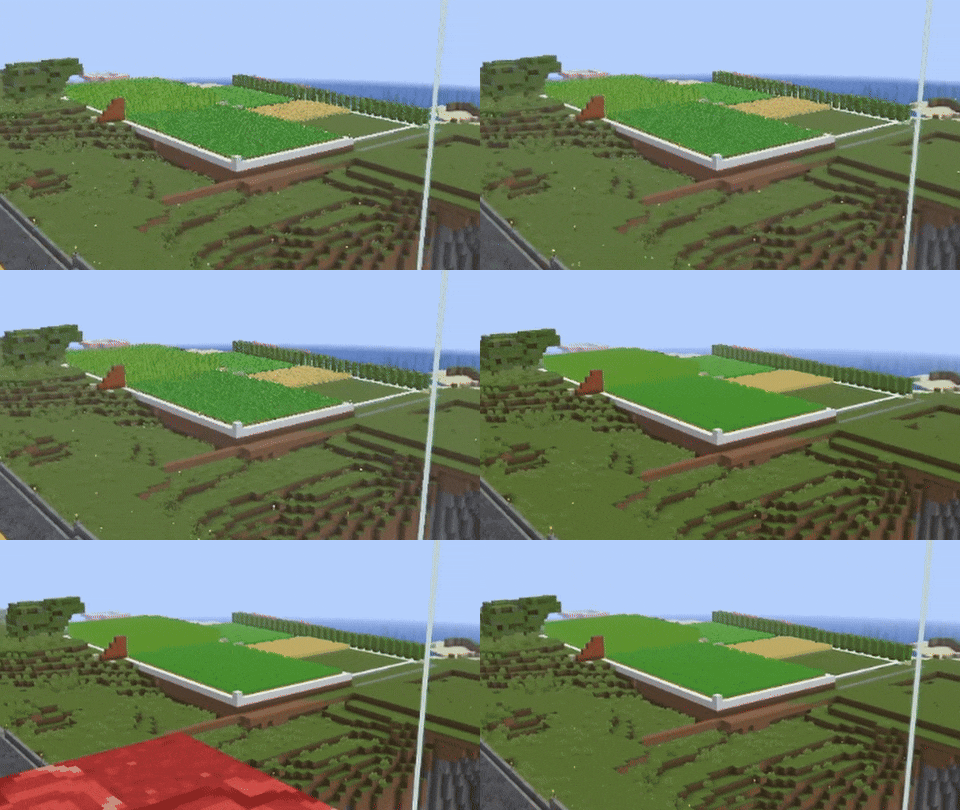
When turned off, the image ripples and everything twitches, when turned on, the artifacts disappear.
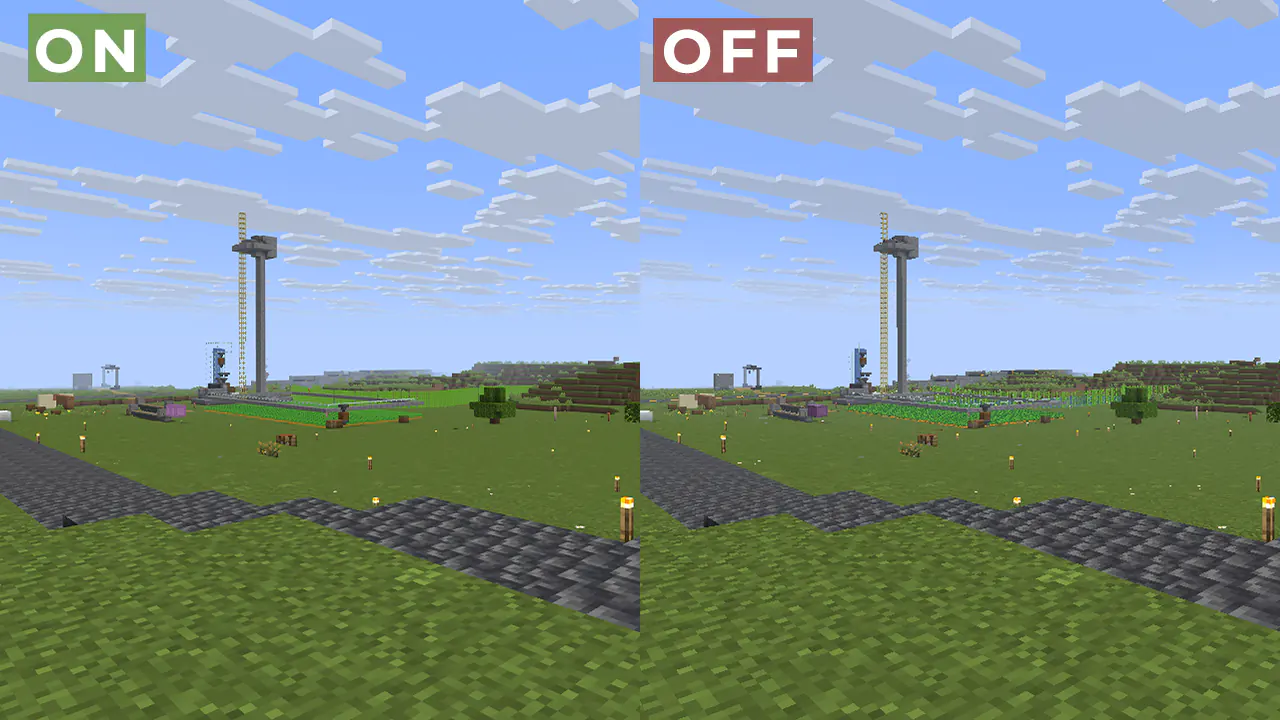
Example 2:
FAQ:
How is it different from other projects? Fog support for all versions, new method FXAA and better performance than TAA Project. What is the difference between FXAA and TAA? FXAA is a simple and fast post-filter that blurs sharp edges, while TAA uses data from previous frames to produce a smoother image, especially when there is movement. Part of the code, namely the implementation of TAA, was taken from TAA Project, so the license is MPL-2.0.Preview
Product images
Environment
Requirements & compatibility
Compatibility & requirements
IrisOptifine1.8.9 – 1.21.1126.126.1.126.1.226.2
Local host
Required
Hosting on services
Unsupported
Terms
License
Terms for using, modifying and redistributing this product.
Mozilla Public License 2.0Modrinth
Release
Latest release
v1.0.9
23.08.2026 · Modrinth
Gallery
Project images
Screenshots and images from the original Modrinth page.
ON/OFF
History
Project versions
Published versions and original Modrinth files.
v1.0.9LatestRelease
23.08.2026 · 1 311 downloads
IrisOptifine1.8.91.91.9.11.9.21.9.31.9.41.101.10.1
v1.0.8Release
22.08.2026 · 229 downloads
IrisOptifine1.8.91.91.9.11.9.21.9.31.9.41.101.10.1
The main fix is DistantHorizons, and fog for animals (previously it wasn’t applied to them), as well as End and Nether
v1.0.7Release
21.12.2025 · 36 261 downloads
IrisOptifine1.8.91.91.9.11.9.21.9.31.9.41.101.10.1
Fixed an issue where unused rendering passes would not turn off
v1.0.6Release
18.11.2025 · 5 768 downloads
IrisOptifine1.8.91.91.9.11.9.21.9.31.9.41.101.10.1
For some reason, the lighting in the shader is broken in the new Sodium updates.
The current shader update fixes this!
v1.0.5Release
01.09.2025 · 13 054 downloads
IrisOptifine1.8.91.91.9.11.9.21.9.31.9.41.101.10.1
- Fix Clouds and SkyBox
v1.0.4Release
29.08.2025 · 481 downloads
IrisOptifine1.8.91.91.9.11.9.21.9.31.9.41.101.10.1
Fix END
v1.0.3Release
27.08.2025 · 481 downloads
IrisOptifine1.8.91.91.9.11.9.21.9.31.9.41.101.10.1
Fix Hand with TAA
v1.0.2Release
25.08.2025 · 457 downloads
IrisOptifine1.8.91.91.9.11.9.21.9.31.9.41.101.10.1
Added FOG
v1.0.1Release
25.08.2025 · 265 downloads
IrisOptifine1.8.91.91.9.11.9.21.9.31.9.41.101.10.1
DH support
v1.0.0Release
11.08.2025 · 1 313 downloads
IrisOptifine1.8.91.91.9.11.9.21.9.31.9.41.101.10.1
First Release
Scroll products with the wheel or arrows